4
PART I : SETTING UP THE CQ350-PRO MOUNT
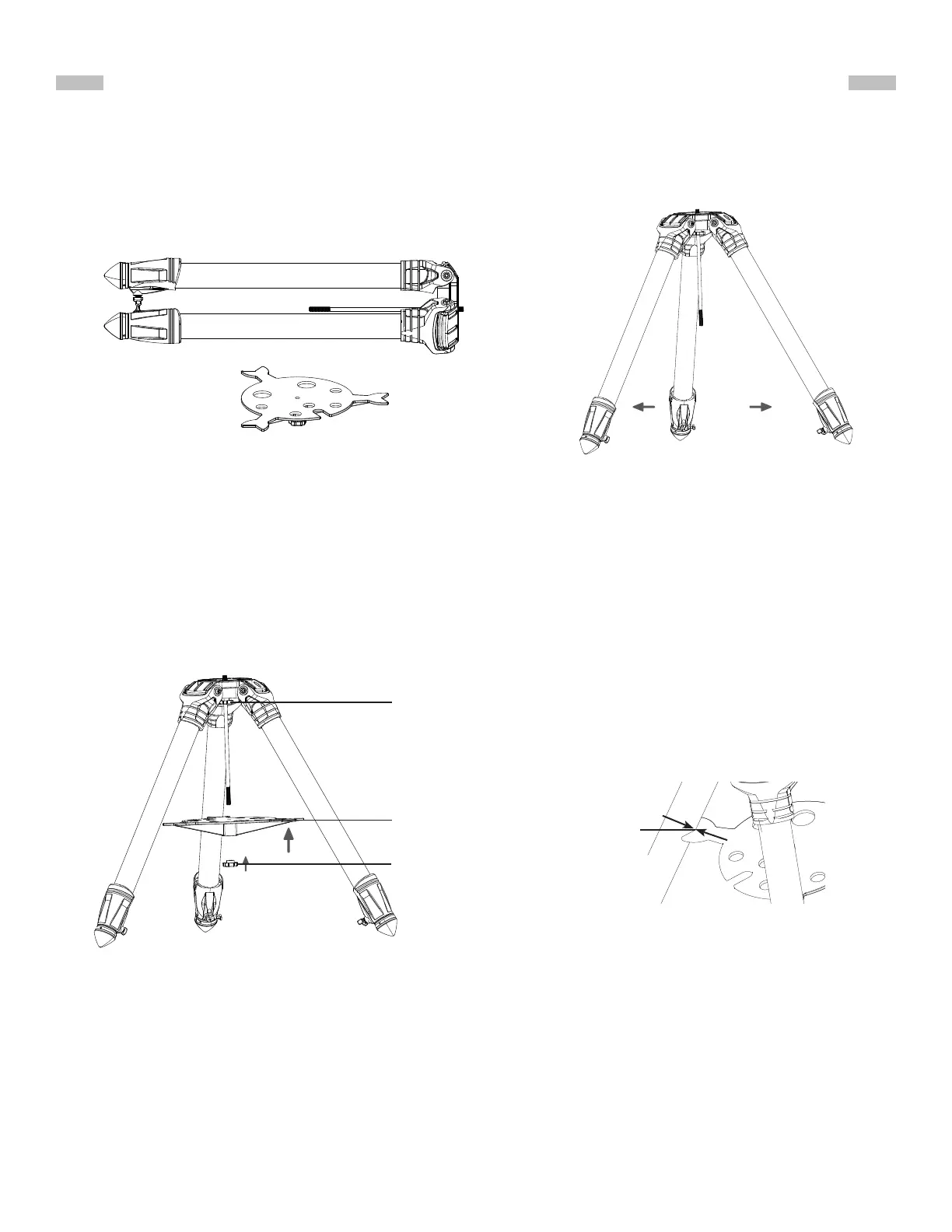
1. Spread the three legs of the tripod(Fig 1.1a)(Fig 1.1b).
1.1 Setting Up the Tripod
Fig. 1.1bFig. 1.1a
2. Install the accessory tray and the lower knob on the central rod (Fig 1.1c).
Place the V-shaped grooves of the accessory tray against the tripod legs.
Tighten the lower knob loosely to allow turning the upper knob later (Fig 1.1d).
Fig. 1.1c
Fig. 1.1d
accessory tray
accessory tray
tightening
lower knob
mount tightening
upper knob
V-shape
indent











 To Next Page