7
PART I: SETTING UP THE CQ350-PRO MOUNT
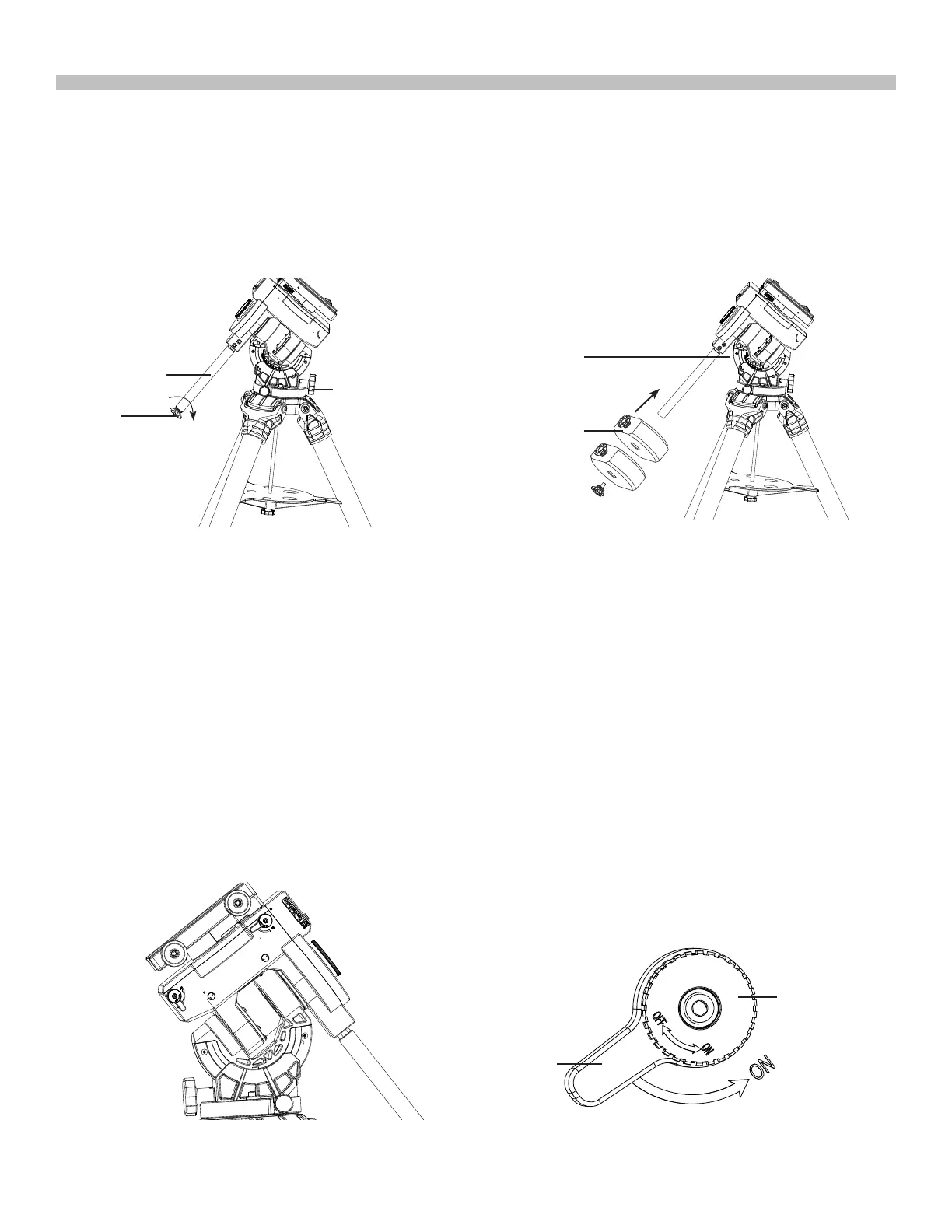
1.3 Installing the Counterweights
1. Screw the counterweight rod into the mount as shown in Fig. 1.3a (**).
2. Remove the stopper knob at the end of the counterweight rod.
3. Loosen the counterweight’s thumb screw and slide the counterweight onto the counter-
weight rod. Retighten the thumb screw to secure the counterweight on the rod. (Fig. 1.3b)
4. Replace the stopper knob to the end of the counterweight rod.
To unlock the RA clutch so that the RA axis can be turned by hand: First, unlock the clutch
knob by pulling it out while turning it in the ON direction. Then turn the clutch lever to ON. RA
axis is now disengaged from the gears and can be freely turned by hand.
To lock the RA clutch so that RA axis can be turned by the motor: First, turn the clutch lever
to OFF. Then tighten the clutch knob in the OFF direction until it makes clicking sounds.
WARNING:
• Moving the mount by hand will cause its position on the sky to be lost for the Synscan
controller.
• Do not unlock the clutches when the mount has been aligned on reference stars.
• The clutches have to be unlocked for balance testing. Make sure the unbalance is small
when unlocking or locking the clutches, to avoid damaging the gears.
The clutch on the DEC axis operates similarly(Fig. 1.4b) .
1.4 Operation of RA and DEC Clutch
Fig. 1.4a Fig. 1.4b
Stopper
knob
Counterweight
Rod
EQ tightening
handle
Thumb Screw
M10x45 hex
socket bolts
Fig. 1.3a
Fig. 1.3b
Clutch Knob
Clutch Lever











 To Next Page