238261AAA SJ40 T+, SJ45 T+
34
Section 3 – Familiarization Optional equipment
3.5 Optional equipment
CAUTION
Skyjack approved modifications and attachments
can change the MEWP specifications. Refer to the
applicable instructions and labels.
IMPORTANT
Refer to the labels of the optional equipment for
the actual weight. Include this weight to calculate
the total load on the platform. Include personnel
and other materials in the total load.
The weight of the attached parts, panels,
occupants, and tools put together must not be
more than the rated platform capacity.
NOTE
Refer to the website (www.skyjack.com) for other
optional equipment.
3.5-1 AC power socket on the platform
The AC power socket is a source of AC power on the
platform. The outlet is on the right side of the platform
control console, and the plug is adjacent to the
hydraulic tank in the control compartment.
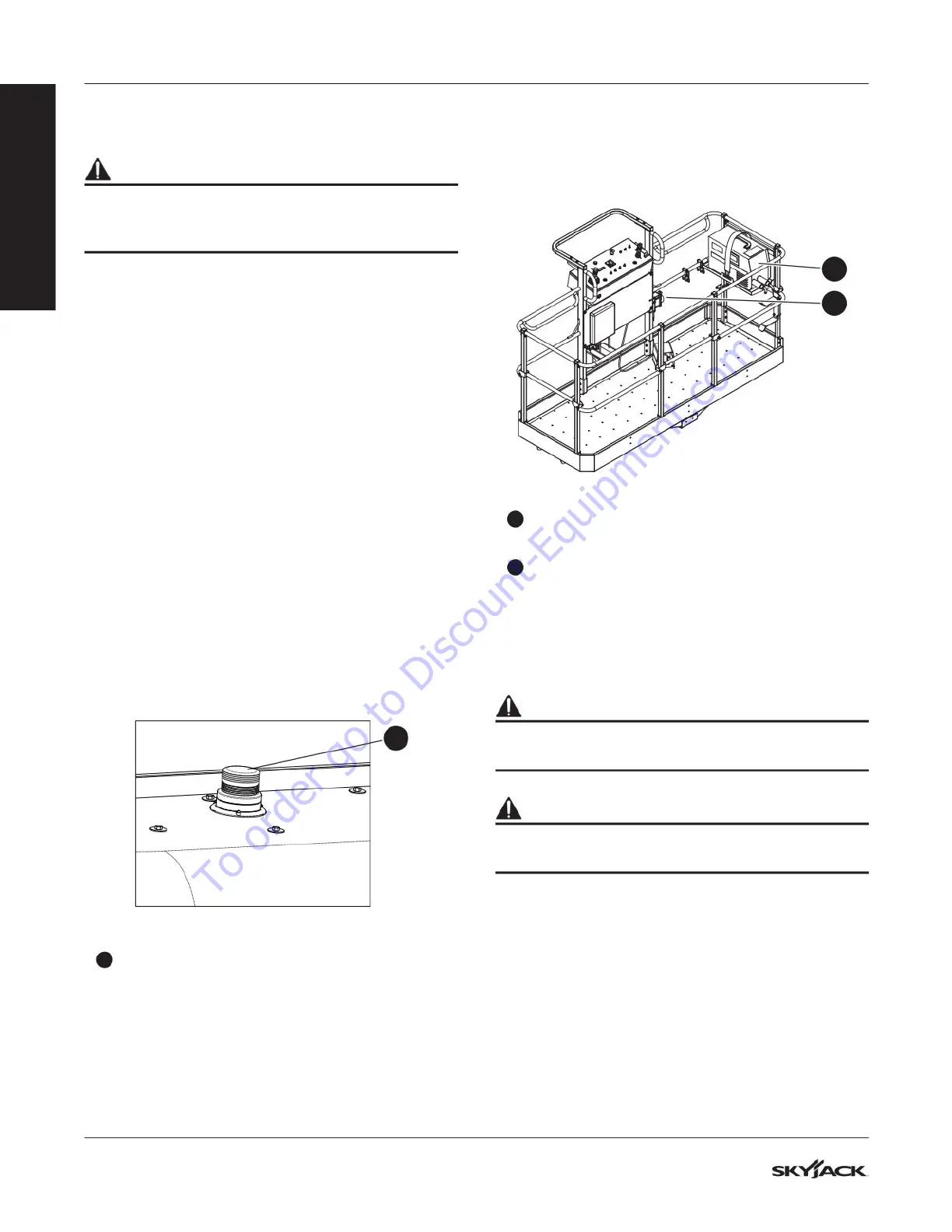
3.5-2 Flashing amber light
The flashing amber light is on top of the turret of the
MEWP.
1
7
1
Flashing amber light: This light flashes when
you operate a boom function. It operates with the
motion alarm.
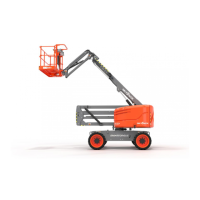
3.5-3 Welder
The welder is installed on the platform. Refer to the
welder operation manual for the correct operation and
maintenance.
1
2
7
1
Welder: This equipment is connected to the
welder AC socket on the platform.
7
2
Welder AC socket: This AC socket is for the
welder.
NOTE
In temperatures below 0°C (32°F), make the
hydraulic oil warm before you operate the welder.
WARNING
Only a qualified service technician must install,
operate, do maintenance on, and repair the welder.
CAUTION
If you breathe in welding fumes and gases, it can
be hazardous to your health.
FAMILIARIZATION
To order go to Discount-Equipment.com


 To Next Page