GB 9
7. The OSD menu - channels
1.1.5 Change
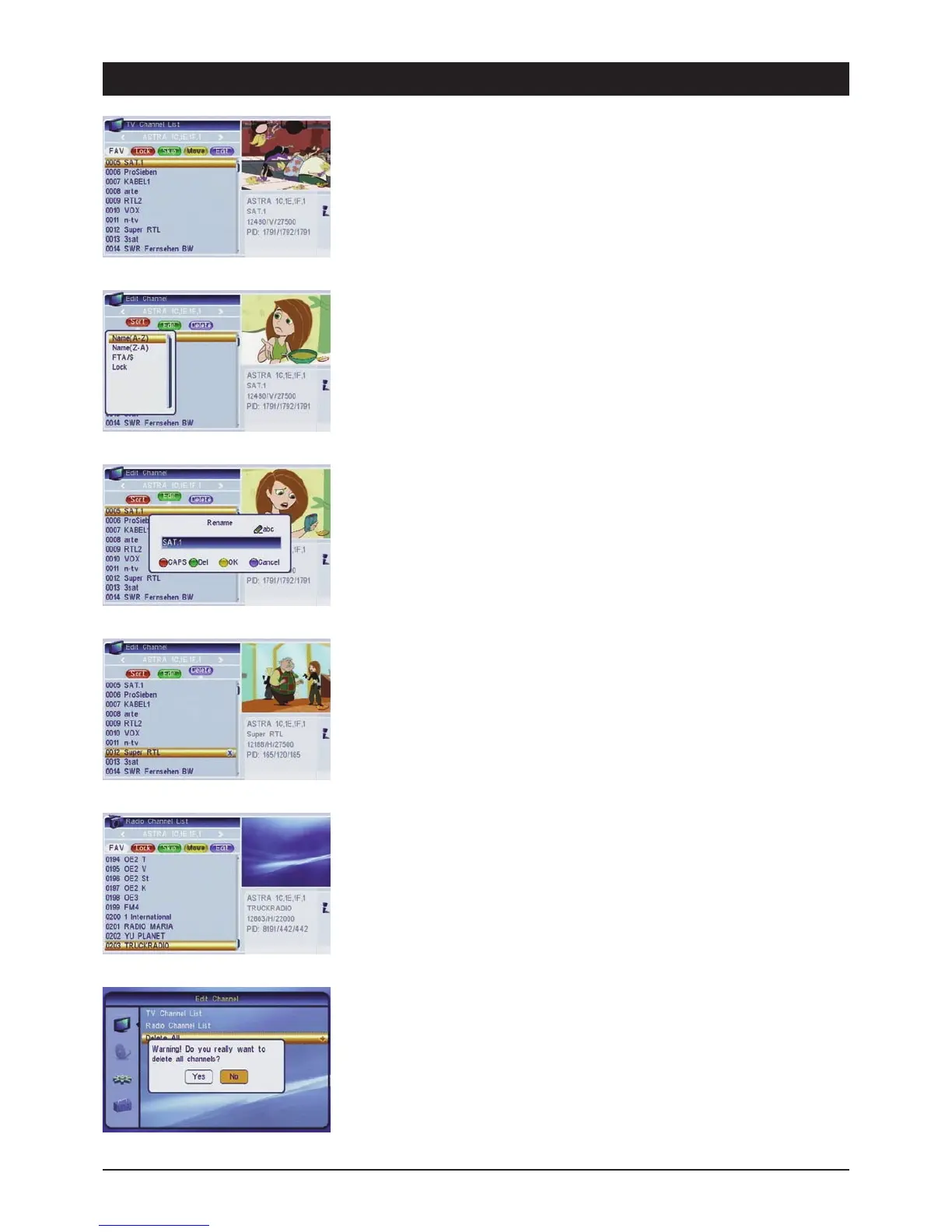
Press the [blue] button to edit the existing TV channels and radio stations, the same as delete,
rename and sort.
1.1.5.1 Sort
Press the [red] button to sort the selected channel list. The channels can be sorted according to
various criteria: “Name (A-Z)” and “Name (Z-A)” (alphabetical), “Free/Pay TV” (free-to-air channels
before coded channels) and “lock” (locked channels at the end of the list). Note: When you exit the
menu and confirm continuous sorting, the previous channel sequence is no longer available!
1.1.5.2 Rename
Press the [green] button if you wish to rename the selected channel.
Upper (red button): Toggles between upper and lowercase letters
Del (green button): Deletes characters
OK (yellow button): Saves names
Cancel (blue button): Exits the menu without saving
1.1.5.3 Delete
Press the [blue] button and highlight the channels you wish to delete and confirm via the [OK]
button. After exiting the menu, a safety query appears asking whether you wish to delete all the
selected channels. Note: It is possible to cancel the selection by pressing the [OK] button again.
1.2 Radio station list
Radio station administration. The same as described for TV channels above.
1.3 Delete all
The “Delete all” function is useful if you wish to reinstall the receiver and subsequently start an
automatic search.



 To Next Page