GB 14
7. The OSD Menu – System settings
3. System settings
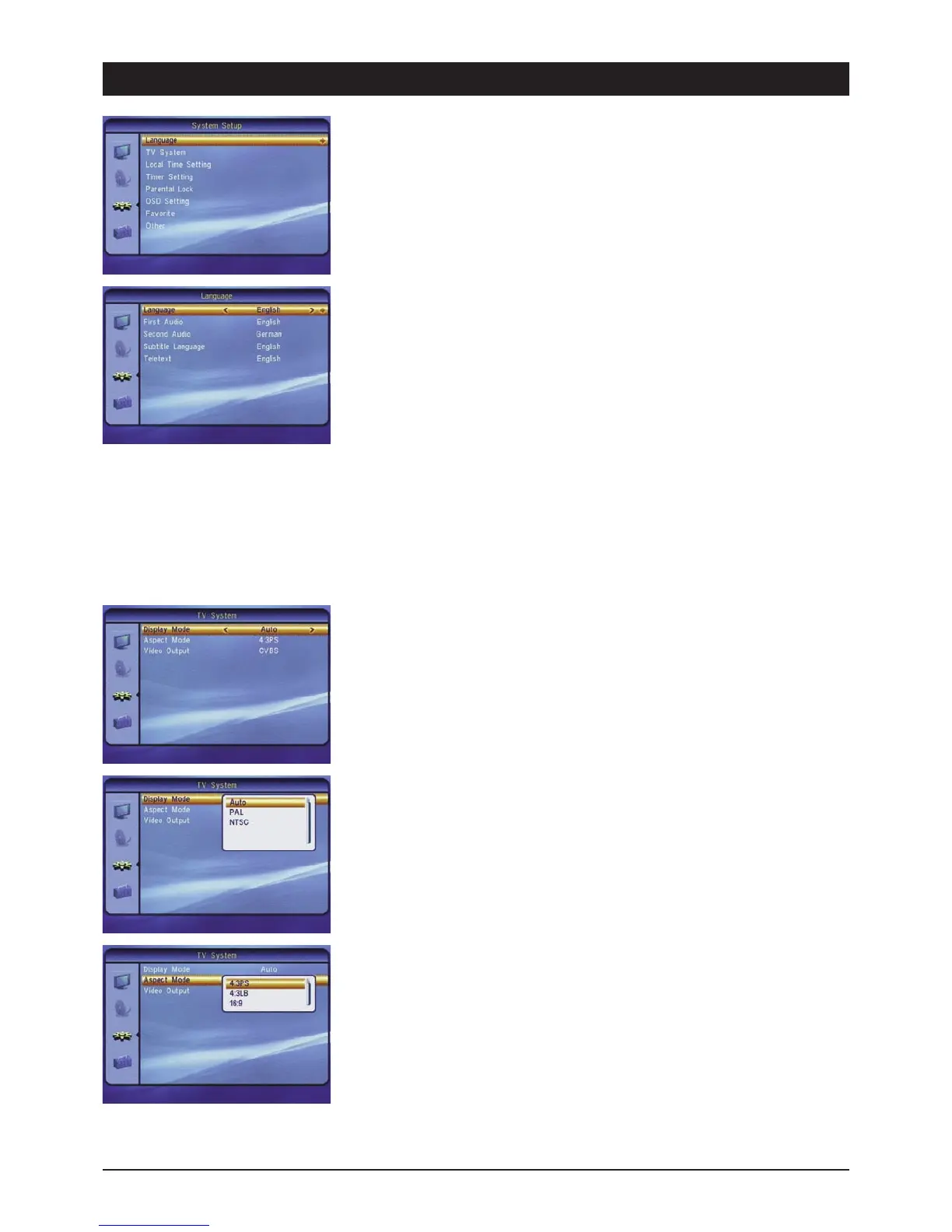
In the system menu you can adapt the satellite receiver to the connected TV set, and set the
languages for the menu and the audio playback, the time, parental lock and much more.
3.1 Language
In the language submenu you can select your preferred language for the screen menu and audio
playback.
3.1.1 Menu language
Select the desired OSD language. Use the [왗왘] buttons.
3.1.2 1. Audio language
Select the language which should be used for multilingual channels if this option is available.
3.1.3 2. Audio language
Select the language which should be used for multilingual channels if the first audio language is
not available. If neither of the selected languages is available, it is provided by the channel.
3.1.4 Subtitle language
DVB subtitles can be transmitted as multilingual subtitles. Select the desired language.
3.1.5 Teletext
Select the desired language for multilingual teletext offers.
3.2 TV settings
For adapting the satellite receiver to the TV set.
3.2.1 Video standard
For adapting the video standard to the connected TV set. Use the PAL or AUTO setting for
operation in German-speaking countries.
The video standard NTSC is not used in Europe. Caution: The picture may no longer be visible after
changing the video standard! In this case, press the [왗왘] buttons until the OSD is legible again!
3.2.2 Screen format
If your TV set has a 16:9 screen, select the setting 16:9. For 4:3 screens select the settings 4:3PS
(Pan & Scan) or 4:3LB (Letterbox). With Pan & Scan the black bars at the top and bottom of the
screen are cropped when watching 16:9 broadband programmes. The picture is thus enlarged.
However, the sides of the widescreen are also hidden. With the letterbox print the entire picture,
including the black bars in 16:9 cinema format programmes, is visible.
3.2.3 Video output
For setting which type of video signals are output at the Scart jacks of the receiver. The quality of
FBAS (also Composite, C-Video or CVBS) is not as high as RGB, but it is compatible with almost
all VCRs and TV sets. Due to the separate transmission of red, green and blue, RGB achieves the
best possible true colour quality and picture definition.



 To Next Page