Skytech: 3301P2
REV. 5-7-12 Page 2
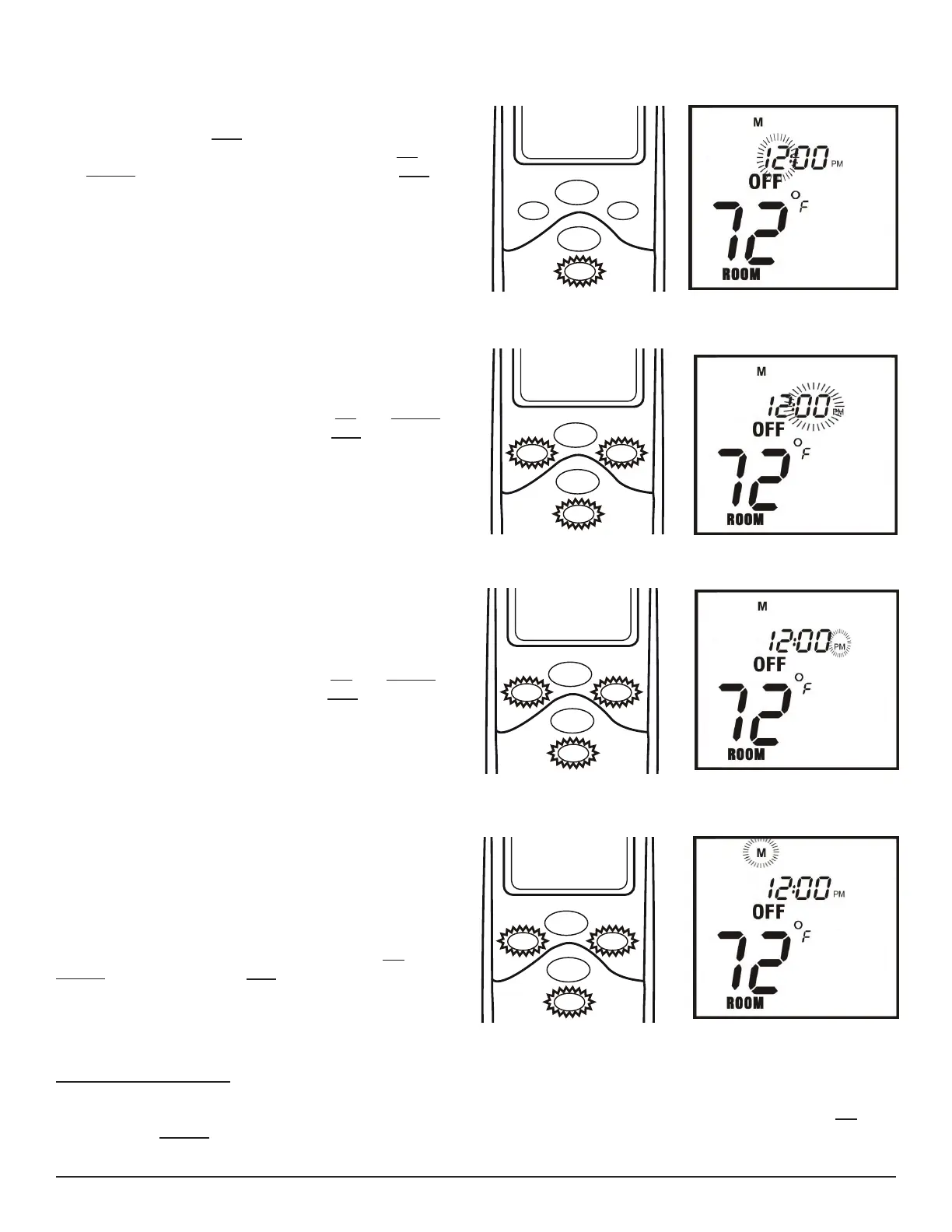
2. Press and hold the SET button for 5 seconds. The
hour section will begin to ash (Fig. #2). Use the UP
and DOWN buttons to select the hour, then press SET to
conrm your setting.
3. The minutes will be ashing. Use the UP and DOWN
buttons to select the minutes, the press SET. (Fig. #3) to
conrm your setting.
4. The AM PM will be ashing. Use the UP and DOWN
buttons to select AM or PM, then press SET (Fig. #4) to
conrm your setting.
5. One of the days of the week will be ashing (above
the clock). Select what day it is by pressing the UP and
DOWN buttons, then press SET. Your time will automati-
cally be accepted (Fig. #5) to conrm your setting.
DOWN
UP
MODE
SET
PROG
COVER OPEN
Fig. 2 Setting Hours
DOWN
UP
MODE
SET
PROG
COVER OPEN
Fig. 3 Setting Minutes
DOWN
UP
MODE
SET
PROG
COVER OPEN
Fig. 4 Setting AM/PM
DOWN
UP
MODE
SET
PROG
COVER OPEN
Fig. 5 Setting Day of Week
SETTING ºF / ºC SCALE
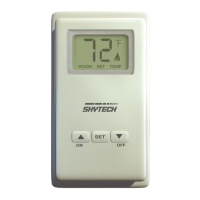
The factory setting for temperature is ºF (Fahrenheit) . To change this setting to ºC (Celsius) , press and hold the UP
button and the DOWN buttons on the transmitter at the same time. Follow this same procedure to change from
ºC (Celsius) back to ºF (Fahrenheit).


 To Next Page