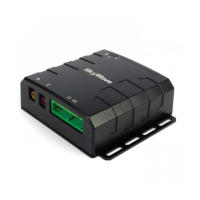
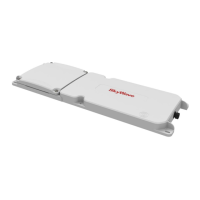
IDP 600 Terminal Series - Hardware Guide
T200, Version 02 iv © SkyWave Proprietary
3.5.1 Frequency ...................................................................................................................... 17
3.5.2 IDP-680 Antenna ........................................................................................................... 18
3.5.3 IDP-690 Low Elevation Antenna .................................................................................. 18
3.6 GPS ................................................................................................................................... 18
3.7 Physical Details ................................................................................................................ 18
3.8 LED .................................................................................................................................. 20
3.9 Non-Volatile Storage ........................................................................................................ 20
3.10 Environmental .................................................................................................................. 21
3.11 Temperature Sensor .......................................................................................................... 22
4 Installation ......................................................................................................................... 23
4.1 Getting Started .................................................................................................................. 23
4.2 Prepare for the Installation ............................................................................................... 23
4.2.1 Shipping Box Contents .................................................................................................. 24
4.2.2 Mobile Identification ..................................................................................................... 24
4.2.3 Contact SkyWave to Activate the Terminal .................................................................. 24
4.2.4 Required Materials ......................................................................................................... 25
4.2.5 Required Tools ............................................................................................................... 25
4.3 Identify the Fuse Panel Location ...................................................................................... 26
4.4 Determine a Suitable Mounting Location ........................................................................ 26
4.5 Route the Main Cable ....................................................................................................... 27
4.6 Mount the Terminal .......................................................................................................... 28
4.6.1 Drill Mounting Holes (optional) .................................................................................... 29
4.6.2 Mount the Terminal ....................................................................................................... 29
4.6.3 Apply Dielectric Grease................................................................................................. 30
4.7 Protect the Cables and Cable Connectors ......................................................................... 31
4.8 Connect to Power ............................................................................................................. 32
4.9 Register the Terminal ....................................................................................................... 33
4.10 Cleaning Instructions ........................................................................................................ 34
4.11 Application Programming Interface ................................................................................. 34
5 Cable Assembly Instructions ............................................................................................ 35
5.1 Required Tools and Materials .......................................................................................... 35
5.2 Cable Assembly Steps ...................................................................................................... 35
6 Troubleshooting the Terminal ......................................................................................... 39
6.1 Terminal Does Not Register or Report ............................................................................. 39
APPENDIX A Order Part Numbers ....................................................................................... 41
APPENDIX B Activation Information ................................................................................... 42
APPENDIX C IDP 600 Series Mating Cable ......................................................................... 43
APPENDIX D IDP 600 Series to DMR-800 Adapter Cable ................................................. 45
APPENDIX E IDP 600 Series Extension Cable ..................................................................... 47
APPENDIX F Drill Template .................................................................................................. 50
Documentation Version............................................................................................................... 51
Acronyms/Glossary ..................................................................................................................... 52
Index… ......................................................................................................................................... 53



 To Next Page