5 / 17
Copyright (c) 2009-2017 RoboPeak Team
Copyright (c) 2013-2017 Shanghai Slamtec Co., Ltd.
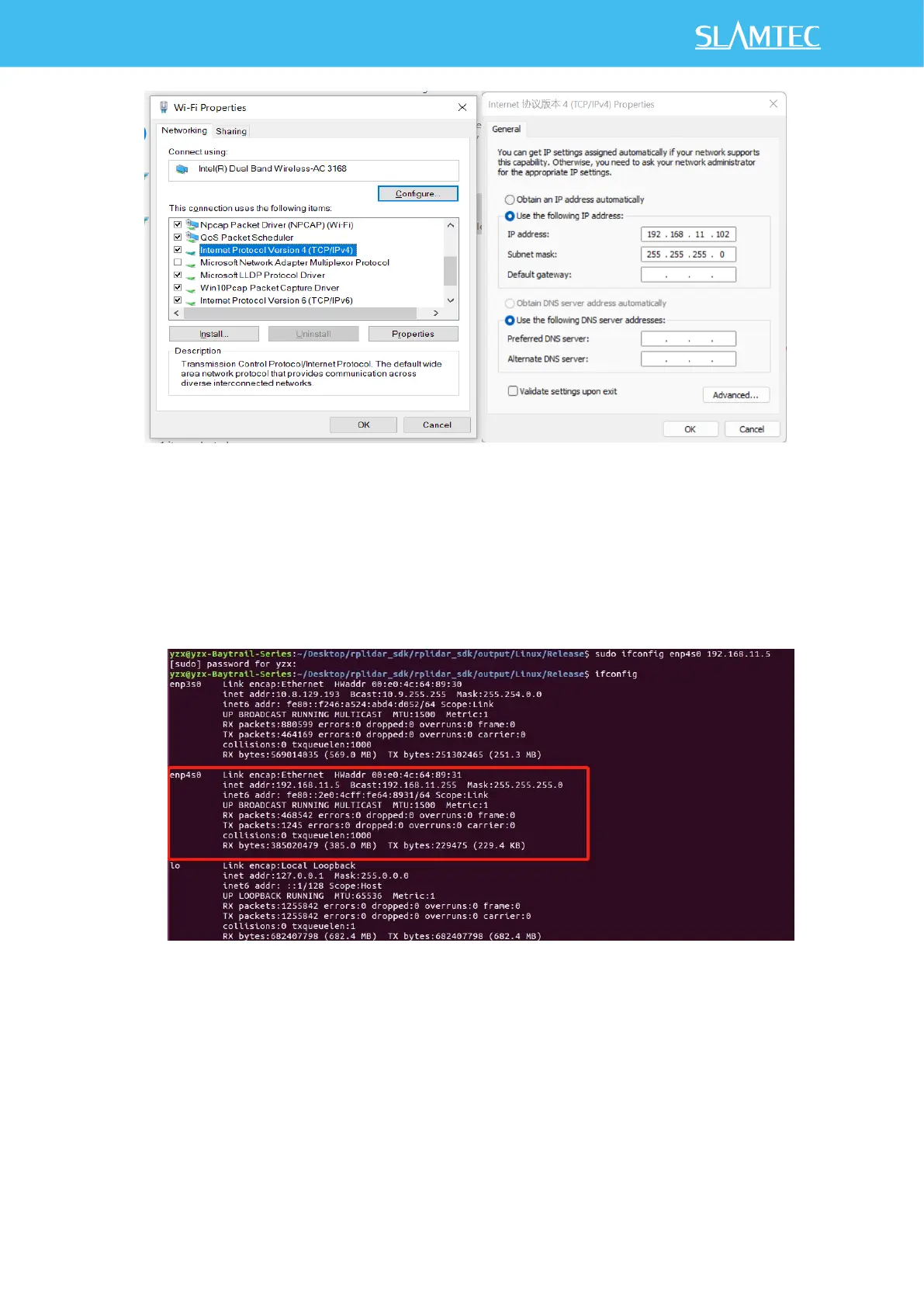
Figure 2-2 Network Configuration Under Windows
2) Linux/MacOs Network Configuration:
As shown in Figure 2-3, in Linux, run the sudo ifconfig enp4s0
192.168.11.2 command to configure the network. Enp4s0 indicates the
interface name. Change the port name based on the actual situation.
Figure 2-3 IP Address Setting
After the network configuration is complete, ping 192.168.11.2 to check
whether the network configuration is successful.



 To Next Page