“Get online”
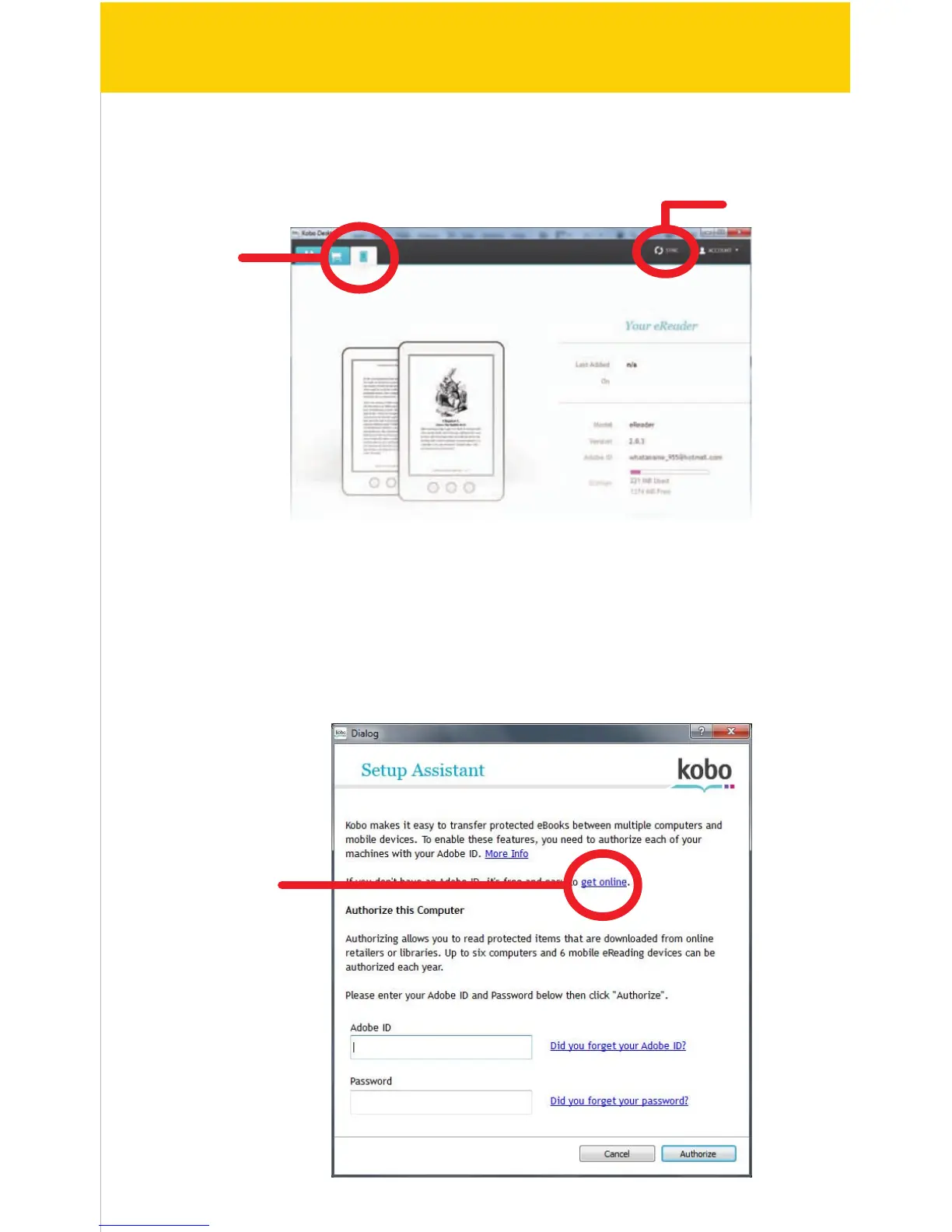
5. Connect the e-Reader to the computer, and click on the “e-Reader” tab. Click
the “Sync” button to copy the books in your Library to the e-Reader.
6. When syncing eBooks to the e-Reader for the rst time, the following screen
appears. You will be asked to enter your Adobe ID to transfer protected eBooks
between computers and mobile devices.
If you need to create a new Adobe ID account, click “Get online” on the
Setup Assistant page.
13/41
e-Reader
Sync


 To Next Page