Quick Reference
Working with Notebook Software Gallery Collections
What is the Notebook Software Gallery?
The Notebook™ software Gallery helps you quickly develop and deliver lesson activities and presentations in rich graphic
detail. Thousands of high-resolution images, audio, video, Macromedia
®
Flash
®
and entire Notebook files are organized into
searchable collections that allow you to create attractive, reusable content.
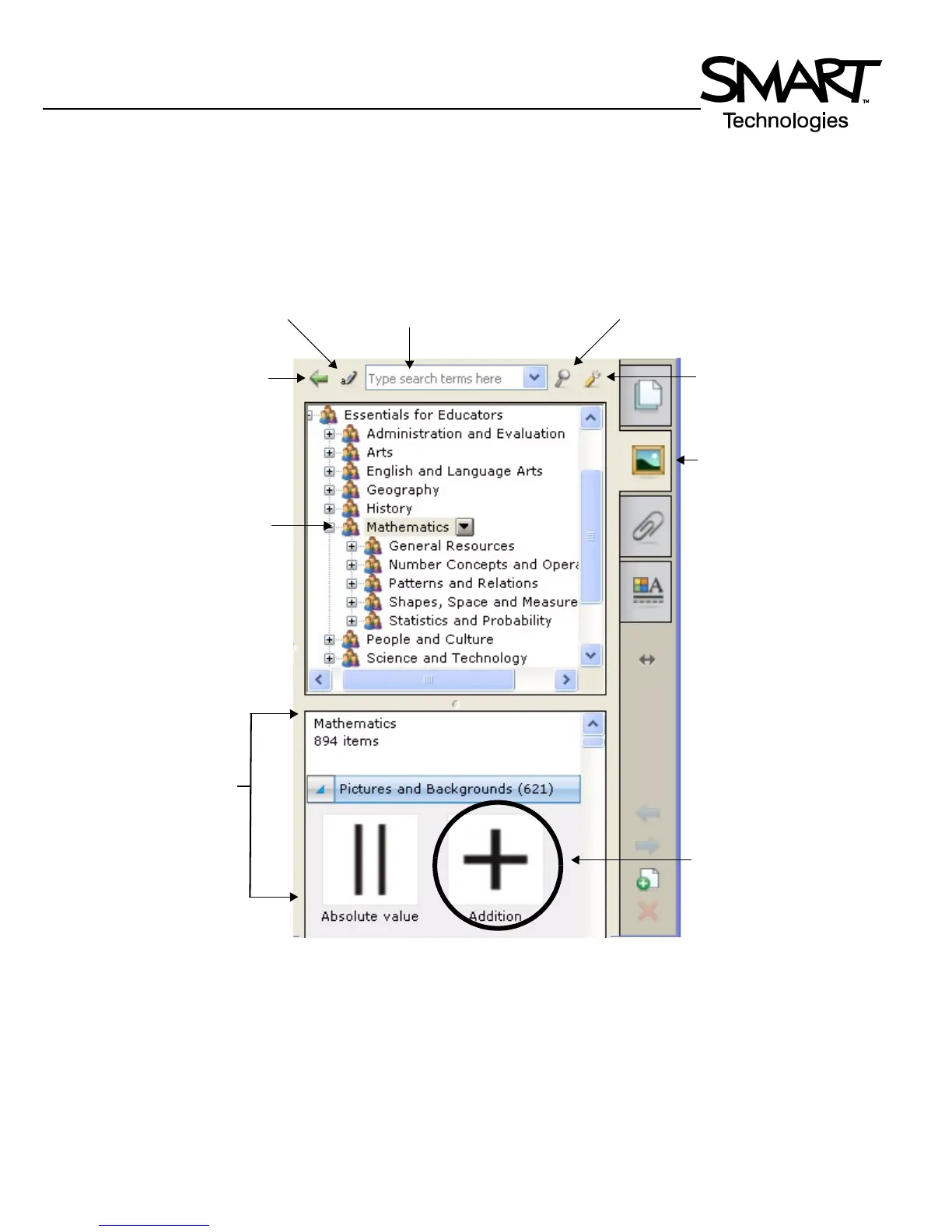
Select a folder to display its
contents in the search
results area
Drag the thumbnail image to
the work area
Enter a keyword into the search field to
quickly find related Gallery items
Show additional Gallery
actions
Press to return to previous search
results – works like an Internet
browser’s back button
Press the Gallery tab to
open the Gallery
Press the Search button
to initiate search
Search results area
Show the onscreen
keyboard


 To Next Page