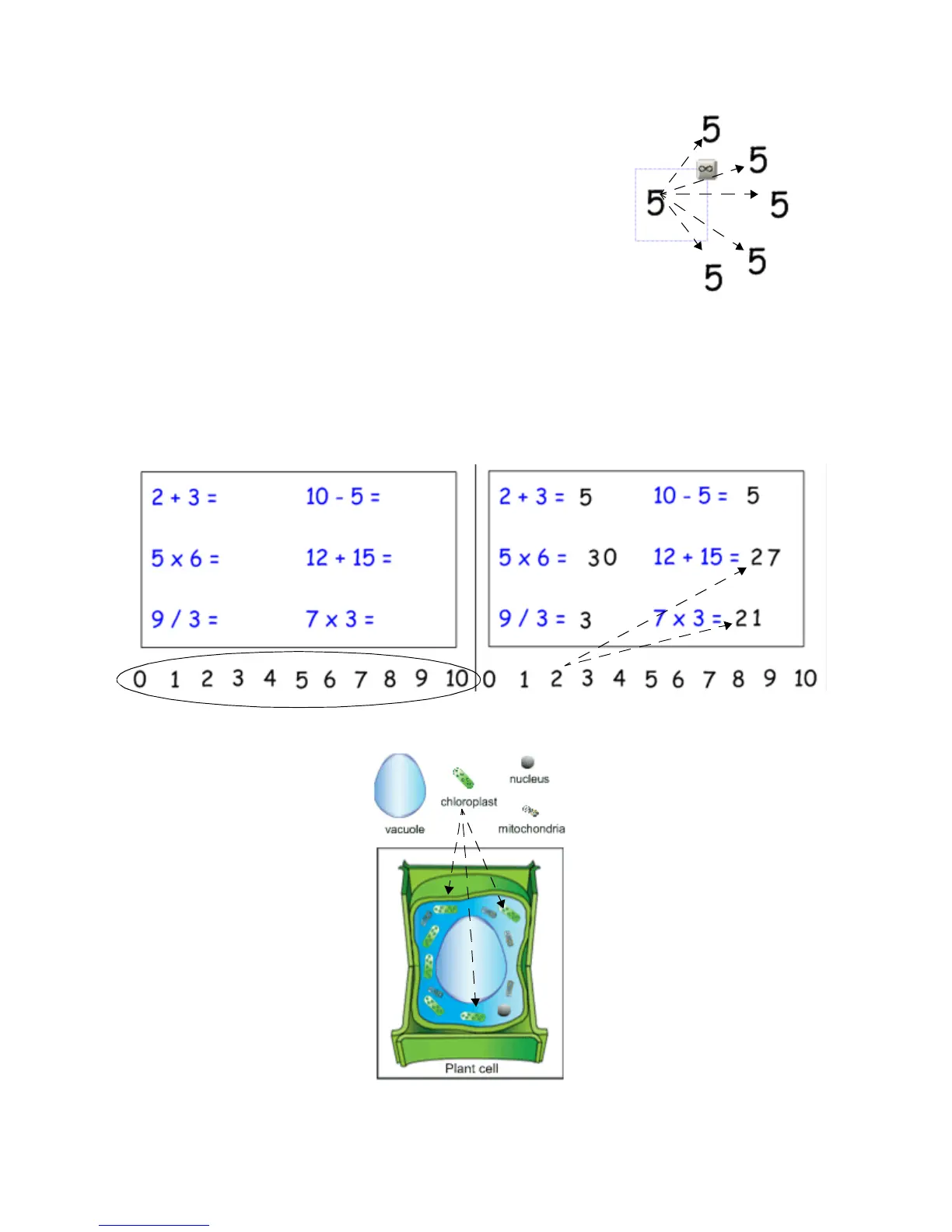
Infinite Cloner
The Infinite Cloner allows you to reproduce an object an unlimited number
of times, without having to select clone repeatedly from the drop-down
menu. The Infinite Cloner also helps keep your Notebook file’s size
smaller than if you were to copy and paste the same information, making
the file easier to share with your colleagues.
To set an object as an Infinite Cloner, complete the following steps:
1 Select an object
2 Press on the object drop-down menu
3 Select Infinite Cloner
4 Press on the object, then drag to create an identical object
Using the same object for multiple answers
One advantage of the Infinite Cloner feature is the ability to create a drag and drop activity without diluting
the pool of available options each time a question is answered correctly.
Press and drag to create
an identical object
Set each number on the number
line as an Infinite Cloner.
Use the same number multiple
times to answer the questions.
Label graphics that need to use the
same element more than once.


 To Next Page