Hands-On Practice
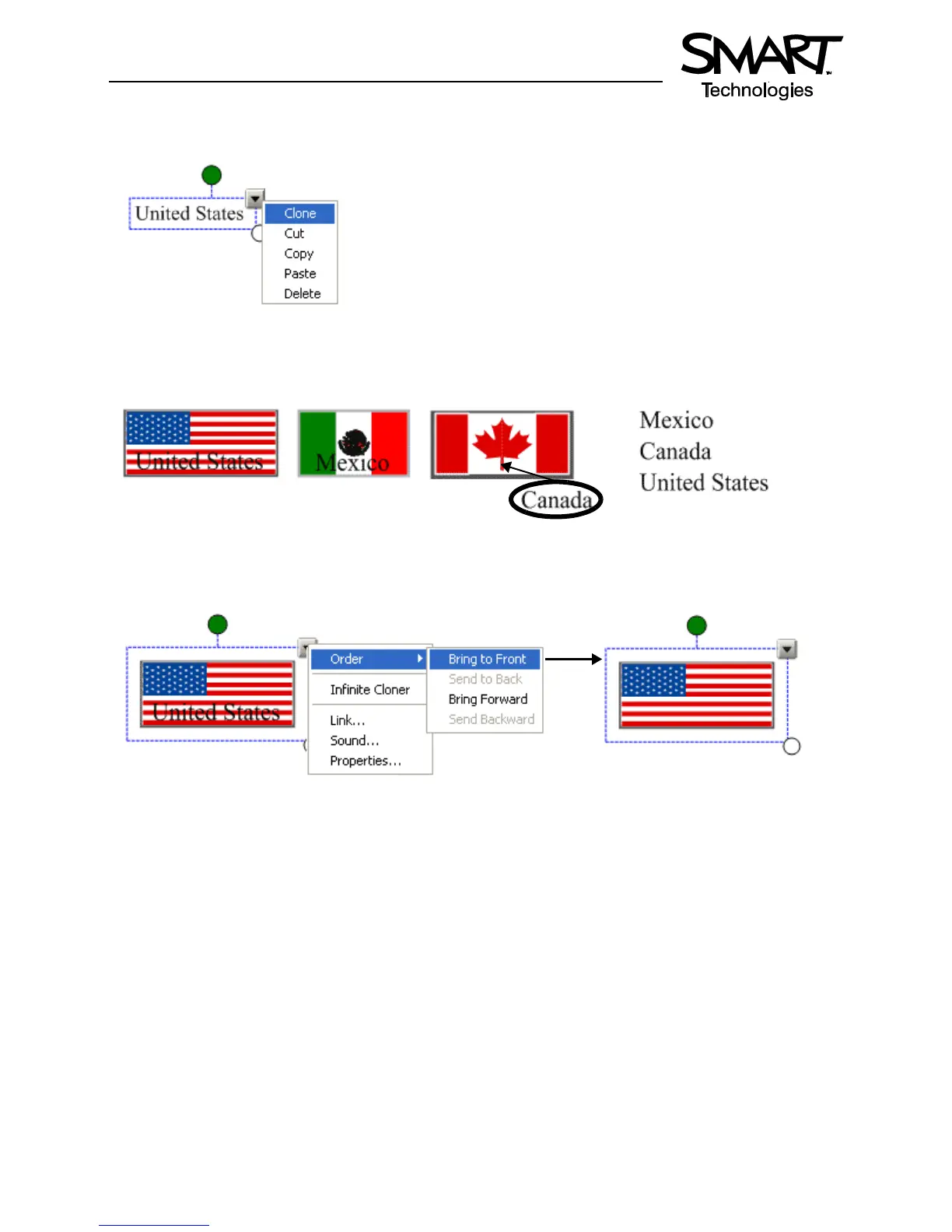
11 Select Clone from the object’s drop-down menu to make a copy of the name of each country. There
should be two country names for each flag.
12 Organize the names of each country so that one set of country names is placed in a vertical line on
your work area. Drag the other country names over their corresponding flags.
13 Select the United States flag, for example, and choose Order > Bring to Front from the object’s drop-
down menu to cover the name United States. Complete this task for the Mexican and Canadian flags.
14 Press File > Save to save your Notebook file. Give your Notebook file a name and choose the location
where you want to save it.
Using Your Lesson in the Classroom
After opening your saved Notebook file on the SMART Board interactive whiteboard, ask your students to
drag the name of each country underneath its corresponding flag. Once the exercise is completed, remove
the flags to reveal the correct answers.
TIP: Select a fun setting from the Creative pen menu to add check-marks to correct answers.
You can add as many pages to your Notebook file as you need to create additional lesson activities, such
as labeling continents or identifying capital cities on regional maps.
The United States flag is positioned behind the typed text
The United States flag is now
positioned in front of the typed text


 To Next Page