Hands-On Practice
Preparing Your Lesson: Advanced Features
The My Content area is a Gallery collection reserved specifically for objects and lessons you have imported,
captured or created, such as the lesson you just finished preparing. It’s also a good place to store objects
and lessons you use frequently or want to share with your colleagues.
1 Open your geography lesson
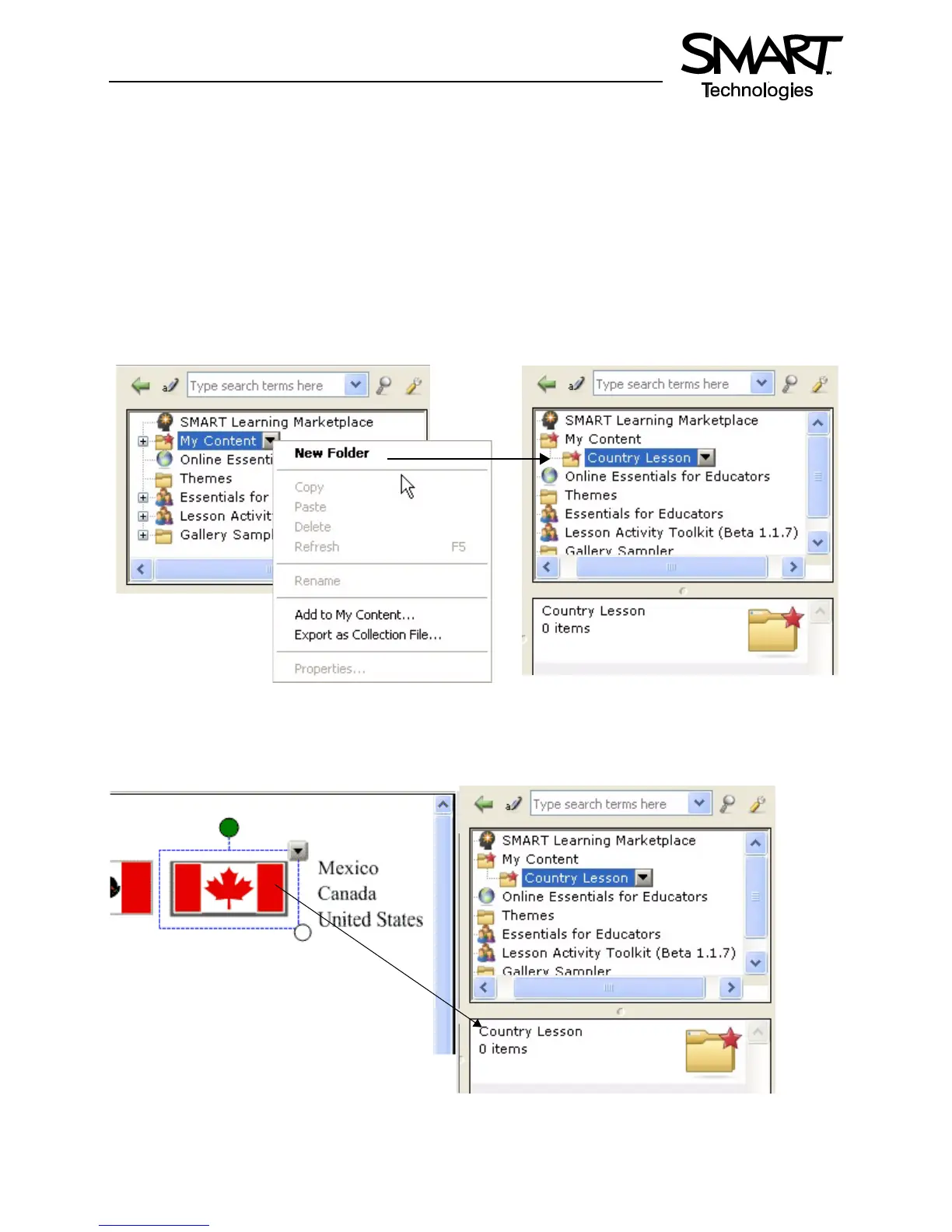
2 Select the Gallery tab. By default, the My Content folder is selected.
3 Press the My Content drop-down menu and choose New Folder
4 Launch the On-Screen Keyboard and type Country Lesson. You have now created an area where you
can store all objects related to your geography lesson.
5 Drag each flag and country name into your new Gallery collection. Your new Gallery collection now
contains nine individual Gallery items – one flag and two names for each country.
Create a new folder
Your new folder called Country Lesson appears under
My Content


 To Next Page