Hands-On Practice
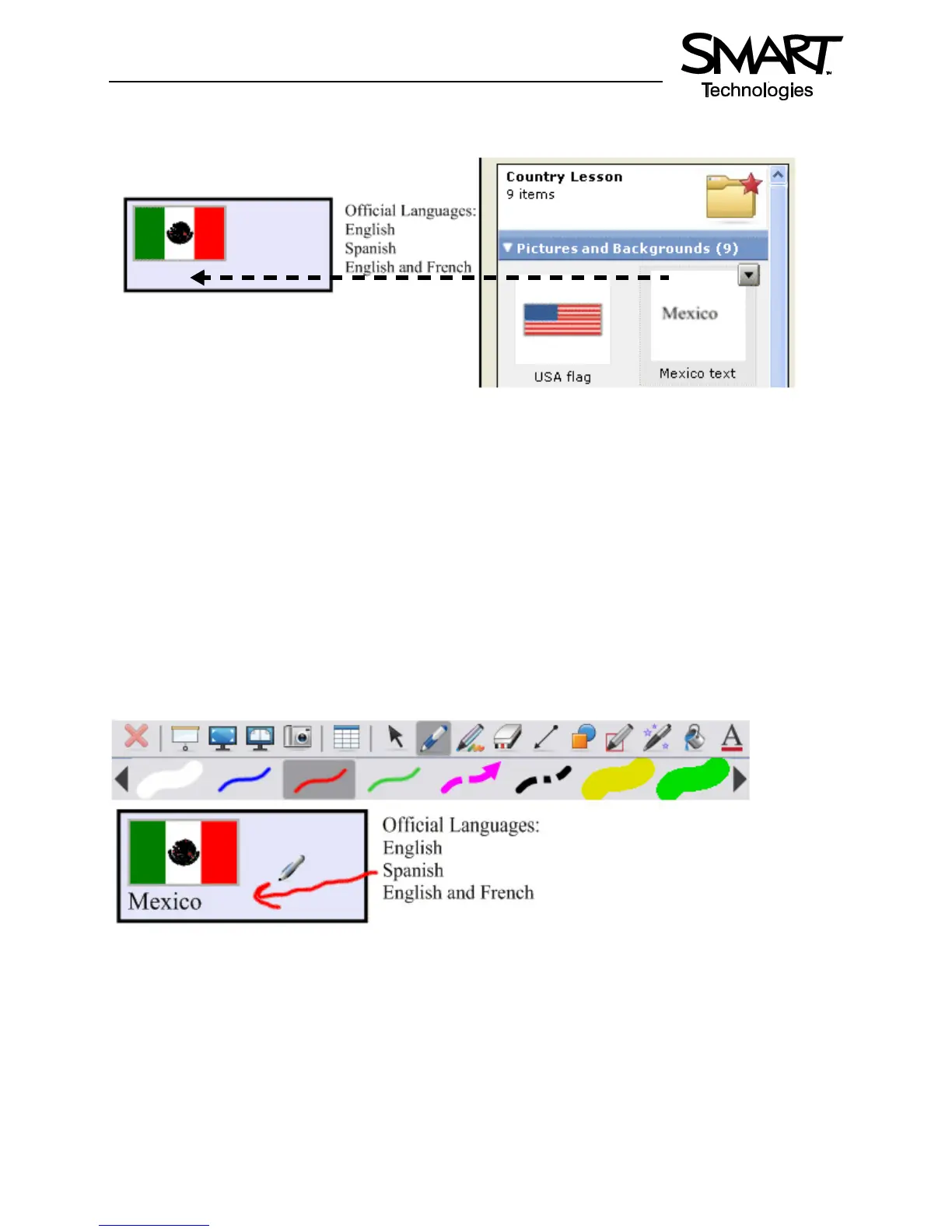
11 Drag the Mexican flag from the My Content area to the top left corner of the rectangle you created in
step seven. Then drag the word Mexico to sit directly below the flag.
12 Drag the Language Exercise page you created in step 10 to the work area of your Notebook file. This
will automatically insert a new Notebook page directly after the active Notebook page.
13 Repeat steps 11 and 12 using the Canadian and United States flags and associated text
14 Press File > Save to save your Notebook file
TIP: Share your geography lesson with other colleagues using the SMART Board interactive
whiteboard in the classroom. Select Export as Collection File from the My Content drop-down menu
to distribute your electronic file.
Using Your Lesson in the Classroom
Invite your students up to the SMART Board interactive whiteboard to draw an arrow from the official
language text to the corresponding flag using the Line tool or a pen from the pen tray. You can hide the
correct answers behind the rectangle or flags.
Congratulations!
You have completed the Lesson Planning and Delivery with Notebook Software on a SMART Board
Interactive Whiteboard Hands-On Practice.
© 2008 SMART Technologies ULC. All rights reserved. SMART Board, Notebook and the SMART logo are trademarks of SMART Technologies ULC.
All other third-party product and company names may be trademarks of their respective owners. Printed in Canada 03/2008.


 To Next Page