Installation Manual STR7202 TAG4 & SFM7704 TAG1
DBCI-0512-0052-V013
STR7202 2-Side Trimmer & SFM7704 Square Fold Module
4. Preparation (continued)
Contents
4.2 Preparing Canon Booklet Trimmer F1
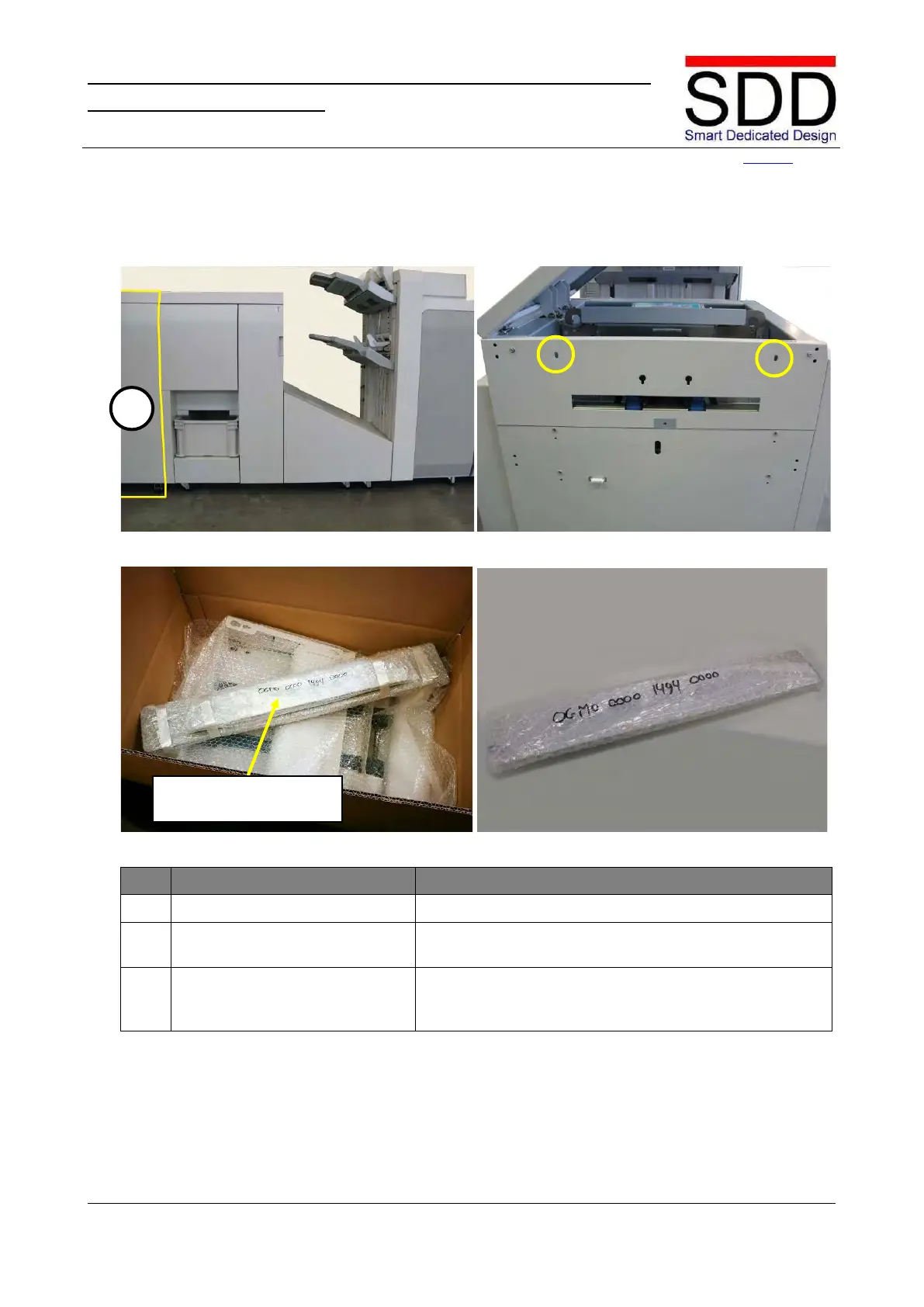
Fig. 4.2.1 Fig. 4.2.2
Fig. 4.2.3 Fig. 4.2.4
Disconnect Canon Trimmer [A] if installed.(Fig. 4.2.1).
F1 Coupling Plate uses mounting holes of F1 Trimmer
(Fig. 4.2.2.).
Remove Coupling Plate from Belt Stacker Box and
unwrap OGMO-0000-1494-0000 for F1 (Fig. 4.2.3 & Fig.
4.2.4).
OGMO-0000-0902-xxxx &
OGMO-0000-1494-xxxx



 To Next Page