Installation Manual STR7202 TAG4 & SFM7704 TAG1
DBCI-0512-0052-V013
STR7202 2-Side Trimmer & SFM7704 Square Fold Module
4. Preparation (continued)
Contents
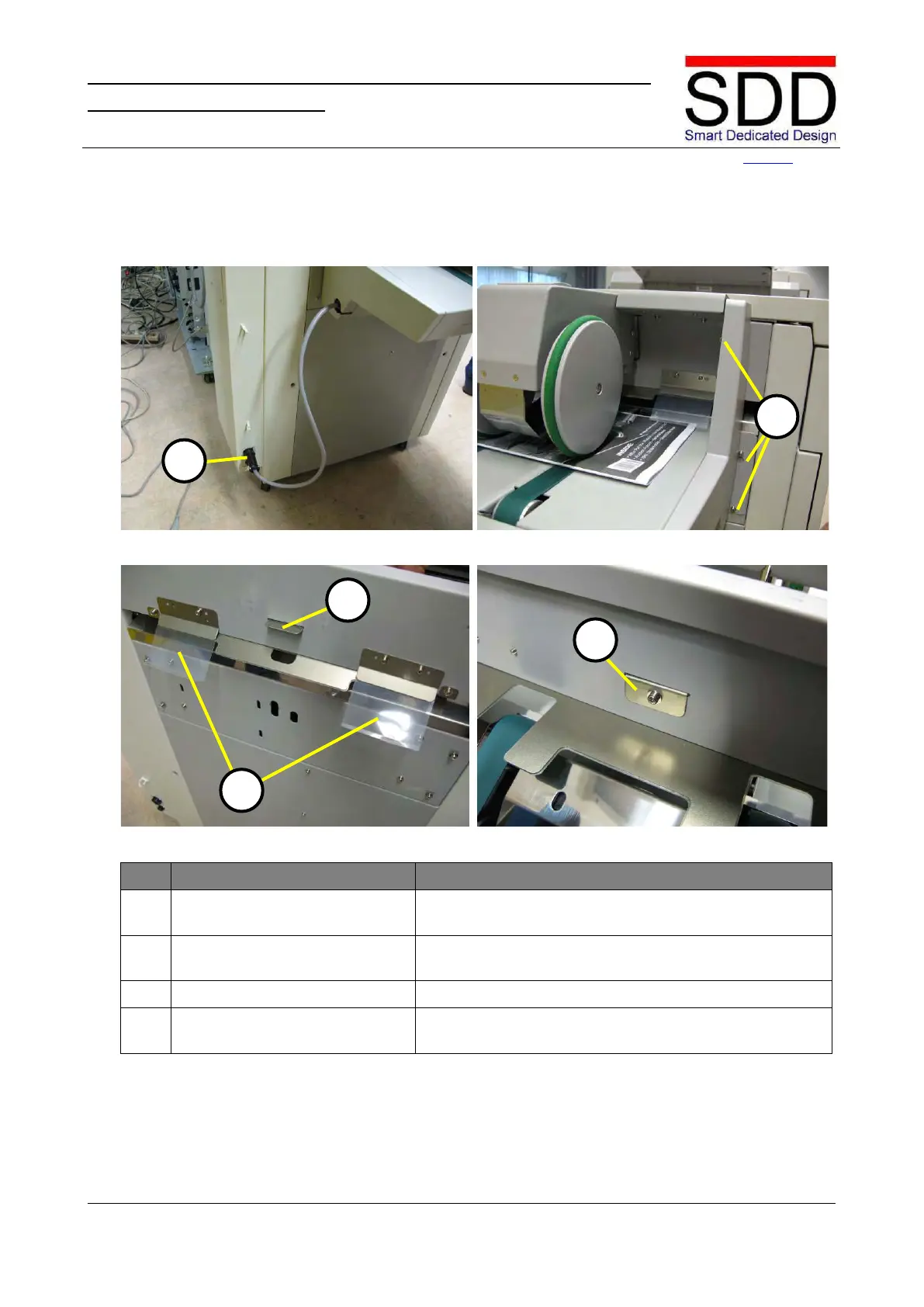
4.3 Preparing Canon Booklet Trimmer D1
Fig. 4.3.1 Fig. 4.3.2
Fig. 4.3.3 Fig. 4.3.4
Disconnect Canon Belt Stacker.
Disconnect Belt Stacker from Booklet Trimmer[A] (Fig.
4.3.1).
Remove Canon Belt Stacker.
Remove bolts [B] on both sides (Fig. 4.3.2), lift off Belt
Stacker and set unit aside.
Remove two Booklet Guides [C].
Remove Sensor Reflection Plate
[D].
Remove from inside Booklet Trimmer (Fig. 4.3.3 & 4.2.4).



 To Next Page