Installation Manual STR7202 TAG4 & SFM7704 TAG1
DBCI-0512-0052-V013
STR7202 2-Side Trimmer & SFM7704 Square Fold Module
5. Installation (continued)
5.1 Mechanical Installation (continued)
5.1.4 Belt Stacker on STR (continued)
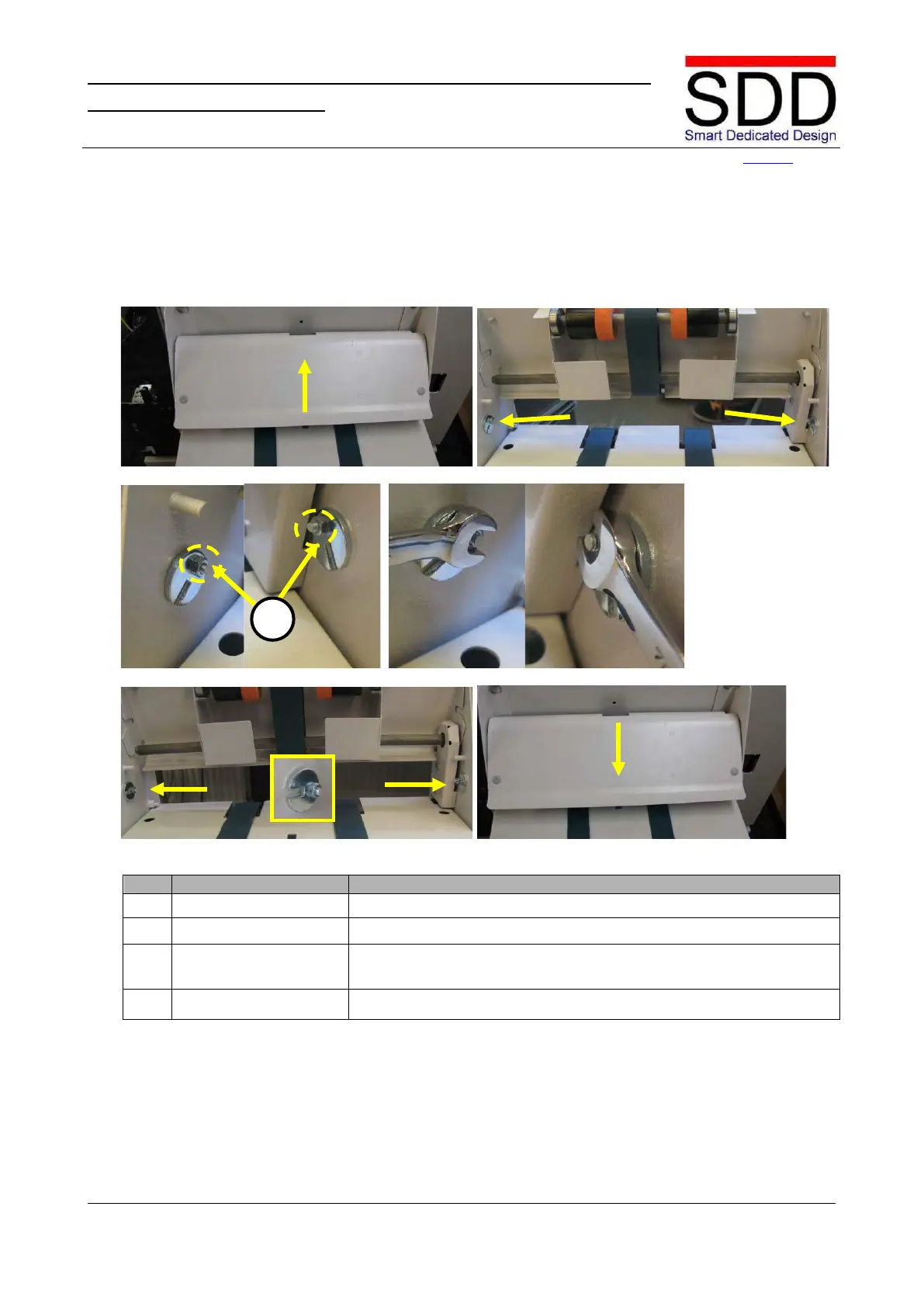
Fig. 5.1.4.7 Fig. 5.1.4.8
Fig. 5.1.4.9 Fig. 5.1.4.10
Fig. 5.1.4.11 Fig. 5.1.4.12
4. Lift Outfeed Cover. (Fig 5.1.4.7)
5. Loosen Excenter nuts. Loosen nuts [C] on the Excenters. (Fig 5.1.4.8 - 5.1.4.10)
6. Set Excenter nuts.
Set slots on the Excenters horizontal and fasten the nut of the
Excenters. (Fig 5.1.4.11)
7. Lower Outfeed Cover. (Fig. 5.1.4.12)
C



 To Next Page