Installation Manual STR7202 TAG4 & SFM7704 TAG1
DBCI-0512-0052-V013
STR7202 2-Side Trimmer & SFM7704 Square Fold Module
5. Installation (continued)
5.2. Electrical Installation (continued)
5.2.2 Tapping SFM Transformer
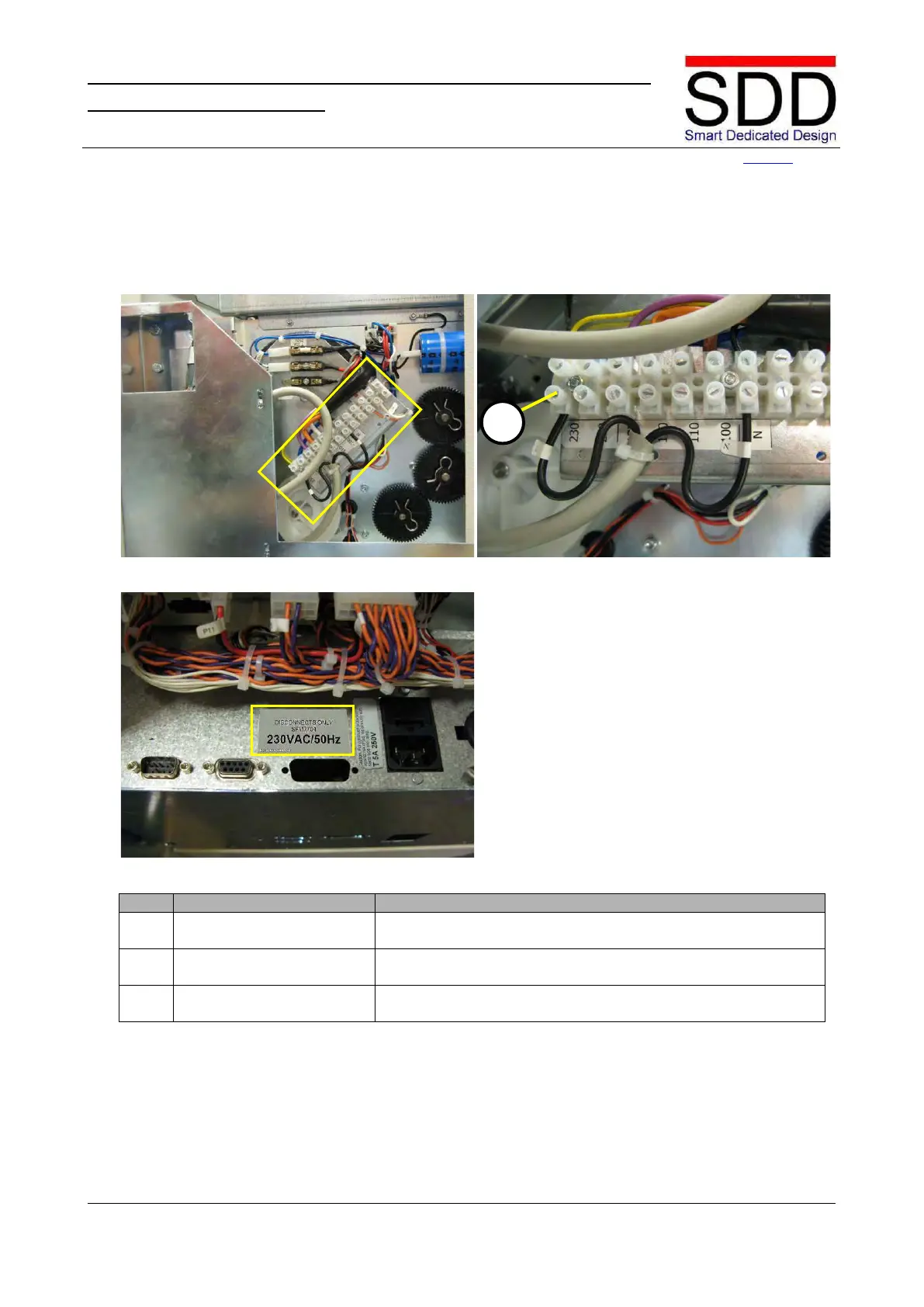
Fig.5.2.2.1 Fig.5.2.2.2
Fig. 5.2.2.3
1. Check terminal setting.
Fig.5.2.2.1 shows a transformer tapped for 230V.Check to
which terminal wire KS1-1YL [A] is connected (Fig. 5.2.2.2).
2. Set correct line voltage
If required, connect lead to the appropriate line voltage
terminal. (Fig. 5.2.2.2)
3. Disconnect label
Disconnect label for the appropriate line voltage should be
placed on the right side. Replace if required. (Fig. 5.2.2.3)



 To Next Page