Installation Manual STR7202 TAG4 & SFM7704 TAG1
DBCI-0512-0052-V013
STR7202 2-Side Trimmer & SFM7704 Square Fold Module
6. System Setup (continued)
Contents
6.3 Thickness Detection Setup (continued)
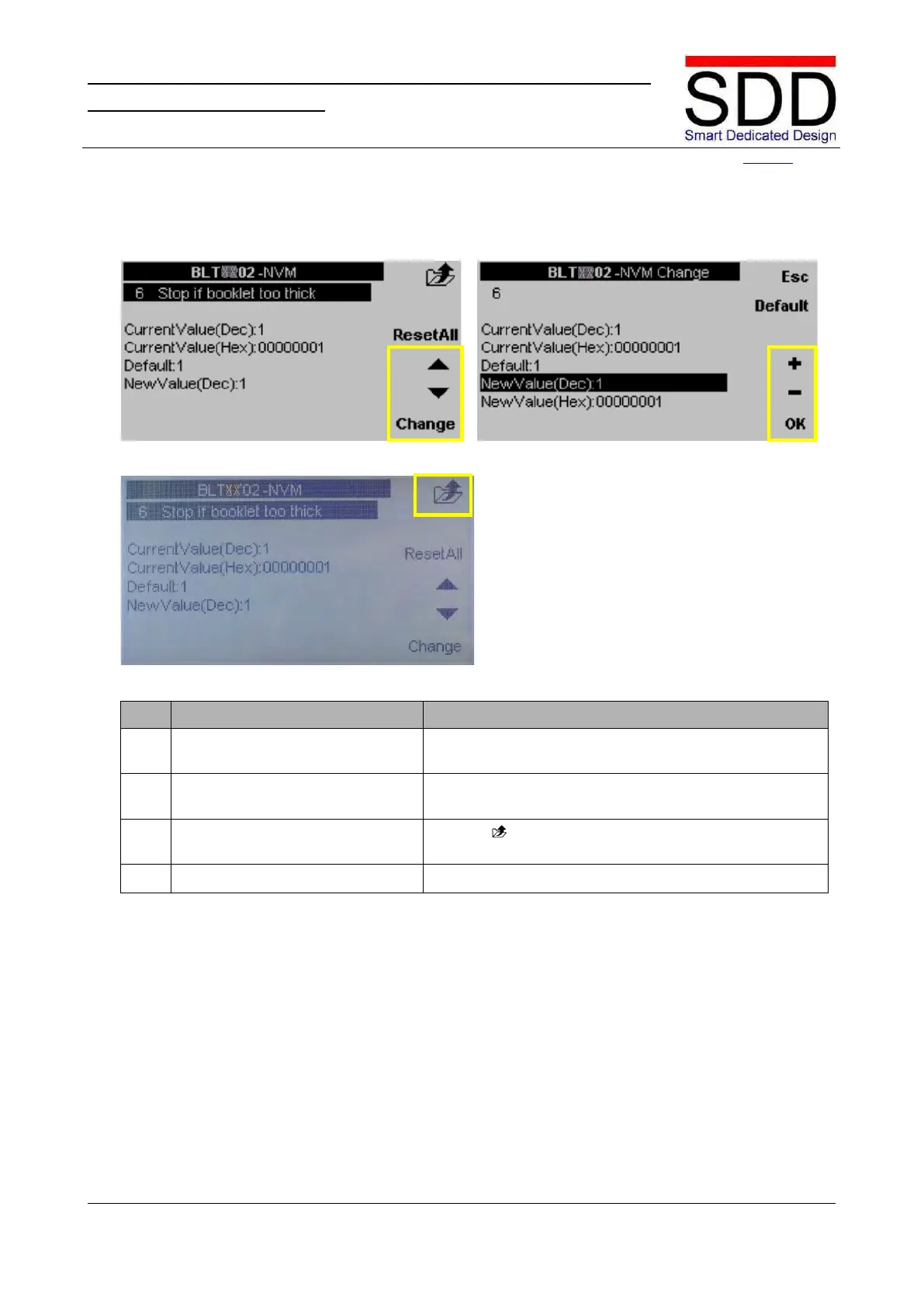
Fig. 6.3.5 Fig. 6.3.6
Fig. 6.3.7
Select [Booklet too thick] setting.
Use the ‘▲ / ▼ buttons’ to select NVM no. 6 [Stop if
Booklet too thick] and press [Change] (Fig. 6.3.5).
Enter Booklet too thick warning
value.
Enter [New Value(Dec):] 1, 2 or 3 with + / - buttons and
press [OK] to confirm (Fig. 6.3.6).
8. Return to Main Menu. Press twice (Fig. 6.3.7) to return to the Main



 To Next Page