X
Hold the backrest with one hand back.
X
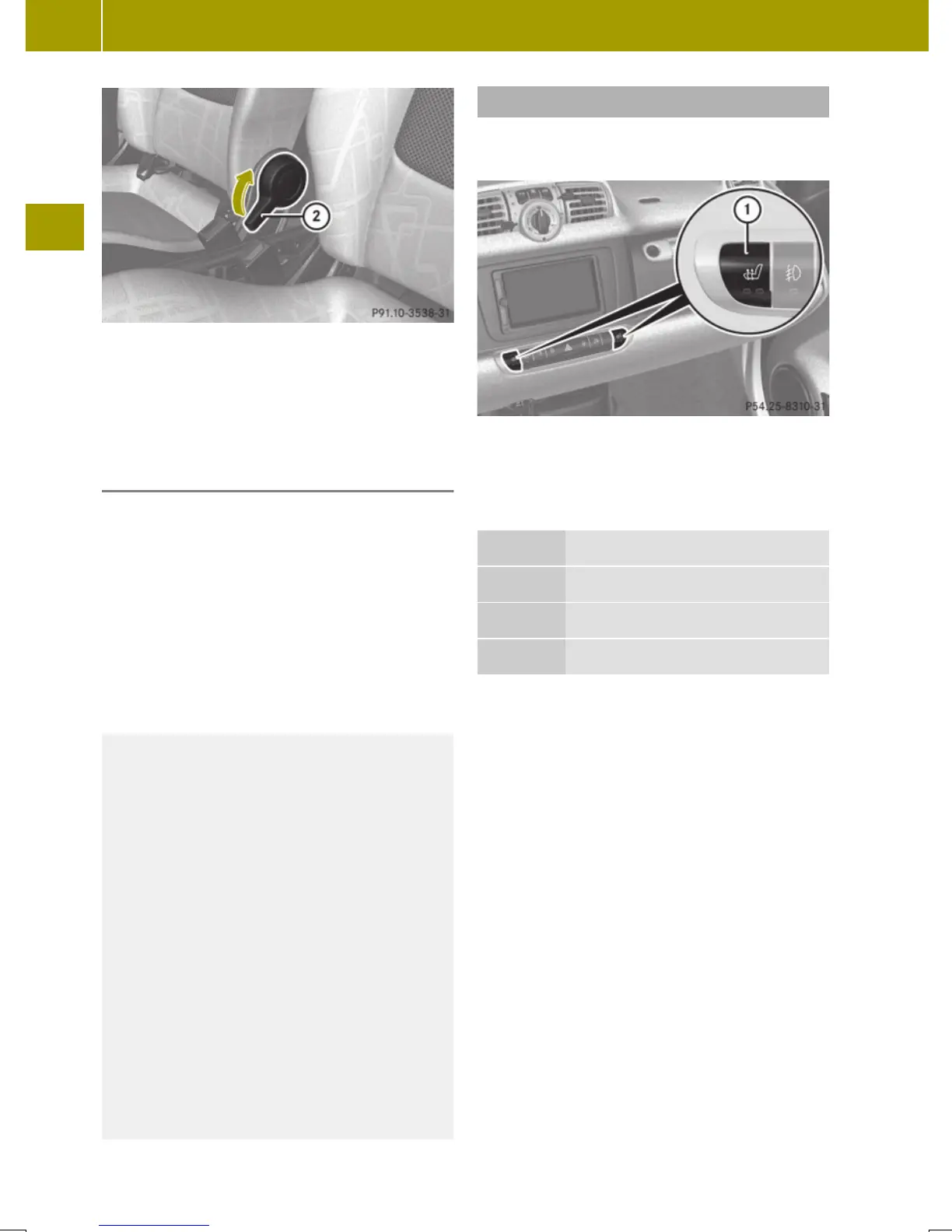
Pull adjustment lever ; upwards and
unlock the seat backrest.
X
Fold the seat backrest forward.
Folding back
X
Pull adjustment lever ; upwards and
unlock the seat backrest.
X
Fold the seat backrest backward.
When you hear an audible click, the seat
backrest is again fixed into place.
X
Check for proper engagement before
driving.
X
Place the seat belt back in seat belt
guide :.
G
WARNING
When folding the passenger seat backrest
back to its upright position, please make
sure
R
nobody becomes trapped
R
no obstacles are jammed in the lock
R
the adjustment lever has audibly locked
into position
A properly engaged passenger seat back-
rest will help to prevent stored objects in
the cargo compartment from being thrown
about and injuring vehicle occupants dur-
ing
R
braking
R
vehicle maneuvers
R
an accident
Seat heating*
The seat heating allows you to heat the
driver’s and passenger seat electrically.
The seat heating has two levels.
The indicator lamps on seat heating
switch : come on to show which heating
level you have selected.
Level Indicator lamps on the switch
off
No indicator lamp on
1
One indicator lamp on
2
Two indicator lamps on
X
Make sure the key is in starter switch
position 1.
X
Switching on: Press seat heating
switch : repeatedly until the desired
seat heating level is reached.
X
Switching off: Press seat heating
switch : repeatedly until all indicator
lamps go out.
i
Switch on the seat heating and, at the
same time, reduce the temperature in the
vehicle interior. The high‑voltage bat-
tery then consumes less energy.
!
If the seat heating is malfunctioning,
the indicator lamp(s) on the switch
come(s) on briefly when you press the
switch and then go(es) out again. Contact
an authorized smart center.
60
Seats
>> Controls.
* optional














 To Next Page