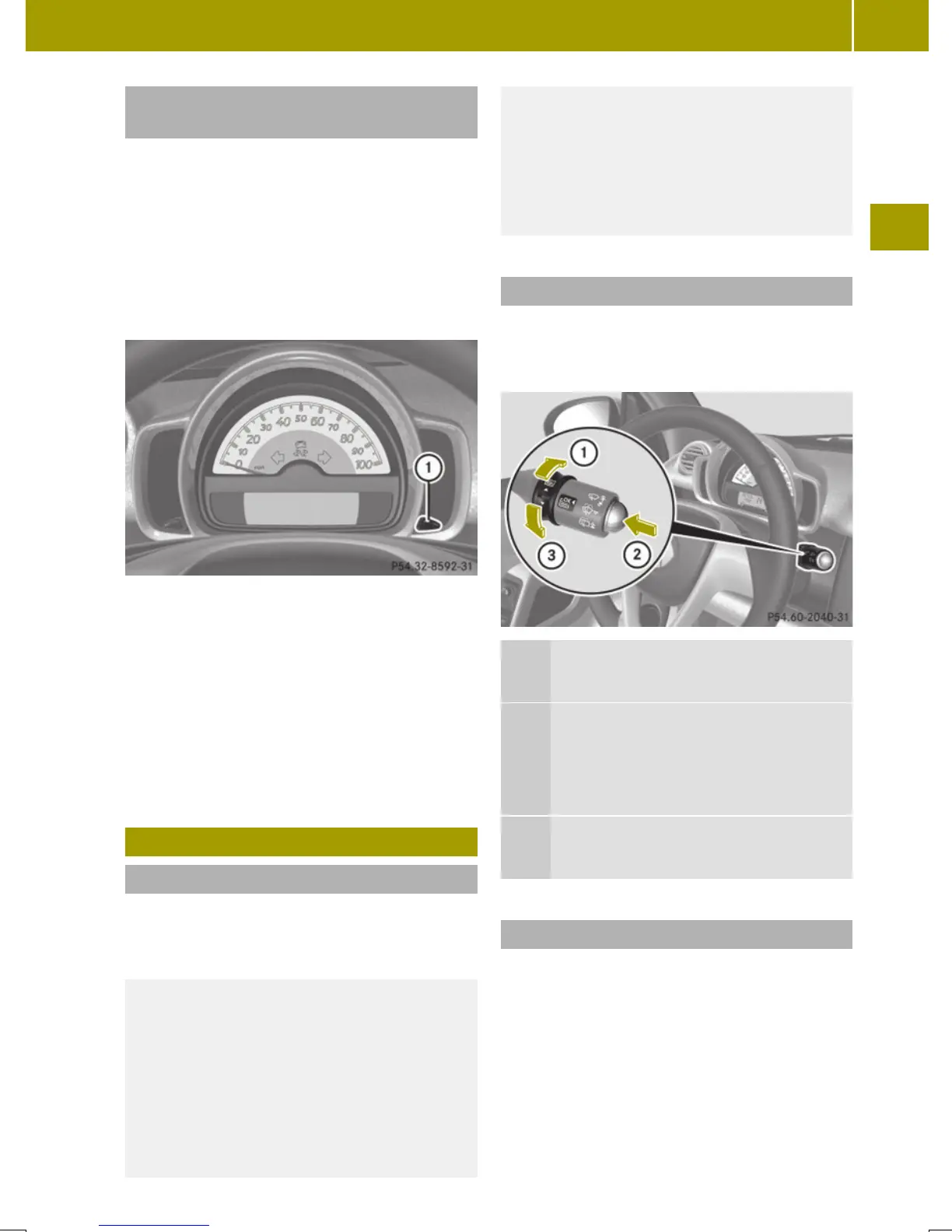
Adjusting instrument cluster illumi-
nation
You can adjust the illumination of
R
the switches and dials in the instrument
cluster
R
the radio
R
the climate control panel
R
the charge level and power gauges
Five illumination levels are available.
X
Make sure the key is in starter switch
position 1.
X
Switch on the parking lamps.
X
To brighten or dim illumination: Press
button : on the instrument cluster
repeatedly until the desired setting is
reached.
The current setting is stored.
Control system
Introduction
The control system is activated when you
turn the key in the starter switch to posi-
tion 1.
G
WARNING
A driver’s attention to the road and traffic
conditions must always be his/her primary
focus when driving.
In order to avoid distraction which could
lead to an accident, the driver should
select features and change settings in the
control system only vehicle at a standstill
or when traffic and road conditions permit
it to be done safely.
Bear in mind that at a speed of just 30 mph
(approximately 50 km/h ), your vehicle is
covering a distance of 44 feet (approx-
imately 14 m) every second.
Control lever
You can select the displays in the multi-
function display and change settings in the
control system with the control lever.
:
Control switch
Pressing up selects a menu.
;
OK button
Confirming a selection.
Scrolling through stored messages
in the MessagesMessages menu
=
Control switch
Pressing down selects a menu.
Multifunction display
The multifunction display shows values and
settings as well as display messages.
X
Activating the multifunction display:
Unlock the vehicle.
X
Confirming messages: Press the OK but-
ton on the control lever briefly
(Y page 83).
X
Exiting menu: Press the control switch on
the control lever up or down until the
Control system
83
>> Controls.
Z














 To Next Page