smarttech.com/kb/171866 6
Chapter 1 Welcome
About this guide 6
Features 6
Components 7
About this guide
This guide is for users who set up and use the SMART Ultra HD Camera in their organizations.
It includes information about setting up the camera and using the camera’s on-screen display menu
and software.
For more information, such as videos, training, and how-to topics, visit
support.smarttech.com/docs/redirect/?product=smartultrahdcamera.
Features
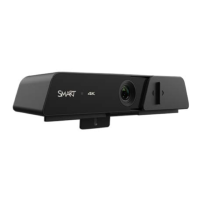
The SMART Ultra HD Camera 120 is a 4K Ultra-HD camera with ePTZ. Easily install the camera on a
SMARTBoard
®
interactive display. The camera can automatically frame people meeting in a
boardroom.
Feature Details
Image
l
1/2.8" 4K CMOS
8.28 megapixels
l
10x digital zoom
138°( D) /120°(H)/68°(V)
Function
l
Automatic framing
l
UVCUSB communication protocol
l
Supports ePTZ for Windows and Mac computers
Physical construction
l
Sliding cover for the camera


 To Next Page
 Loading...