Chapter 1 Welcome
smarttech.com/kb/171866 7
Feature Details
Supported operating systems
ll
Windows
®
10 or later
l
macOS 10.10 or later
l
Android
™
11
l
Linux
®
4.9.84
Supported SMART hardware
ll
SMARTBoard QX Pro series
l
SMART Board
®
6000S and 6000S Pro series
l
SMARTBoard MX (V4) and MX (V4) Pro series
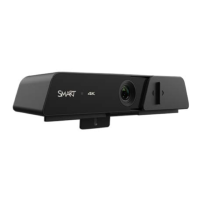
Components
No. Component Notes
1 Indicator light Indicates when the camera is on.
2 Camera cover slider Can cover the camera lens. Slide left to cover
lens when not in use.
3 Camera lens Keep clean to ensure best picture quality.
4 USB 3.0 Type-B Use cables provided with the camera.


 To Next Page