32
Changing the mounting plate
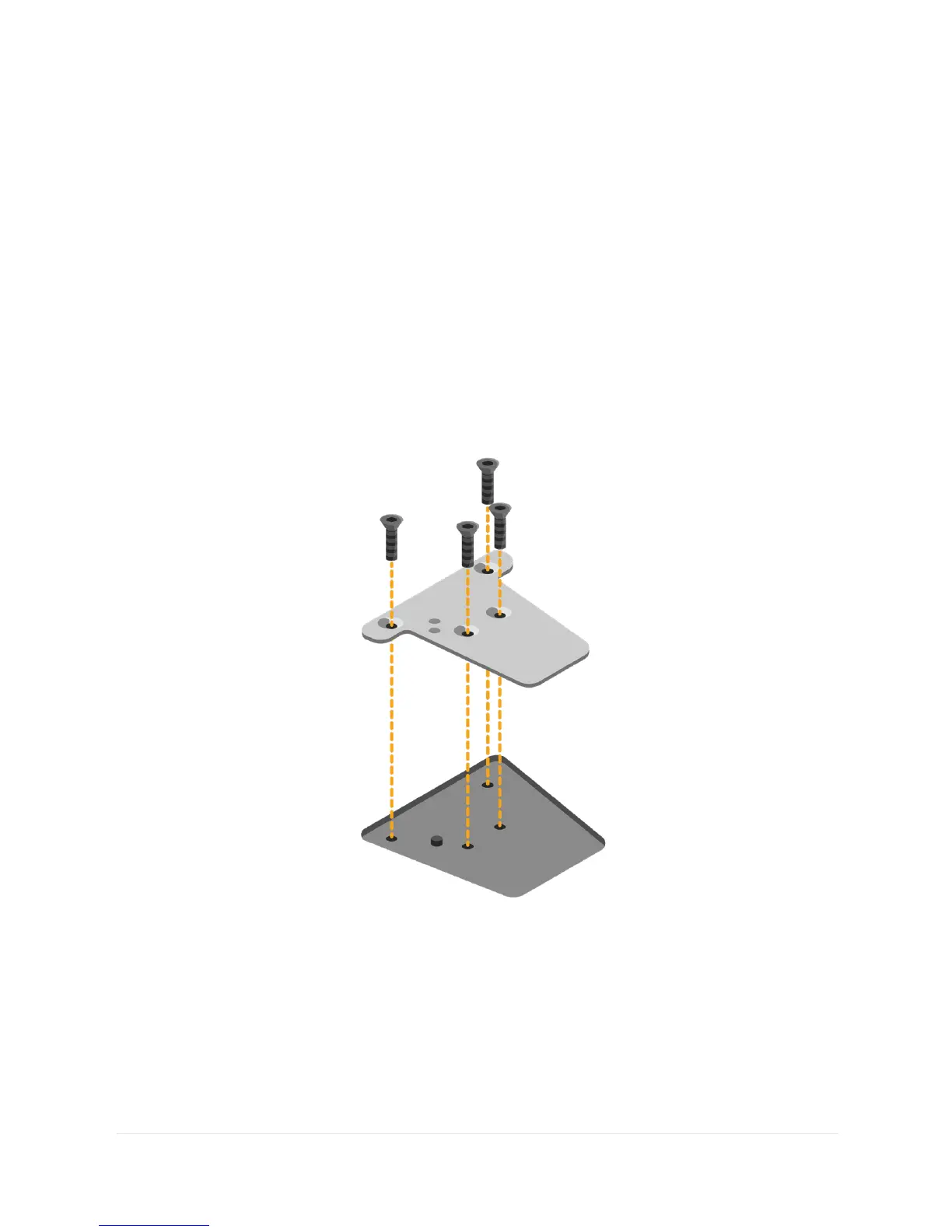
To change the mounting plate, lay your Grid Pad with the
screen facing down on a flat surface. To prevent damage to the
screen, place the device on something soft like a towel, cloth
or newspaper. Use the supplied screwdriver to remove the four
screws that secure the mounting plate to your Grid Pad.
Once unscrewed, remove the mounting plate and replace it
with the plate that you require. Use the screws supplied with the
plate to attach it to the device and tighten with the provided
screwdriver. The screws should be firmly attached so they do not
come loose.



 To Next Page