PC (Windows) Users
14
FireLite User Guide
PC (Windows) Users
Connecting the FireLite to a PC
1 Connect one end of the FireWire cable to the FireWire port on your computer.
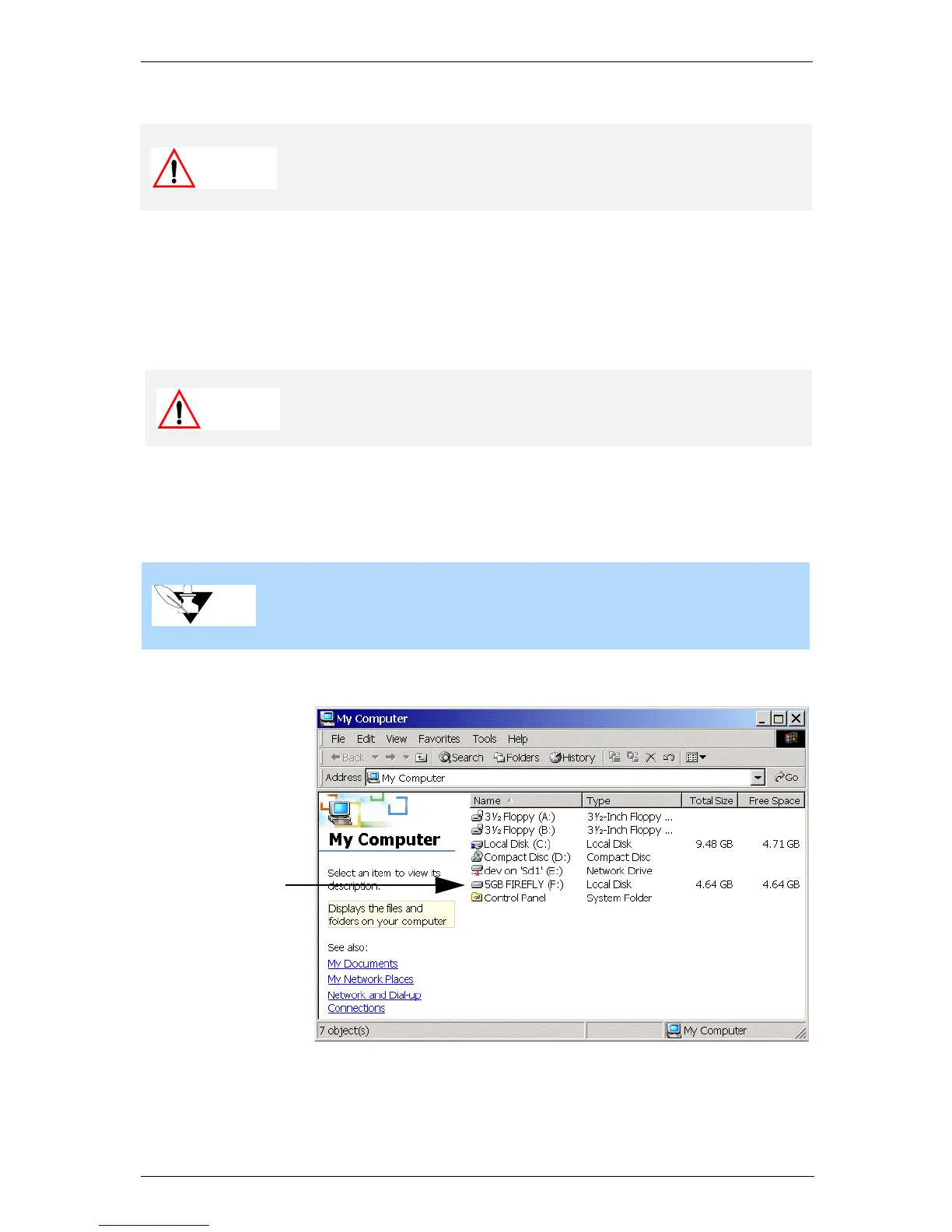
2 Connect the other end to either one of the FireWire ports on FireLite. The FireLite icon
appears in My Computer and in Windows Explorer.
The FireLite is assigned the next available drive letter. For example, if your hard drive
is assigned the letter C: and a removable CD Writer is currently installed on your
computer using the letter D:, then the letter E: is assigned to the FireLite.
Caution
Before connecting and using FireLite, put it on a stable surface.
Sudden movement during operation may cause data transfer errors
and may damage the hard disk.
Caution
Do not force the connection as damage may occur to the connector
or the FireWire port.
Note
If you are a Windows 98SE user and Windows prompts you to insert
the Windows 98SE Install Disk, follow the instructions in “Special
Instructions for Windows 98 SE Users” on page11.
The FireLite is
assigned the next
available drive
letter when it is
connected


 To Next Page