PC (Windows) Users
15
FireLite User Guide
Disconnecting FireLite from a PC
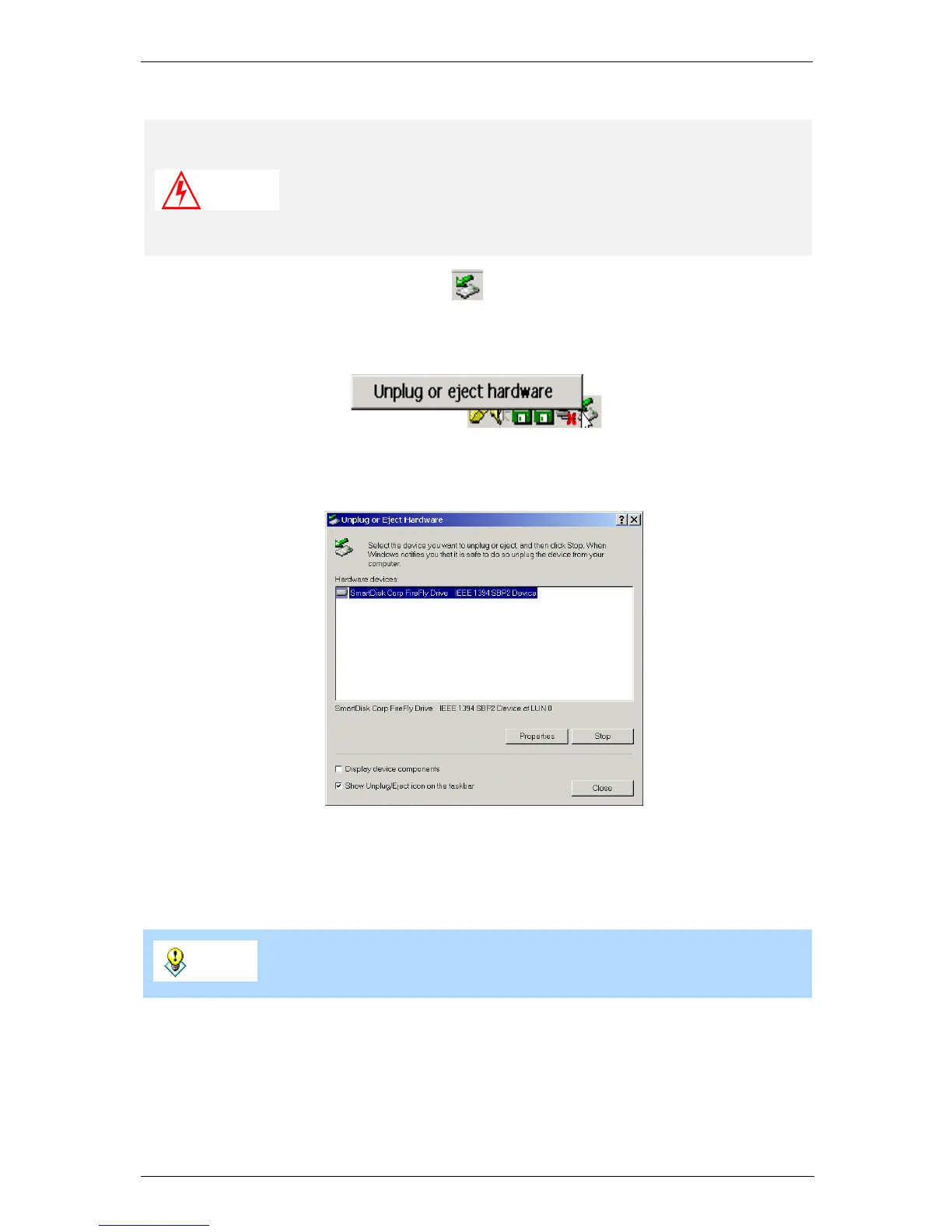
1 Click on the Unplug or Eject icon - - in the Windows System Tray.
2 Select Unplug or eject hardware from the pop-up menu. A Windows dialog opens.
3 Select the FireLite drive from the list in the Windows dialog and select Stop.
4 Wait until the yellow light on FireLite stops flashing.
5 You can now safely unplug FireLite. Gently pull out the FireWire connector from the
computer.
Warning
Do not unplug FireLite when data is being transferred between
FireLite and the computer (when the yellow light is flashing). If
you unplug FireLite while accessing or copying files, data may be
lost or FireLite may be damaged. To disconnect FireLite, complete
the following steps.
Tip
You can also safely unplug FireLite by shutting down the computer.
Remember to ensure the lights are off before disconnecting.


 To Next Page