Project Repositories
18
FireLite User Guide
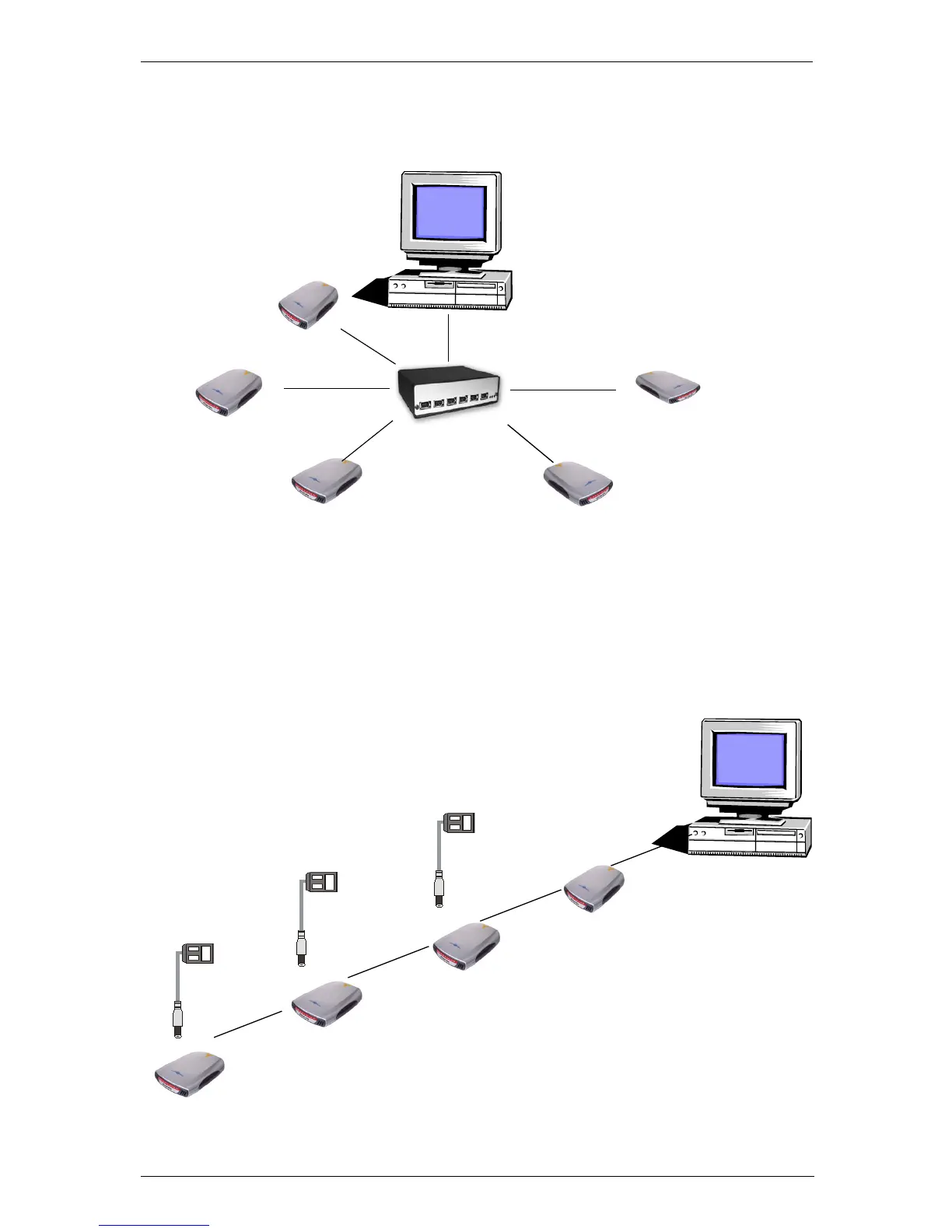
FireWire Hub
Connect several FireLite drives to a powered FireWire hub so you can have immediate
access to all your project data.
Daisy Chain
The two FireWire ports on FireLite are used to connect multiple FireLite drives and
other FireWire devices in a daisy chain configuration. Up to
31
FireLite drives can be
connected in this configuration. Each FireLite (except for the first one) requires an AC
adapter in this configuration. AC adapters can be purchased from the SmartDisk
website.
Powered
FireWire Hub
Project A
Project B
Project C
Project A
Project D
Project E
Project B
Project C
Project A
Project D
AC adapter
AC adapter
AC adapter


 To Next Page