EasyManua.ls Logo

smartheart 01-541 - User Manual

smartheart 01-541
68 pages
Print Icon
To Next Page IconTo Next Page
Loading...
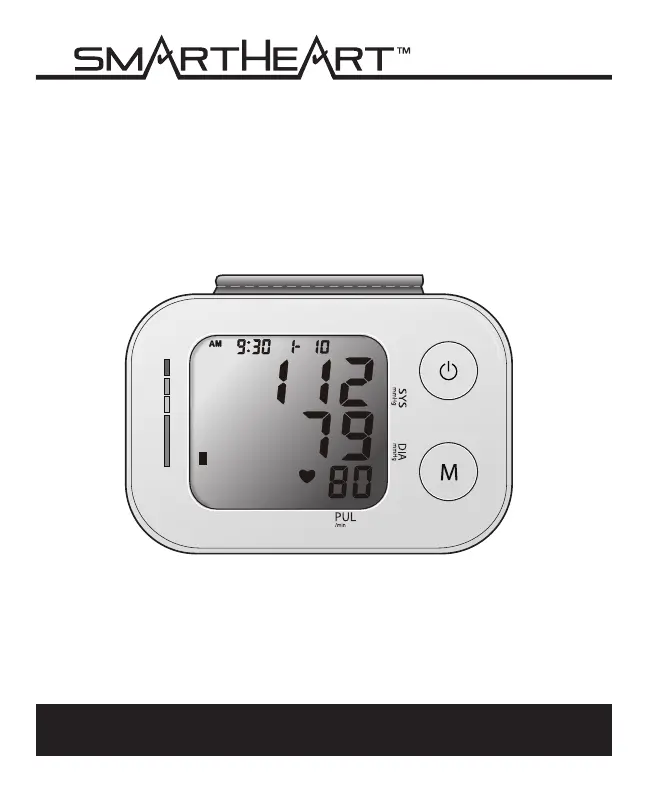
INSTRUCTION MANUAL
ENGLISH AND SPANISH
Please read this instruction manual
completely before operating this unit.
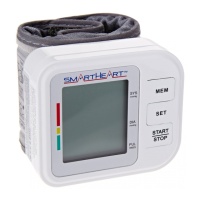
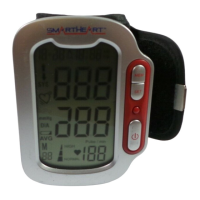
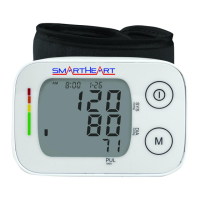
Automatic Digital
Blood Pressure Wrist Monitor
Model # 01-541

Questions and Answers

  • M
    Michael NelsonAug 6, 2025
    What to do if my smartheart 01-541 Blood Pressure Monitor doesn't turn on?
    • J
      jacksonweaverAug 6, 2025
      If your smartheart Blood Pressure Monitor doesn't respond when you press POWER or after loading new batteries, it could be due to incorrect operation or strong electromagnetic interference. To resolve this, remove the batteries, wait for at least five minutes, then reinstall them and try taking a new measurement.
  • A
    Amanda AguilarAug 14, 2025
    How to fix a blank display on smartheart 01-541 Blood Pressure Monitor?
    • D
      Destiny JacksonAug 14, 2025
      If the display of your smartheart Blood Pressure Monitor is blank when you turn it on, the batteries might be the issue. Make sure the batteries aren't expired and are installed correctly. Check the polarity and reinstall them if needed, or replace them with new ones.
  • O
    obrienkelseyAug 21, 2025
    Why does my smartheart 01-541 Blood Pressure Monitor show an abnormal result?
    • V
      Valerie WallaceAug 21, 2025
      If your smartheart Blood Pressure Monitor displays an abnormal result, it might be due to several reasons. Check that the cuff is positioned correctly and is tight enough. If not, apply the cuff properly and try taking a new measurement. Also, ensure your body posture is correct during the measurement, referring to the ‘Taking a Measurement’ section of the manual if needed, and attempt a new measurement. Avoid speaking, excessive movement, or emotional states like anger, excitement, or nervousness during the measurement. If any of these occurred, wait until you are calm, and then attempt a new measurement without speaking or moving.
  • J
    James WalkerAug 28, 2025
    Why does my smartheart Blood Pressure Monitor keep re-inflating?
    • A
      Anna MayerAug 28, 2025
      If your smartheart Blood Pressure Monitor keeps re-inflating, it suggests that the circuit might be locked. To fix this, remove and then reinsert the batteries before attempting a new measurement.

Summary

Care and Safety Information

General Cautions and Warnings

Essential safety precautions, prohibitions, and mandatory actions for safe operation and user protection.

Operating Cautions and Warnings

Precautions related to device operation, temperature, and usage environments to prevent injury or malfunction.

Storage Cautions and Warnings

Guidelines for safe storage, temperature limits, and humidity for maintaining device integrity.

Cleaning Cautions and Warnings

Instructions for cleaning the monitor and cuff to maintain hygiene and device integrity.

Introduction and Initial Setup

Introduction and Indications for Use

Explains the monitor's purpose, measurement method, and recommended usage context.

Getting Started: Before Measurement

Pre-measurement guidelines for accurate readings, including preparation, posture, and environmental factors.

Device Configuration and Operation

Battery Installation and Replacement

Step-by-step instructions for inserting and replacing batteries for monitor operation.

Setting the Date and Time

Procedure for setting the unit's date and time for accurate measurement logging.

Fitting and Applying the Cuff

Detailed instructions on how to correctly wear the blood pressure cuff for accurate measurements.

Taking and Interpreting Measurements

Taking Your Blood Pressure Reading

Comprehensive guide on how to perform a blood pressure measurement using the monitor.

Interpreting Your Blood Pressure Results

Explanation of how to understand blood pressure readings, including indicators and symbols.

Hypertension Indicator Guide

Details on the Hypertension Indicator and its correlation with WHO standards for blood pressure assessment.

Memory Features and Maintenance

Memory Functions: Recalling and Clearing Data

Instructions on recalling and clearing stored blood pressure measurements from the device's memory.

Monitor Care and Maintenance

Guidelines for proper cleaning, storage, and general maintenance of the blood pressure monitor.

Cuff Care and Maintenance

Specific instructions for cleaning and maintaining the monitor's cuff for optimal performance and longevity.

Technical Reference and Troubleshooting

Device and Label Symbols Guide

Explanation of various symbols found on the device, labels, and packaging for user understanding.

Display Symbols Explained

Meanings of symbols displayed on the monitor's screen during operation and measurement.

Troubleshooting Common Issues

Common problems, their causes, and solutions for issues encountered during monitor use.

Error Codes and Technical Alarms

List of error codes, their meanings, and corrective actions to resolve device errors.

Regulatory and Warranty Information

FCC Compliance Statement

Regulatory compliance information regarding radio frequency interference for U.S.A. and Canada.

Electromagnetic Compatibility (EMC)

Technical declarations and guidance on electromagnetic emissions and immunity for the device.

Product Specifications Overview

Detailed technical specifications of the blood pressure monitor, including ranges and dimensions.

3-Year Limited Warranty

Terms and conditions of the limited warranty provided with the blood pressure monitor.

smartheart 01-541 Specifications

General IconGeneral
Product Namesmartheart 01-541
CategoryBlood Pressure Monitor
Measurement MethodOscillometric
DisplayLCD
TypeUpper Arm
Memory60 readings

Related product manuals