Advanced Primary Address Programming
The SwitchLinc’s Fade-on and Preset On-Level can be remotely set using a Maxi-
Controller (Smarthome #4020) or an equivalent transmitter capable of sending
Housecode and Unit Code without ON or OFF. These procedures will not work with a
transmitter that sends both the address and command on one
button press (e.g. Mini-Controller).
Remotely Setting the Preset On-Level (Optional)
This is the alternative method for setting dimmer’s default on-level.
1.
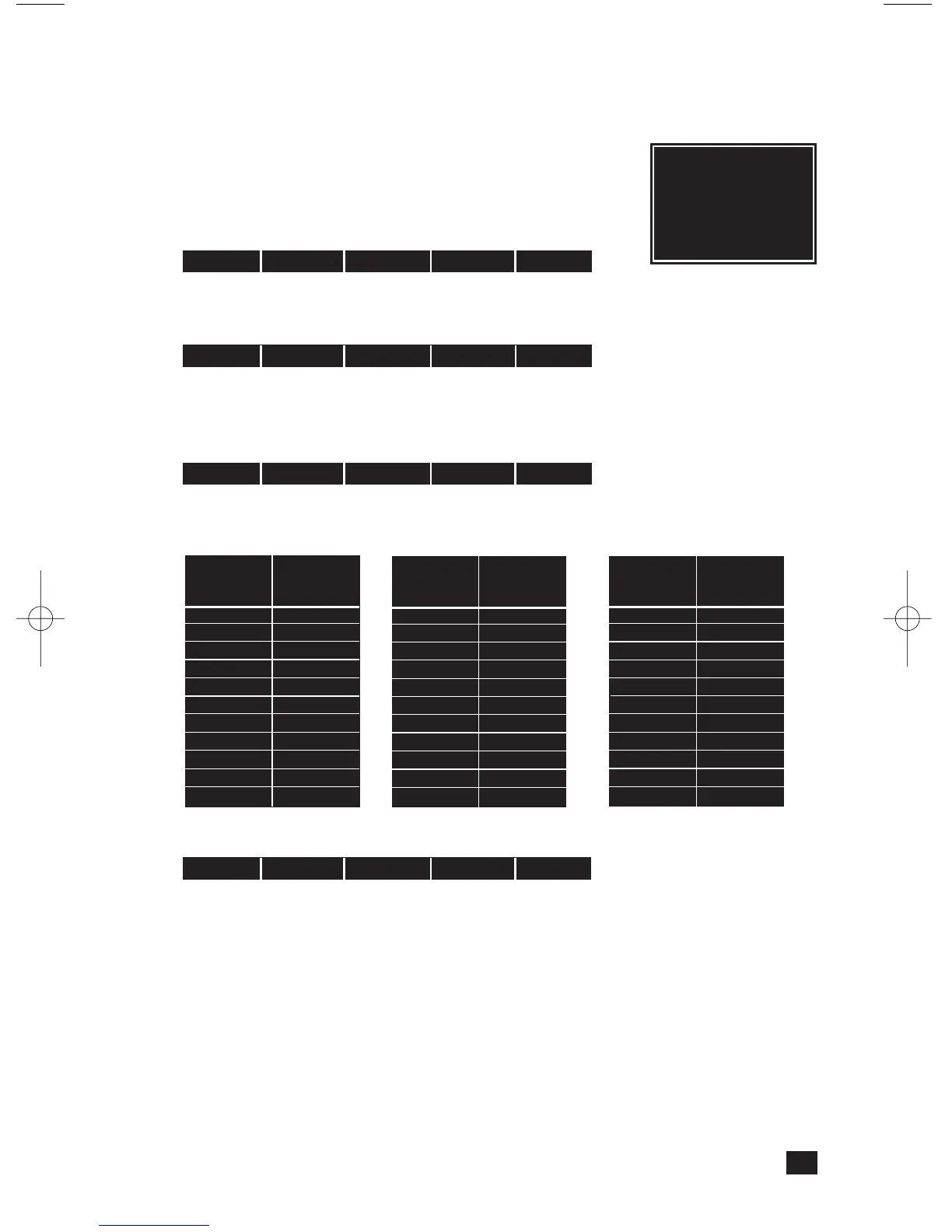
Transmit the “clear” sequence:
2. Send the house/unit code for the SwitchLinc and adjust the dim level or send pre-
set dim level.
3. Send the following command sequence to lock-in the new on-level.
The light(s) will blink indicating that it has set the new on-level.
Remotely Setting the Fade-on Rate (Optional)
1. Transmit the “clear” sequence:
2. Send the house/unit code for the SwitchLinc followed by the PRESET DIM from the
table below. (Alternatively, send BRIGHT or DIM signals to change the light's
brightness to a comparable level.)
3. Send the following command sequence to lock-in the new fade-on rate
The light(s) will blink indicating that it has set the new fade-on rate.
Scene Address Programming
The SwitchLinc 2-Way can be a member of up to 64 scenes. A scene address is a sin-
gle address (just like a primary address), and is set at the time scene membership is
programmed. Using a single command to trigger a scene is much less complicated than
using an intelligent computer controller to initiate a macro that in turn sends dozens of
commands over the next few minutes to turn on multiple receivers and set brightness
levels (for dimming-enabled modules).
When an ON signal is transmitted to scene-enabled modules, all members programmed
to that address will turn on to their independent ON-levels and at their independent
fade-on rates for that scene. Transmitting an OFF for a scene address will turn off all
modules that are members of that scene. Modules will react to dim and bright com-
mands after the scene address is sent, however, they will ignore All Light On
and All Units Off commands for the scene address' house code.
7
Preset
Dim
Level
29%
26%
23%
19%
16%
13%
10%
6%
3%
0%
Fade-on
Rate in
Seconds
150.0
180.0
210.0
240.0
270.0
300.0
360.0
420.0
480.0
540.0
Preset
Dim
Level
100%
97%
94%
90%
87%
84%
81%
77%
74%
71%
68%
Fade-on
Rate in
Seconds
0.1
0.2
0.3
0.5
2.0
4.5
6.5
8.5
19.0
21.5
23.5
Preset
Dim
Level
65%
61%
58%
55%
52%
48%
45%
42%
39%
35%
32%
Fade-on
Rate in
Seconds
26.0
28.0
30.0
32.0
34.0
38.5
43.0
47.0
60.0
90.0
120.0
Tip:
Whenever the
CLEAR sequence is
sent, you will have 4
minutes to make
your adjustments.
O16 N16 M16 P16 M16
O16 N16 M16 P16 M16
P16 N16 M16 O16 M16
O16 P16 N16 M16 O16


 To Next Page
 Loading...