User Manual
100
This page allows you to configure the wireless bridge features of the wireless LAN
interface.
AP mode: you may select Access Point or Wireless Bridge.
Bridge Restrict: Enable or disable the bridge restrict function.
Remote Bridges MAC Address: Enter the remote bridge MAC address.
After finishing setting, click the Apply/Save button to save and apply the settings.
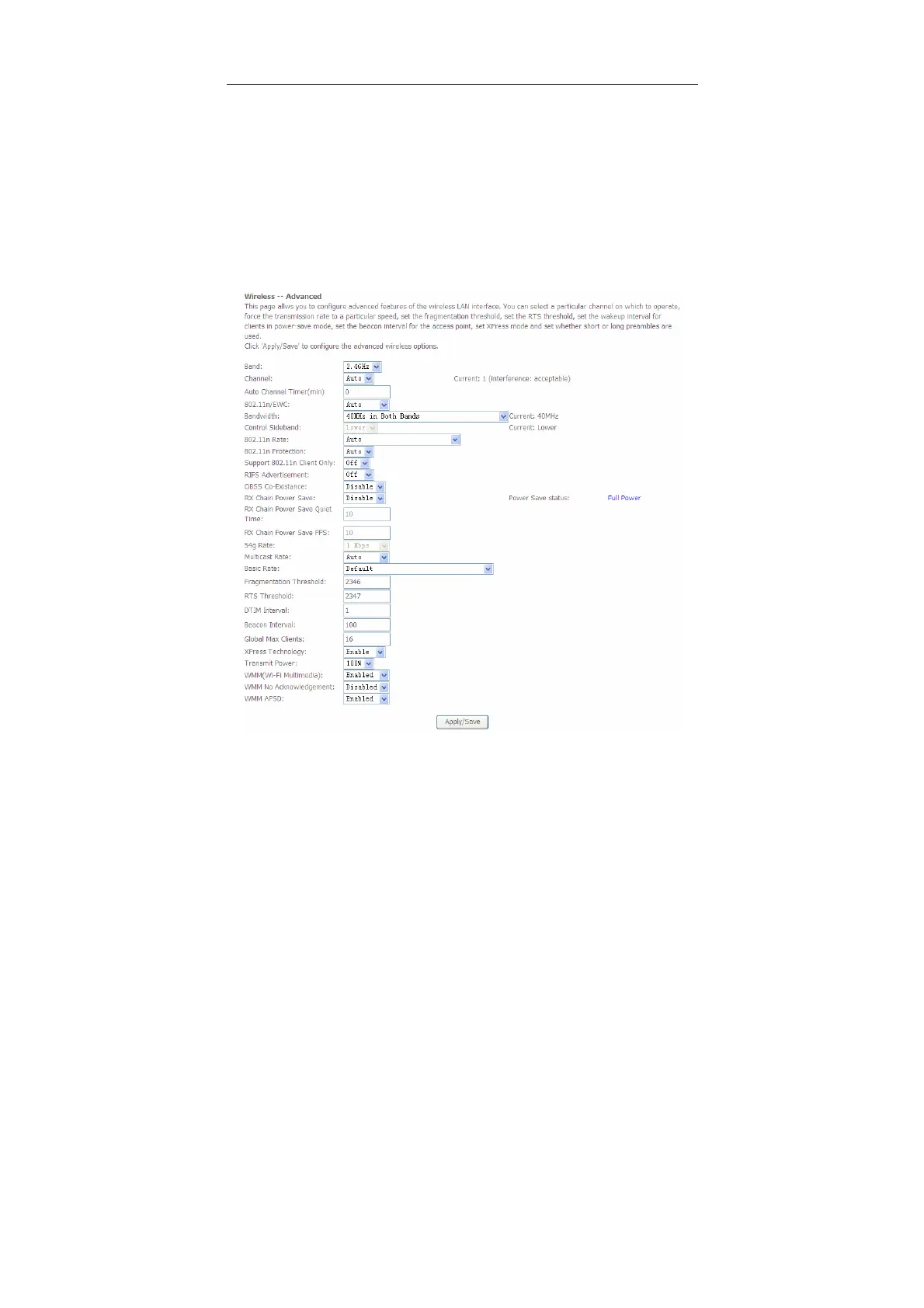
5.3.5 Advanced Settings
Choose Wireless > Advanced to display the following page. This page allows you
to configure the advanced features of the wireless LAN interface. Usually, you do
not need to change the settings in this page.


 To Next Page