
 Need help?
Do you have a question about the SmartRG SR320n and is the answer not in the manual?
Lists the various applications and use cases for the xDSL Router.
Outlines the key features and functionalities of the xDSL Router.
Details the standards and protocols the xDSL Router is compatible with.
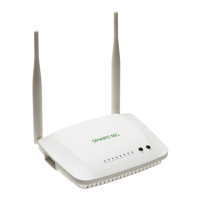
Details the front panel indicators and their status meanings.
Describes the rear and side panels of the router, including ports and buttons.
Provides essential steps for installing the router hardware correctly.
Explains how to configure PC network settings for optimal router connection.
Provides step-by-step instructions for accessing and logging into the router's web interface.
Explains how to access and view device information within the web interface.
Details how to view WAN connection information.
Describes how to view statistical information for Ethernet and wireless interfaces.
Details how to view statistical information for xTM interfaces.
Describes how to view the router's route table information.
Explains how to view MAC address and IP address information for connected devices.
Introduces advanced configuration options for the router.
Covers configuration of Layer 2 interfaces like ATM.
Explains how to add or remove ETH WAN interfaces.
Describes how to add, remove, or edit WAN services.
Guides on adding a MER (IPoE) WAN service.
Guides on adding a PPPoA WAN service.
Guides on adding an IPoA WAN service.
Guides on adding a Bridge WAN service.
Explains how to configure the router's Local Area Network (LAN) settings.
Covers Network Address Translation (NAT) settings.
Details how to configure port triggering for application access.
Explains how to set up a DMZ host to expose a PC to the internet.
Covers firewall and MAC filtering configurations.
Allows setting time restrictions for specific LAN devices.
Covers enabling and configuring Quality of Service (QoS).
Covers default gateway and static routing configurations.
Describes how to add or remove static policy routing rules.
Covers RIP (Routing Information Protocol) configuration for interfaces.
Covers DNS server settings and Dynamic DNS configuration.
Allows viewing and adjusting DSL settings, including modulation.
Explains how to enable or disable the UPnP function.
Covers enabling or disabling the DNS proxy function.
Explains how to enable or disable the printer server feature.
Describes how to enable the packet flow accelerator.
Allows viewing information about connected storage devices.
Explains how to group interfaces for network segmentation.
Covers IPv6 in IPv4 and IPv4 in IPv6 tunnel configurations.
Explains how to add or remove IPSec tunnel connections.
Covers local certificate management, including creating and importing.
Allows control of hardware modules for power consumption.
Covers IGMP and MLD multicast configurations.
Covers basic wireless settings like SSID, security, and client access.
Details wireless security features like WPS, WPA, WPA2, and 802.1x.
Explains how to filter wireless clients based on MAC addresses.
Covers configuring wireless bridge features for the LAN interface.
Allows configuration of advanced wireless LAN interface settings.
Displays information about authenticated wireless stations and their status.
Guides on testing connections to the local network, DSL provider, and ISP.
Covers backup and update settings for router configurations.
Explains how to configure system logs and view security logs.
Covers SNMP agent configuration for network management.
Details TR-069 client configuration for auto-configuration and diagnostics.
Explains how to configure the router's time synchronization with Internet time servers.
Covers password management and service control for user access.
Guides on updating the router's firmware.
Explains how to reboot the router to apply settings or resolve issues.
 General
| Type | Wireless Router |
|---|---|
| Wireless Standard | 802.11n |
| Frequency Band | 2.4 GHz |
| Wireless Speed | Up to 300 Mbps |
| Ethernet Ports | 4 x 10/100 Mbps |
| Antenna Type | External |
| Antennas | 2 |
| Security | WPA, WPA2 |

 To Next Page