User Manual
111
In this page, set the proper time servers, and then click the Apply/Save button to
save and apply the settings.
5.5.6 Access Control
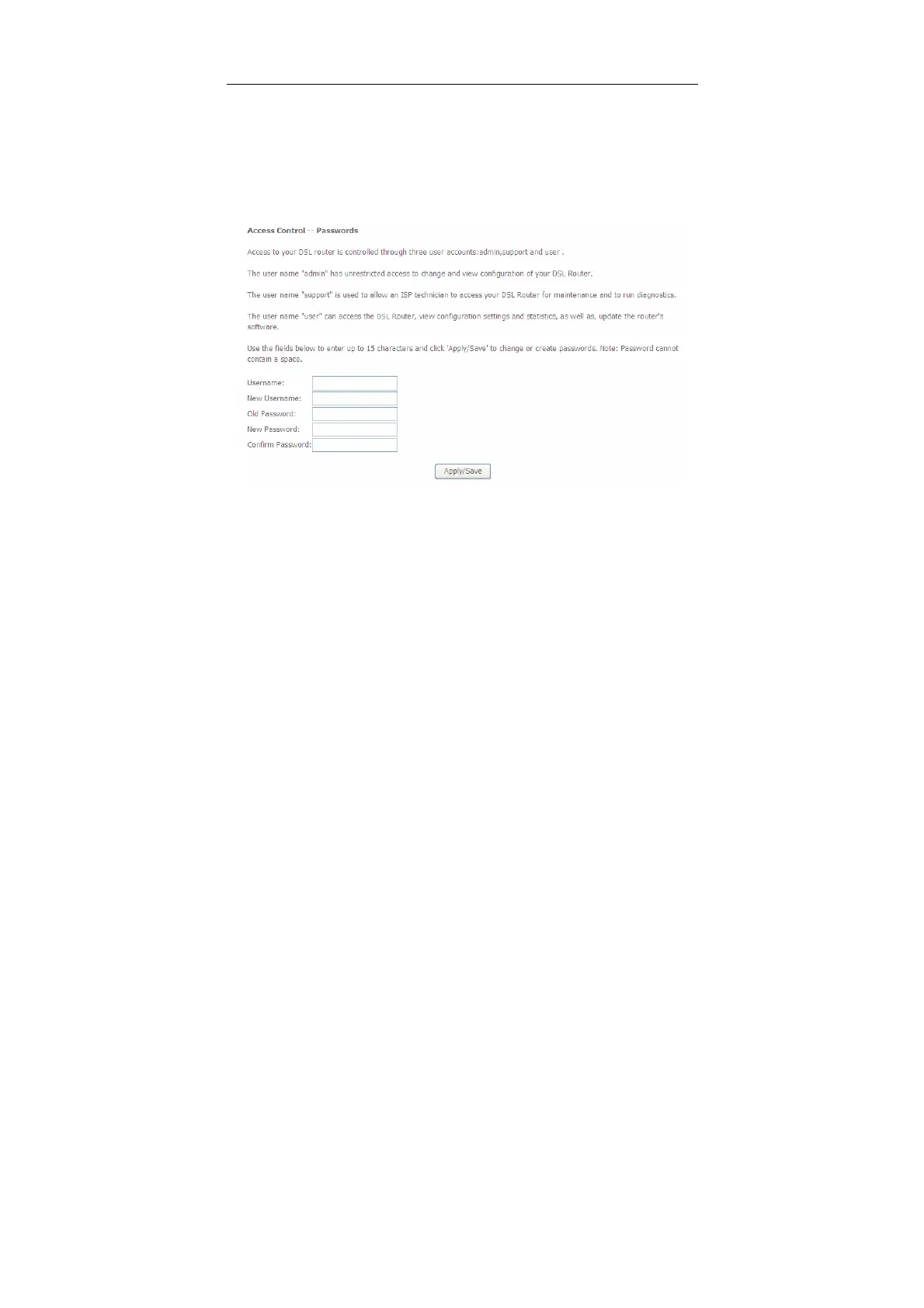
Passwords
Choose Management > Access Control > Passwords, and the following page
appears.
In the page, you can modify the username and password of different users.
After finishing setting, click the Apply/Save button to save and apply the settings.
Services
Choose Management > Access Control > Services Control and the following page
appears.


 To Next Page