User Manual
15
This page displays the information of the WAN interface, such as the connection
status, and the IP address.
5.1.3 Statistics
5.1.4 LAN
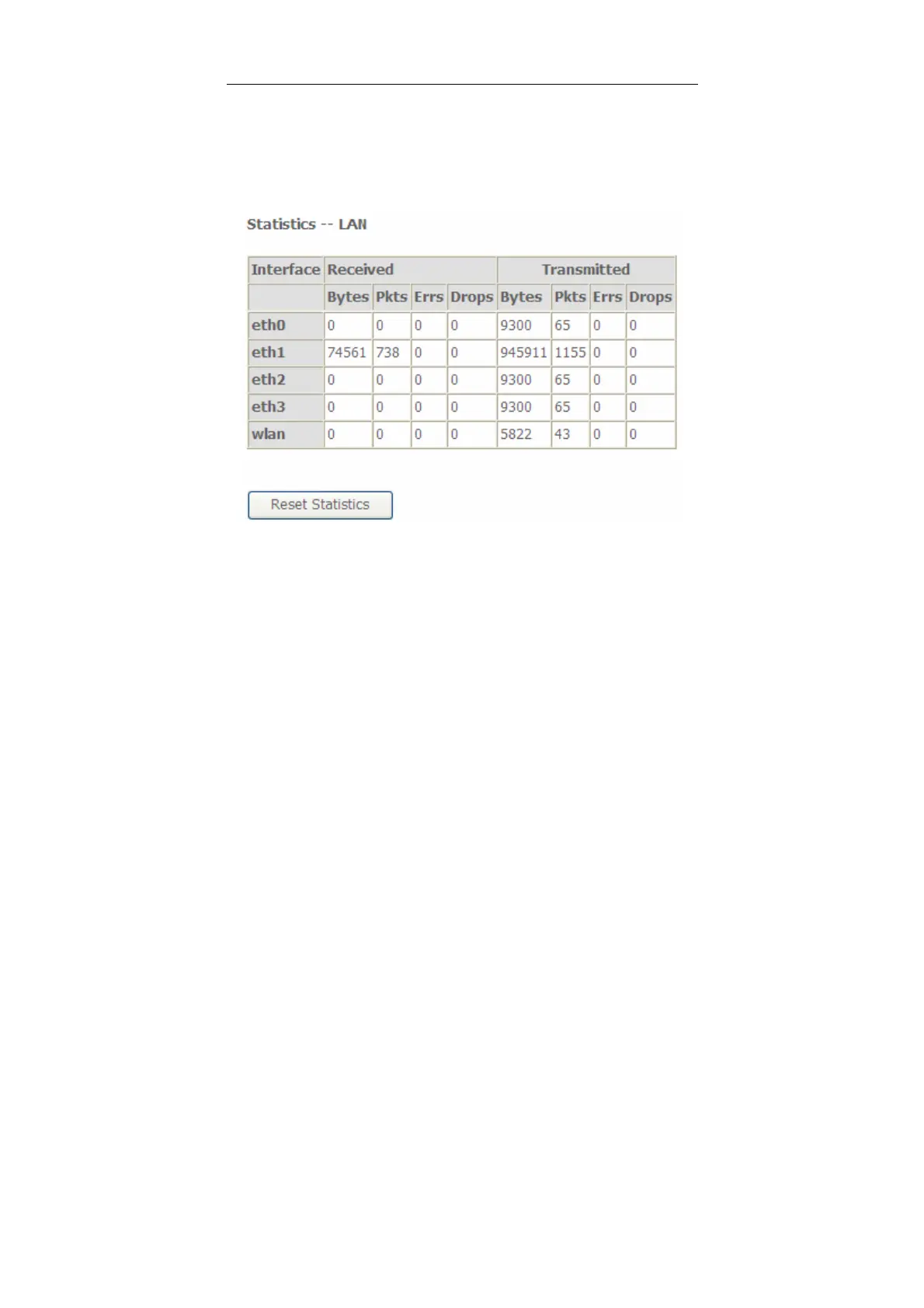
Choose Device Info > Statistics > LAN and the following page appears.
In this page, you can view the statistical information about the recevied and
transmitted data packets of the Ethernet and wireless interfaces.
Click Reset Statistics to restore the values to zero and recount them.
5.1.5 WAN Service
Choose Device Info > Statistics > WAN Service and the following page appears.


 To Next Page