User Manual
81
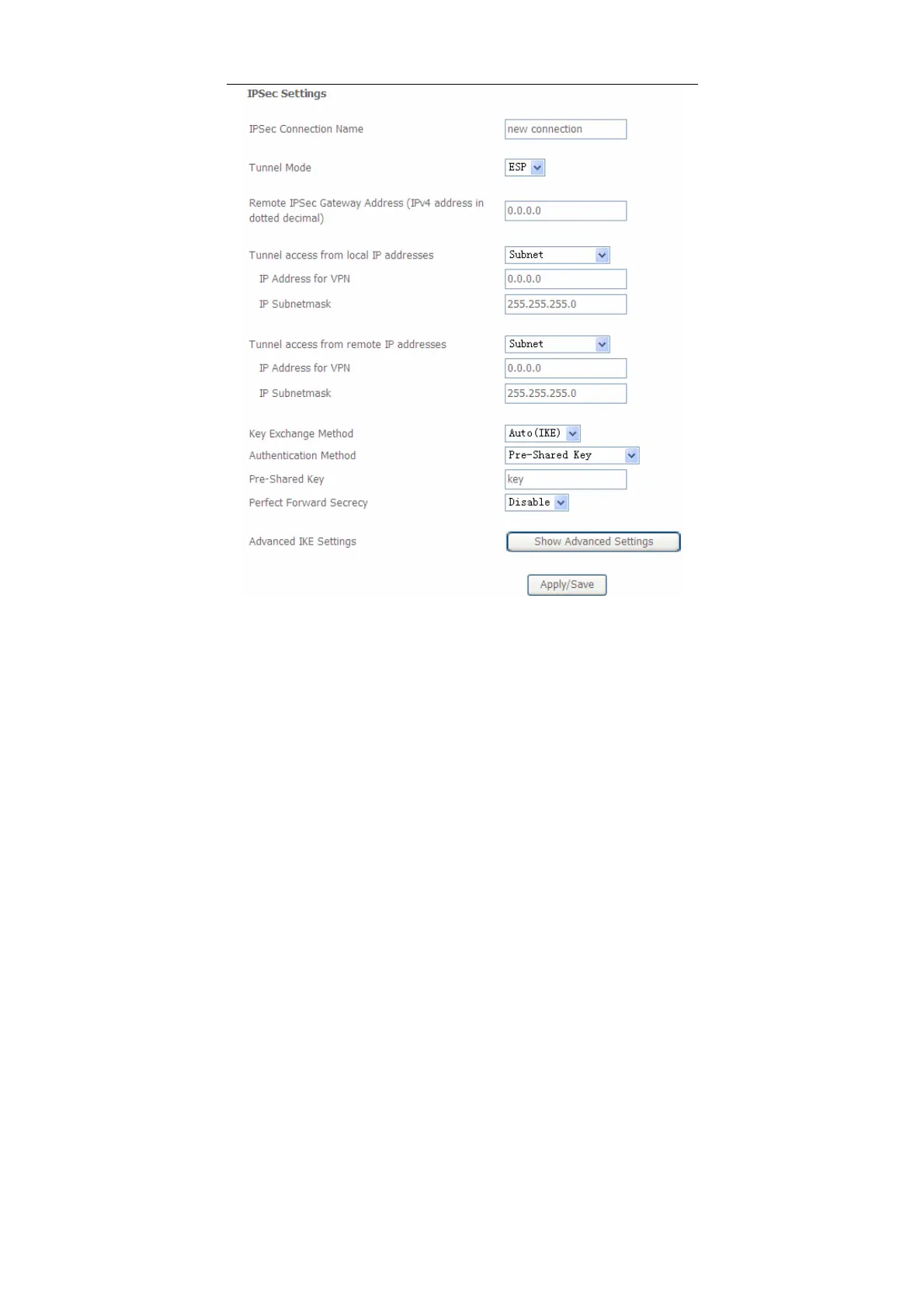
In this page, set the parameters such as the IPSec connection name, tunnel mode,
and remote IPSec gateway address.
If you need to configure the advanced settings of this IPSec tunnel connection,
please click the Show Advanced Settings button to display the other parameters.
After finishing setting, click Apply/Save to save and apply the settings.


 To Next Page