User Manual
28
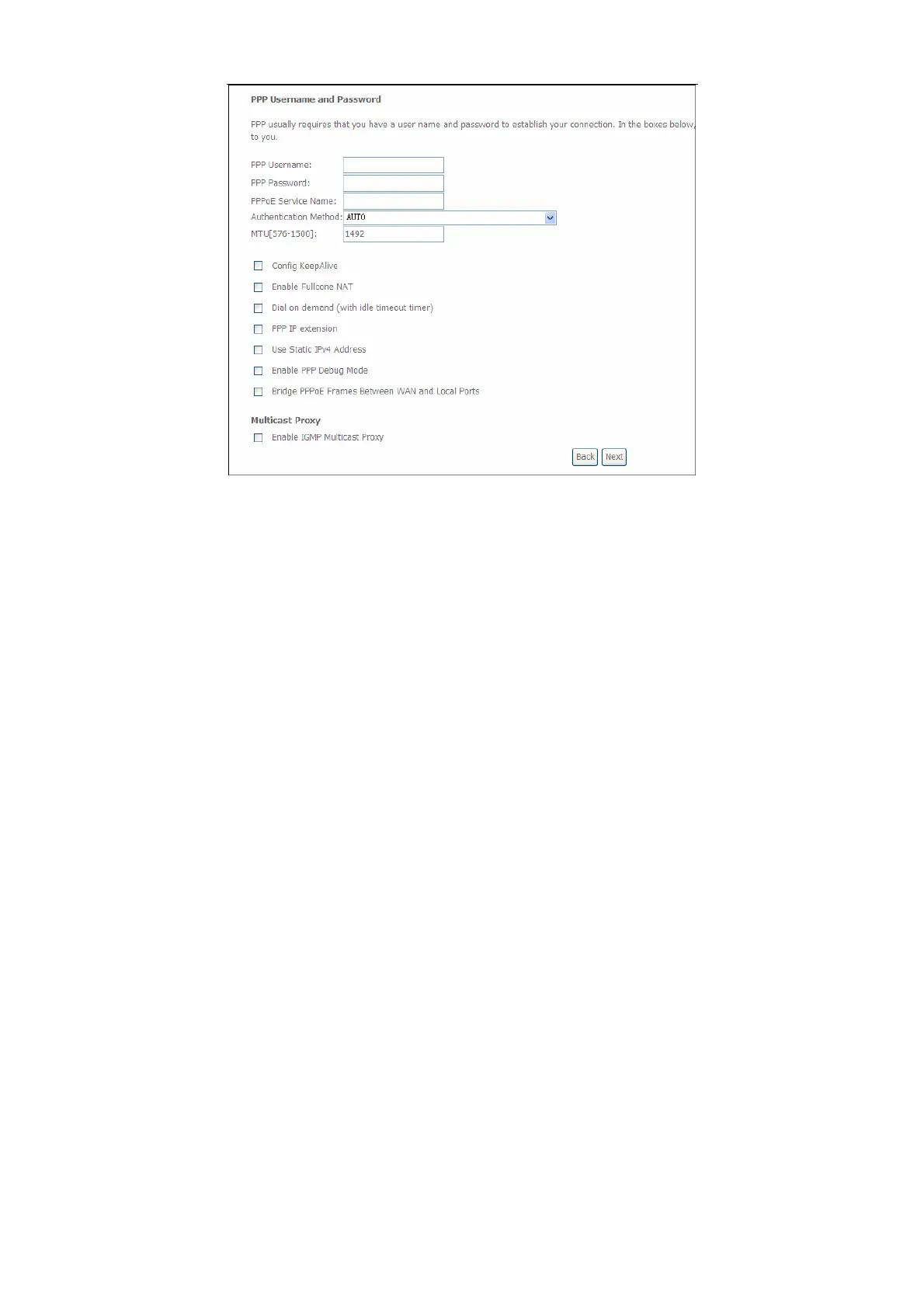
Step4 In this page, you can modify the PPP username, PPP password, PPPoE
service name and authentication method.
PPP Username: The correct user name provided by your ISP.
PPP Password: The correct password provided by your ISP.
PPPoE Service Name: If your ISP provides it to you, please enter it. If not,
do not enter any information.
Authentication Method: The value can be AUTO, PAP, CHAP, or MSCHAP.
Usually, you can select AUTO.
Enable Fullcone NAT:. NAT is one where all requests from the same
internal IP address and port are mapped to the same external IP address
and port. Furthermore, any external host can send a packet to the internal
host, by sending a packet to the mapped external address.


 To Next Page