User Manual
54
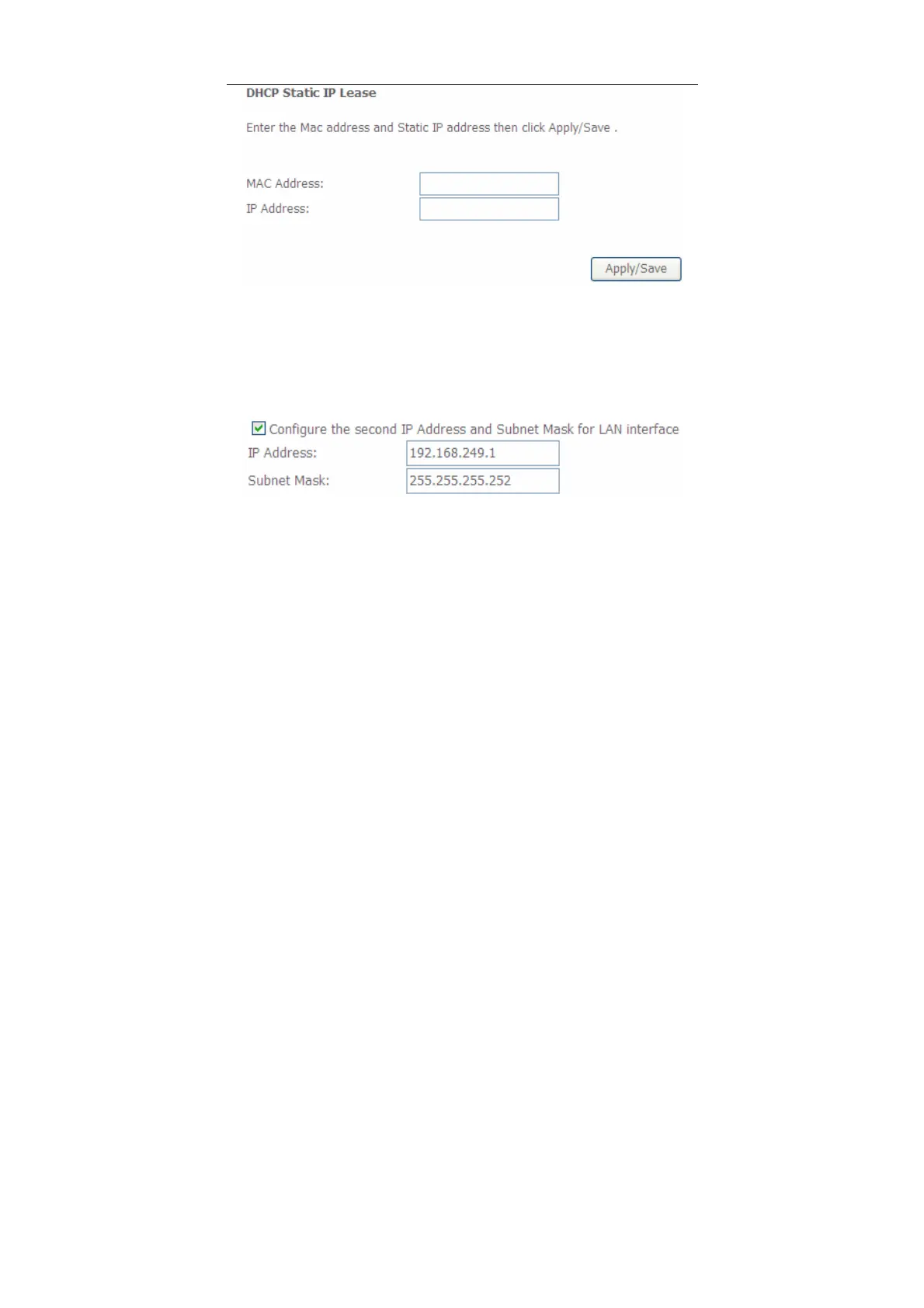
In this page, enter the MAC address of the LAN host and the static IP address that
is reserved for the host, and then click the Apply/Save button to apply the settings.
Configuring the Second IP Address and Subnet Mask for a LAN
Interface
In the Local Area Network (LAN) Setup page, you are allowed to set the second IP
address and the subnet mask for a LAN interface.
After enabling Configure the second IP Address and Subnet Mask for LAN
interface, enter an IP address and a subnet mask for the LAN interface.
After finishing setting, click the Apply/Save button to apply the settings.
5.2.3.1 IPv6 Auto-configuration
Click Advanced Setup > LAN >IPv6 Autoconfig, and the following page appears.


 To Next Page