User Manual
69
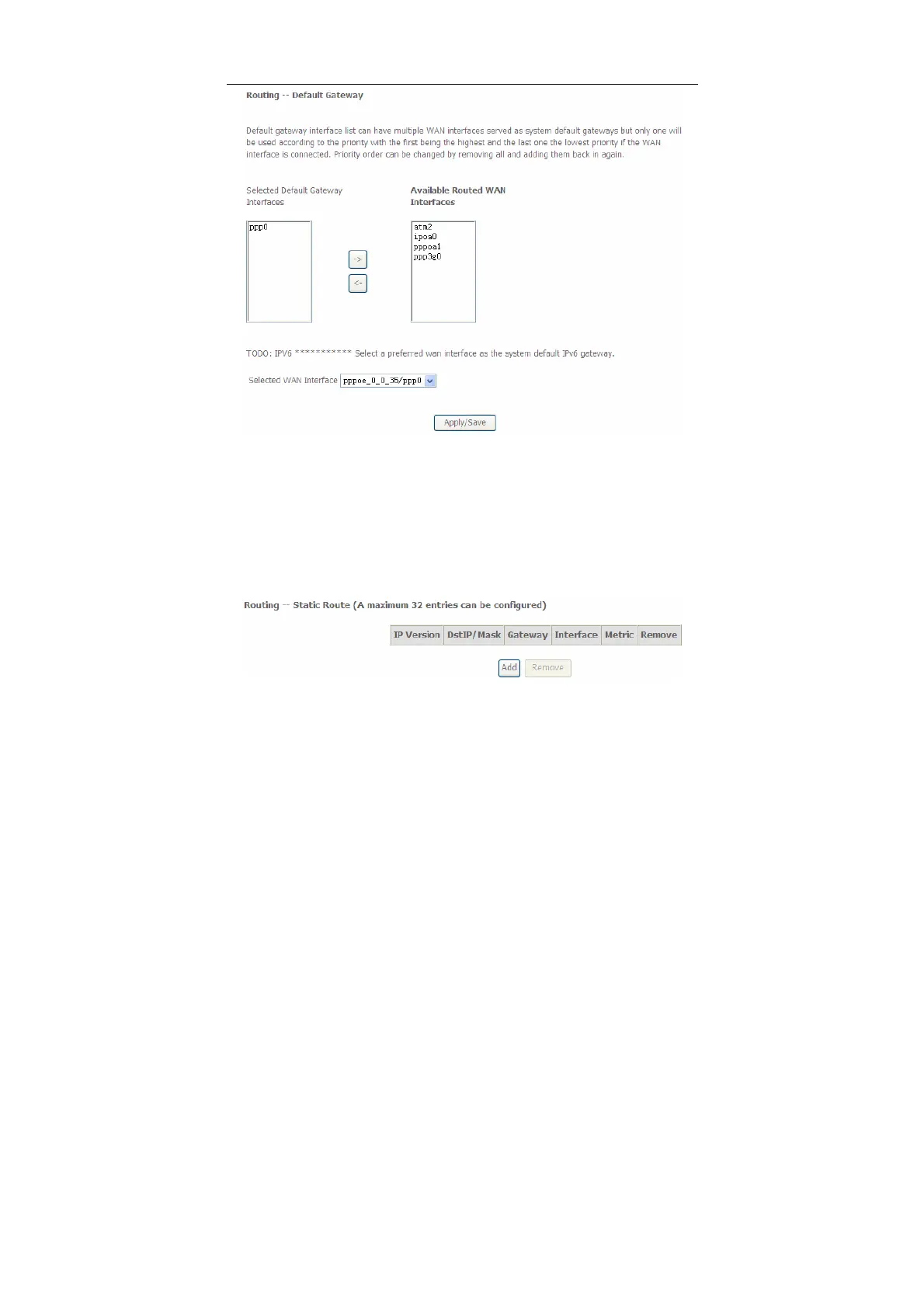
In this page, you can modify the default gateway settings.
Select a proper WAN interface in the drop-down list of Selected WAN Interface as
the system default gateway.
After finishing setting, click Apply/Save to save and apply the settings.
Static Route
Choose Advanced Setup > Routing > Static Route and the following page
appears.
In this page, you can add or remove a static routing rule.
Click the Add button to display the following page.


 To Next Page