SR808ac Cable Modem User Manual
23
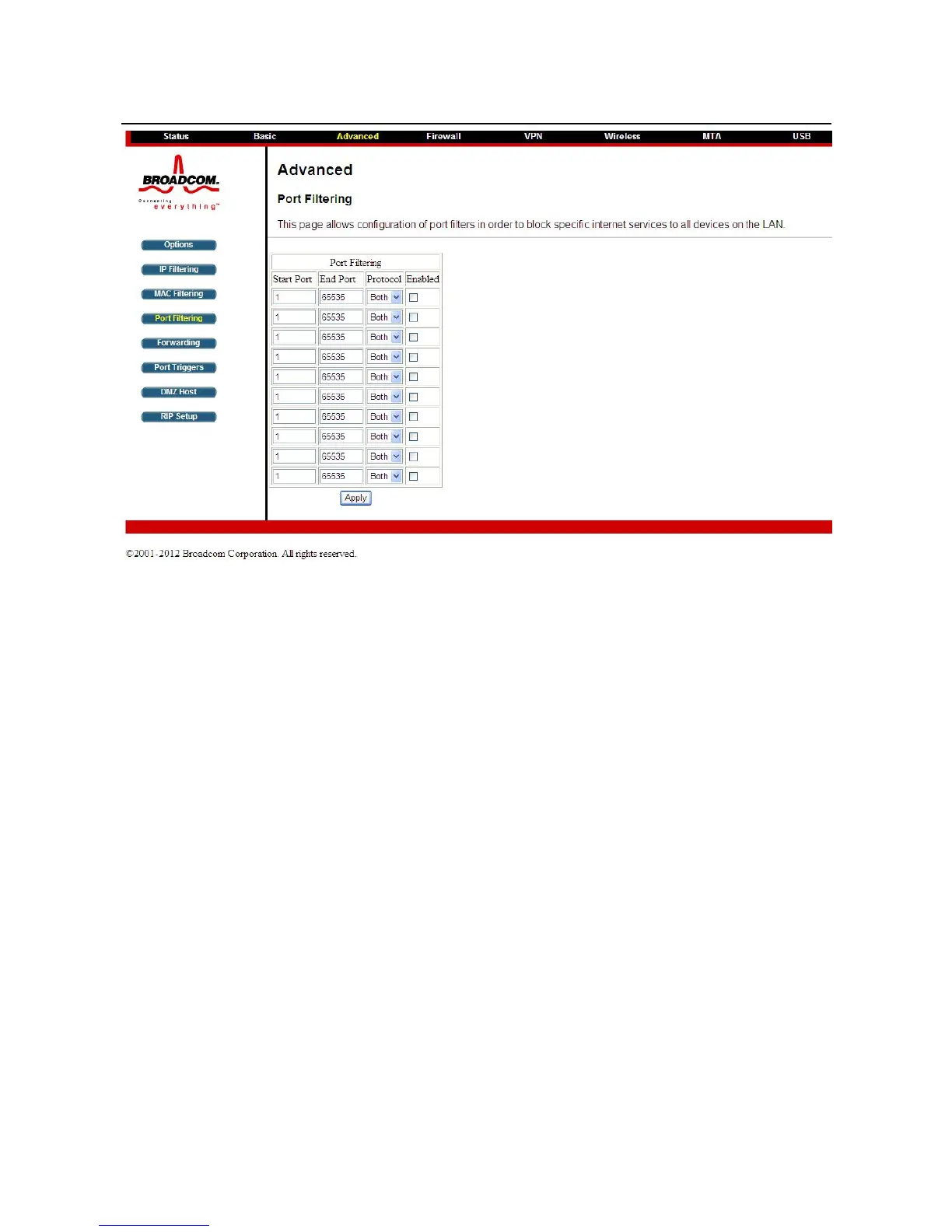
Figure 17 Port Filtering configuration
This page is used to prevent PCs from sending outgoing TCP/UDP traffic to the WAN
on specific IP port numbers.
By specifying a starting and ending port range, you may determine what TCP/UDP
traffic is allowed out to the WAN on a per-port basis. Note the specified port ranges
are blocked for ALL PCs and this setting is not IP address or MAC address specific.
For instance, if you would like to block all PCs on the private LAN from accessing
HTTP sites (or “web surfing”), you would set the “Start Port” to 80, the “End Port” to
80, the “Protocol” to TCP, check the “Enabled” box, and click Apply.
Choose Advanced> Forwarding to display the following page.


 To Next Page