-12-
Testing Stem and Handlebar Tightness
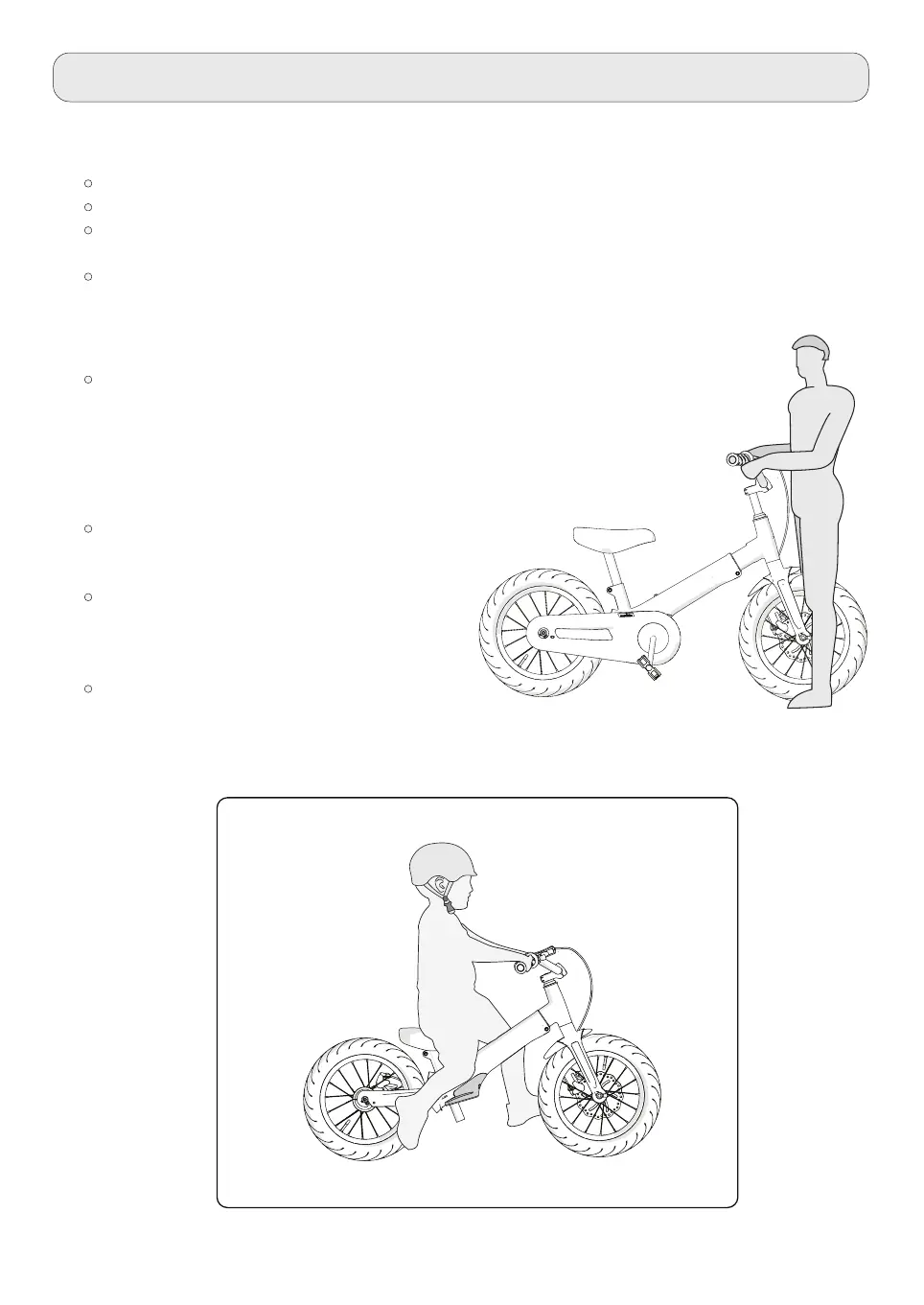
To test the tightness of the stem:
Straddle the front wheel of the bike between your legs.
Turn the handlebar in order to try and turn the front wheel.
If the stem and handlebar turn without turning the front wheel, readjust the stem with the
wheel and secure the stem bolt(s) tighter than before (about 1/2 revolution only at a time).
Carry out this test again, until the stem and handlebar do not turn without turning the
front wheel.
To test the tightness of the handlebar clamp:
Hold the bicycle in a stable way and try to move the ends
of the handlebar forward and backword or up and down.
WARNING: Make sure not to exceed 100 lbs (45 kg)
force.
If the handlebar moves, loose the
bolt(s) of the handlebar clamp loosen.
Place the handlebar in the proper
position and tighten the bolt(s) of the
handlebar clamp tighter than before.
Carry out this test again, until the
handlebar does not move in the
handlebar clamp.


 To Next Page