EasyManua.ls Logo

Smartwares C995IP - User Manual

Smartwares C995IP
35 pages
Print Icon
To Next Page IconTo Next Page
Loading...
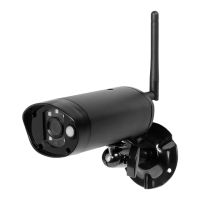
Wireless APP Camera
Installation and Operating Instructions
Model: C995IP
PLEASE READ THESE INSTRUCTIONS CAREFULLY BEFORE USING THIS PRODUCT
AND KEEP THIS MANUAL FOR FUTURE REFERENCE.
Questo manuale d’istruzione è fornito da trovaprezzi.it. Scopri tutte le offerte per Smartwares CIP-37363 o
cerca il tuo prodotto tra le migliori offerte di Videosorveglianza

Questions and Answers

  • R
    Rebecca TuckerAug 20, 2025
    Why can't the Smartwares Security Camera app find the camera?
    • D
      Dakota SotoAug 20, 2025
      If the Smartwares Security Camera app can't find the camera, ensure your network supports the DHCP protocol. Also, verify that the camera and your mobile device are connected to the same Wi-Fi router during the initial setup. Check that the Wi-Fi router is activated and the camera is properly powered on. You might also need to manually add the camera using the “ADD CAMERA” function in the app.
  • L
    Linda GrahamAug 22, 2025
    What to do if no image appears on my Smartwares Security Camera?
    • T
      Timothy SimsAug 22, 2025
      If no image appears from your Smartwares Security Camera, first check that the power adapter is not damaged or defective and is plugged into a working electrical outlet. Try relocating the camera to improve wireless signal reception. Also, ensure the camera is properly configured in the app and that your mobile device has a stable 3G/4G/Wi-Fi connection.
  • C
    Christopher FritzAug 25, 2025
    Why is my Smartwares Security Camera app not recording video clips?
    • M
      mary49Aug 25, 2025
      If the Smartwares Security Camera app is not recording video clips, make sure the SD card is correctly inserted. Verify that the motion detection function is enabled. If it's the first time using the SD card, format it. Also, ensure you are using a Class 10 rated memory card.
  • J
    Jesus GarzaAug 26, 2025
    Why is motion detection not working on my Smartwares C995IP?
    • B
      Brandy McintoshAug 27, 2025
      If motion detection is not working or overreacting on your Smartwares Security Camera, ensure that the sensitivity setting is turned ON. Note that in motion detection mode, a moving object within the camera's viewing angle is necessary to trigger the motion sensor for recording.
  • A
    Anthony SellersAug 28, 2025
    Why is my Wi-Fi router not showing up on my Smartwares Security Camera?
    • A
      Abigail HollandAug 28, 2025
      If your Wi-Fi router is not shown in the drop-down list for your Smartwares Security Camera, ensure that the SSID broadcasting function is enabled in the Wi-Fi router. Also, change the wireless security protocol of your Wi-Fi router to WPA/WPA2/WPA2-PSK.
  • K
    Kenneth HarrisonAug 30, 2025
    Why is the email alert not working on my Smartwares Security Camera?
    • F
      Frank LeonardAug 30, 2025
      If the email alert is not working for your Smartwares Security Camera, first ensure that the email alert function is enabled. It is suggested to use a Gmail account for this function. Also, verify that the email address has been correctly entered.
  • L
    Luis TorresSep 1, 2025
    How to correct the wrong date and time on my Smartwares C995IP Security Camera?
    • L
      Leslie JenkinsSep 1, 2025
      If the wrong date and time are displayed on your Smartwares Security Camera, ensure you’ve selected the correct time zone. Confirm the system date/time of your mobile device to ensure correct operation. Also, make sure the system is properly connected to the internet, as the system will sync its clock when connected.
  • M
    Michael CampbellSep 2, 2025
    What causes bright white spots at night on my Smartwares C995IP Security Camera?
    • D
      daniel84Sep 3, 2025
      Bright white spots appearing at night on your Smartwares Security Camera are caused by the camera's infrared LEDs reflecting off surfaces like glass. To resolve this, install the camera on the other side of the window or place the lens flush against the surface to improve night vision.
  • R
    Renee OsborneSep 4, 2025
    Why is my Smartwares Security Camera showing low wireless signal and poor image quality?
    • A
      anthony17Sep 4, 2025
      If your Smartwares Security Camera shows low wireless signal and poor image quality, it might be due to wireless devices interfering with the signal strength. Try to maximize the space between the camera/mobile device and these wireless devices. Additionally, clean the camera lens using a lens cleaning cloth.
  • V
    Vincent PhillipsSep 6, 2025
    What to do if the Smartwares Security Camera app can not record any video clips?
    • B
      Brandon MillerSep 6, 2025
      If the Smartwares Security Camera app is not recording video clips, first ensure that the SD card has been correctly inserted. Also, make sure the motion detection function has been enabled. Format the SD card when using it for the first time and verify that you are using a Class 10 rated memory card.

Smartwares C995IP Specifications

General IconGeneral
ConnectivityWi-Fi
StorageMicroSD card (up to 128GB)
Motion DetectionYes
Two-Way AudioYes
TypeIP Camera
Power Supply5V DC
Mobile AppYes (Smartwares app)

Related product manuals