EasyManua.ls Logo

Smartwares C995IP - User Manual

Smartwares C995IP
35 pages
Print Icon
To Next Page IconTo Next Page
Loading...
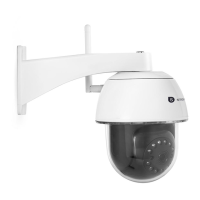
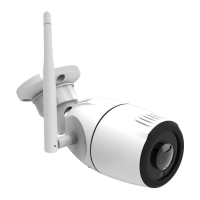
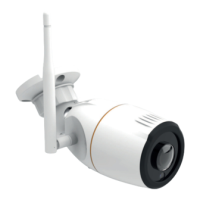
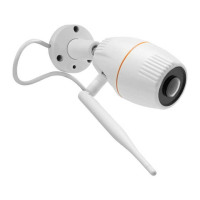
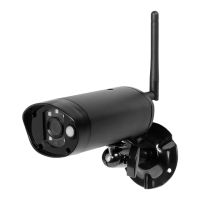
Wireless APP Camera
Installation and Operating Instructions
Model: C995IP
PLEASE READ THESE INSTRUCTIONS CAREFULLY BEFORE USING THIS PRODUCT
AND KEEP THIS MANUAL FOR FUTURE REFERENCE.
Questo manuale d’istruzione è fornito da trovaprezzi.it. Scopri tutte le offerte per Smartwares CIP-37363 o
cerca il tuo prodotto tra le migliori offerte di Videosorveglianza

Questions and Answers

  • R
    Robin OwensSep 8, 2025
    Why no image appears on my Smartwares Security Camera?
    • R
      Ronald KiddSep 8, 2025
      If no image appears on your Smartwares Security Camera, ensure the power adapter is not damaged or defective and is plugged into a working electrical outlet. Try relocating the camera to improve wireless signal reception. Also, ensure the camera is properly configured in the app and that your mobile device is connected to 3G/4G/Wi-Fi.
  • J
    Jeffery ScottSep 10, 2025
    Why is email alert not working on my Smartwares Security Camera?
    • T
      tinamartinezSep 10, 2025
      If you are not receiving email alerts from your Smartwares Security Camera, ensure that the email alert function is enabled. It is suggested to use a Gmail account for this function. Also, verify that the email address has been entered correctly.
  • D
    Dr. Caitlin Stanley DDSSep 12, 2025
    Why is Wi-Fi router not shown in the drop down list on Smartwares Security Camera?
    • E
      Emily WoodSep 12, 2025
      If the Wi-Fi router is not shown in the drop-down list during setup of your Smartwares Security Camera, ensure that the SSID broadcasting function is enabled in the Wi-Fi router settings. You may also need to change the wireless security protocol of your Wi-Fi router to WPA/WPA2/WPA2-PSK.
  • S
    Steven PerrySep 14, 2025
    Why is motion detection not working or over-reacting on my Smartwares Security Camera?
    • M
      michaeljacksonSep 14, 2025
      If motion detection is not working properly on your Smartwares Security Camera, first, ensure that the sensitivity setting is turned ON. In motion detection mode, a moving object within the camera's viewing angle is necessary to trigger the motion sensor for recording.
  • P
    Peter RaySep 15, 2025
    Why do bright white spots appear at night time on my Smartwares Security Camera?
    • J
      josephlyonsSep 16, 2025
      If bright white spots appear in your Smartwares Security Camera footage at night, it's likely due to the camera's infrared LEDs reflecting off surfaces like glass. To resolve this, install the camera on the other side of the window or place the lens flush against the surface to improve night vision.
  • M
    Michelle MillerSep 18, 2025
    How to fix wrong date and time shown on Smartwares Security Camera?
    • N
      Natalie CortezSep 18, 2025
      If the wrong date and time are displayed on your Smartwares Security Camera, make sure you've selected the correct time zone in the settings. Confirm the system date and time on your mobile device to ensure correct operation. Also, ensure that the system is properly connected to the internet.

Smartwares C995IP Specifications

General IconGeneral
ConnectivityWi-Fi
StorageMicroSD card (up to 128GB)
Motion DetectionYes
Two-Way AudioYes
TypeIP Camera
Power Supply5V DC
Mobile AppYes (Smartwares app)

Related product manuals