EasyManua.ls Logo

Smartwares CIP-39940 - User Manual

Smartwares CIP-39940
35 pages
Print Icon
To Next Page IconTo Next Page
Loading...
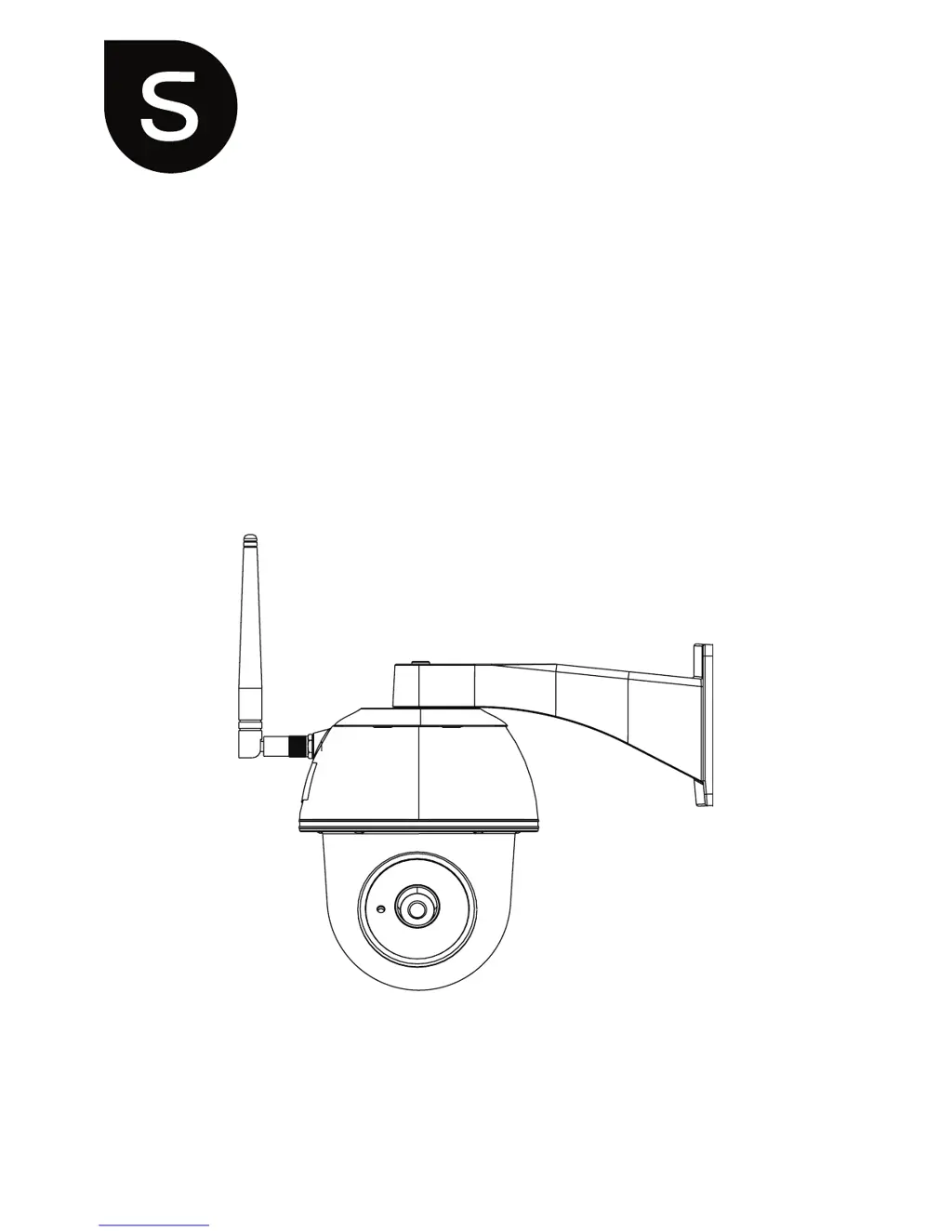
Wireless Pan/Tilt APP Camera
Installation and Operating Instructions
Model: CIP-39940
PLEASE READ THESE INSTRUCTIONS CAREFULLY BEFORE USING THIS PRODUCT
AND KEEP THIS MANUAL FOR FUTURE REFERENCE.

Questions and Answers

  • R
    Rebecca JosephAug 14, 2025
    Why Smartwares CIP-39940 app can't find the camera?
    • S
      Samantha RobinsonAug 14, 2025
      If the Smartwares Security Camera app can't find the camera, verify the following: * Your network supports the DHCP protocol. * The camera and your mobile device are connected to the same Wi-Fi router during the initial setup. * The Wi-Fi router is activated. * The camera is properly powered on. * Try using the “ADD CAMERA” function to manually add the camera.
  • A
    Allison MoranAug 17, 2025
    What to do if no image appears on my Smartwares CIP-39940 Security Camera?
    • W
      wmillsAug 17, 2025
      If no image appears from your Smartwares Security Camera, consider these potential solutions: * Ensure the power adapter is working correctly and plugged into a functioning electrical outlet. * Relocate the camera to improve wireless signal reception. * Verify the camera is properly configured in the app. * Confirm that your mobile device has a stable 3G/4G/Wi-Fi connection.
  • B
    Brian ClarkAug 21, 2025
    How to fix Smartwares CIP-39940 Security Camera app not recording video clips?
    • B
      bryanenglishAug 21, 2025
      If the Smartwares Security Camera app isn't recording video clips, check these: * Ensure the SD card is correctly inserted. * Make sure the motion detection function is enabled. * Format the SD card before its first use. * Use a Class 10 rated memory card.
  • H
    hayden19Aug 25, 2025
    Why is motion detection not working on my Smartwares CIP-39940 Security Camera?
    • C
      Christy LopezAug 25, 2025
      If motion detection is not working correctly or is over-reacting on your Smartwares Security Camera, ensure that: * The sensitivity setting is turned ON. * A moving object is within the camera's viewing angle to trigger the motion sensor for recording in motion detection mode.
  • M
    Melissa DuncanAug 27, 2025
    Why my Wi-Fi router is not shown in the drop down list of Smartwares Security Camera?
    • T
      Tyrone CurryAug 27, 2025
      If your Wi-Fi router isn't showing up in the drop-down list for your Smartwares Security Camera, make sure that: * SSID broadcasting function is enabled in the Wi-Fi router. * The wireless security protocol of your Wi-Fi router is set to WPA/WPA2/WPA2-PSK.
  • W
    weaverlisaAug 31, 2025
    How to improve wireless signal and image quality of Smartwares CIP-39940 Security Camera?
    • A
      Alexander HendersonAug 31, 2025
      To improve the wireless signal and image quality of your Smartwares Security Camera: * Be aware that wireless devices like home stereo systems can reduce signal strength. * Clean the camera lens using a lens cleaning cloth.
  • H
    hughespaulSep 3, 2025
    What to do if I get a memory card error on my Smartwares CIP-39940 Security Camera?
    • K
      Kathryn AtkinsonSep 3, 2025
      If you're getting a memory card error on your Smartwares Security Camera: * Make sure the memory card is correctly inserted and formatted. * Try using the memory card provided within the package. * Ensure you are using a Class 10 rated memory card.
  • C
    Caitlin McgeeSep 6, 2025
    Why are bright white spots appearing at night on my Smartwares Security Camera?
    • D
      David BrownSep 7, 2025
      Bright white spots at night on your Smartwares Security Camera can occur because: The camera's infrared LEDs produce invisible light that reflects off surfaces such as glass. To resolve this, try installing the camera on the other side of windows or place the lens flush against the surface to improve night vision. It is also suggested to install cameras under well-lit areas.
  • S
    Stacy CarterSep 9, 2025
    How to correct the wrong date and time shown on Smartwares CIP-39940?
    • R
      Raymond MeadowsSep 9, 2025
      If your Smartwares Security Camera displays the wrong date and time: * Make sure you’ve selected the correct time zone. * Confirm the system date/time of the mobile device to ensure correct operation. * The system will synchronize its clock when connected to the internet.

Smartwares CIP-39940 Specifications

General IconGeneral
ModelCIP-39940
CategorySecurity Camera
BrandSmartwares
TypeIP Camera
ConnectivityWi-Fi
Night VisionYes
Outdoor UseYes
Motion DetectionYes
Two-Way AudioYes
StorageMicroSD card (up to 128GB)
Operating Temperature-10°C to 50°C
Weather ResistanceIP65
Viewing Angle110°
Resolution1080p
Power SupplyAC Power

Related product manuals