Set-up Menu Icon Explanations
Software Update
The software update function is used to download the latest SmartWave
Maintenance Tool software from a personal computer.
Refer to update information supplied with future software updates.
Maintenance Tool Software Update
The maintenance tool function allows the user to easily upgrade the
software in the field. The following describes the items and steps
required to carry out the download.
ITEM DESCRIPTION
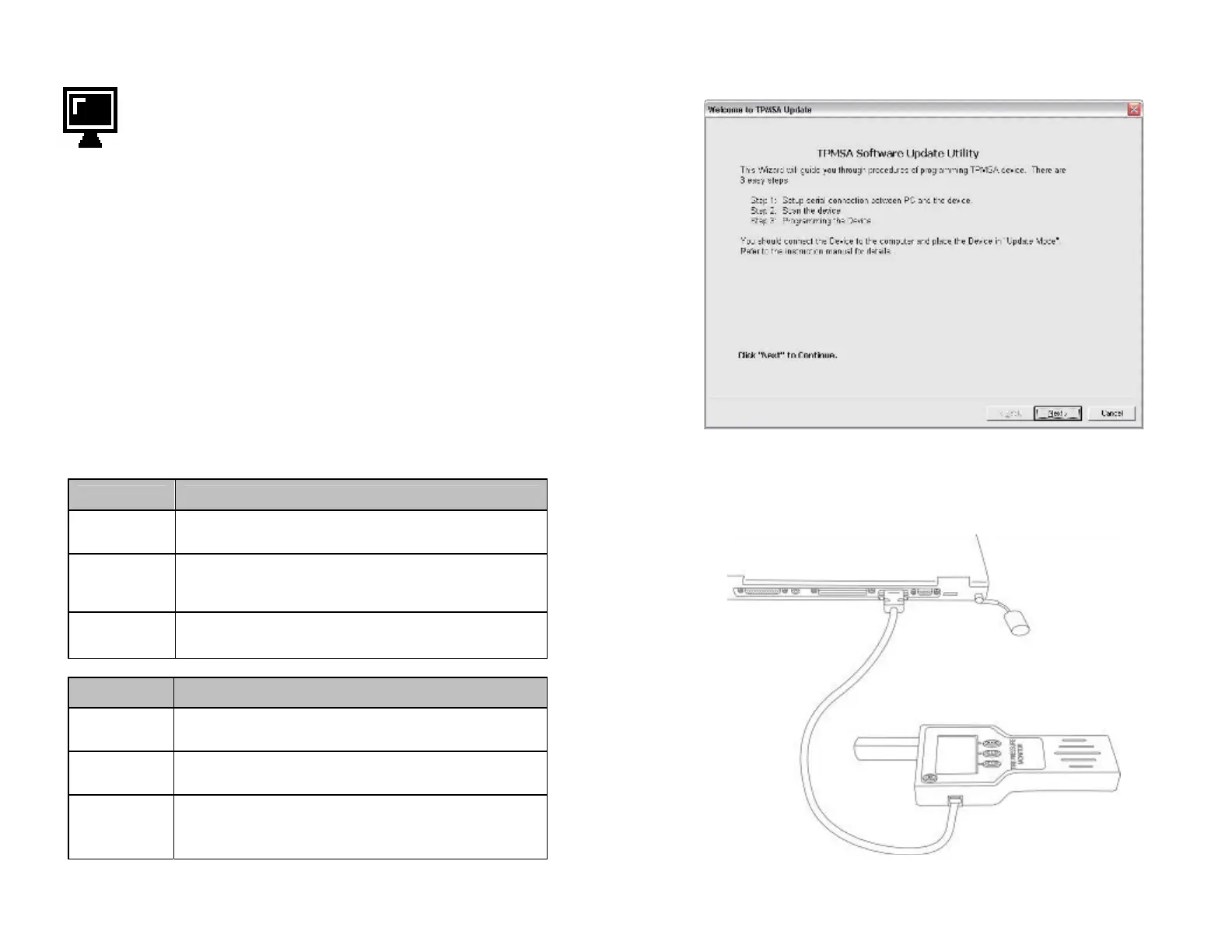
Custom RS232
Cable
This cable is required to connect from the computer to the tool
(see Figure 6).
Computer
Windows 95, 98, 2000, XP Required
Refer to the user manual for instructions on how to use this
software.
Update Tool
Software
The software that is required to update the tool to the latest
features.
STEP DESCRIPTION
1
Attach maintenance tool to personal computer using supplied
custom RS232 cable.
2 Select update function on tool menu.
3
Open the maintenance tool software update program on the PC.
Note: Refer to the software update program for further
information regarding the download procedure.
9
Maintenance Tool software update program
Figure 5
Updating Maintenance Tool
Figure 6
10



 To Next Page