Ambient Sensor Learn
Walk-Around Learn Download
The maintenance tool contains a function which allows the user to
connect the tool directly to the vehicle’s J1939 receiver. This function
downloads all new (learned) sensor IDs into the receiver.
Ambient Sensor Learn is used to activate and store atmospheric
pressure information from the ambient sensor to compensate the
displayed readings for changes in altitude.
The following describes the items and steps required to carry out the
download.
ITEM DESCRIPTION
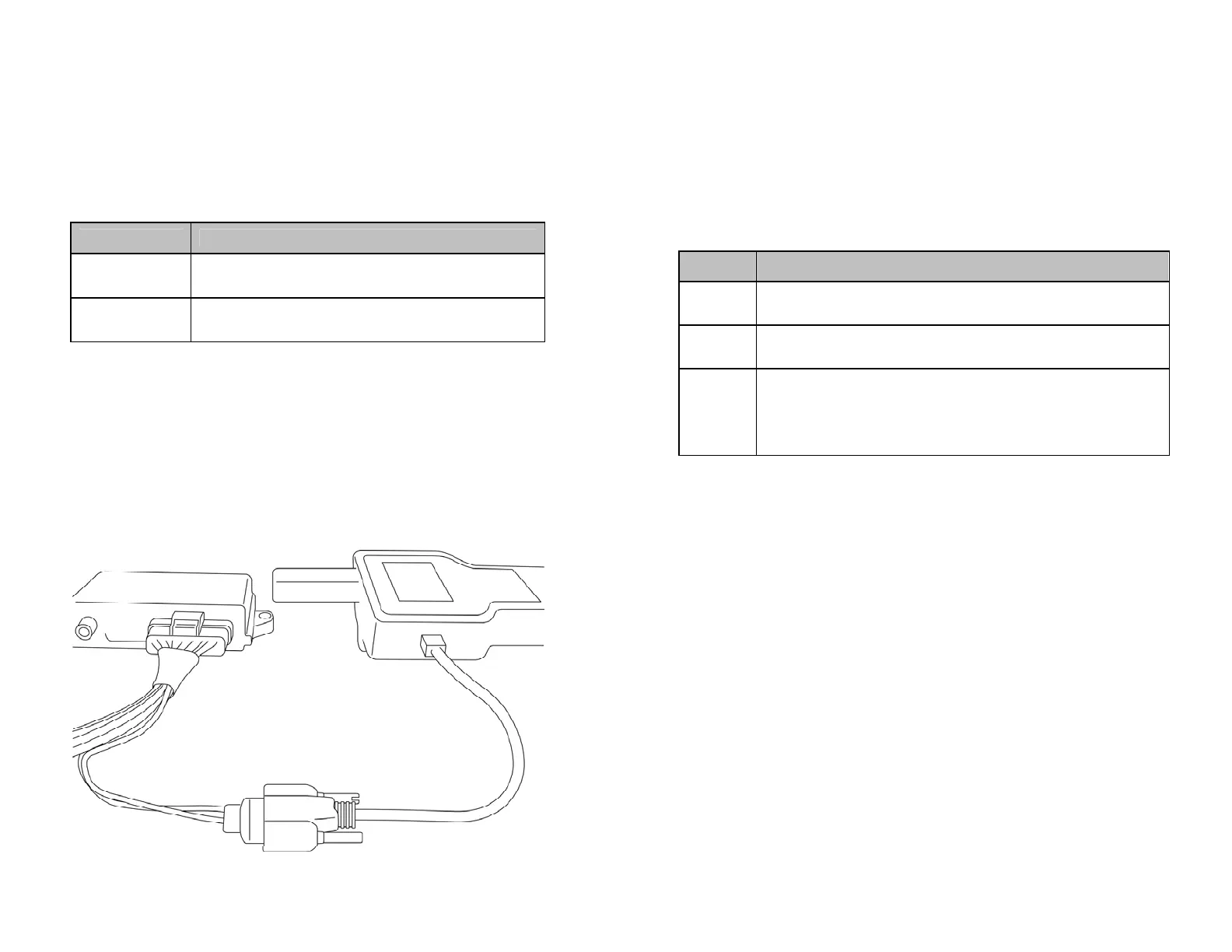
Custom RS232
Cable
This cable is required to connect from the Computer to the
tool.
(See Figure 8)
J1939 Receiver SmartWave J1939 receiver with RS232 connection.
Ambient Pressure Compensation
STEP DESCRIPTION
1
Scroll down the Menu and set the maintenance tool to Learn Ambient
Pressure.
2 Activate ambient sensor using the Learn function.
3
The ID of the ambient sensor to be used for compensating the ambient
pressure appears on the maintenance tool display. All future pressure
measurements determined by the maintenance tool will compensate for
environmental atmospheric pressure.
Updating The Receiver With New ID Codes
Return
Selecting the Return icon moves the user to the previous menu screen.
Figure 8
13
14


 To Next Page