With level 3 or above, aftermarket injectors are recommended.
Variable Geometry Turbo
(not available for MY 2010 and above)
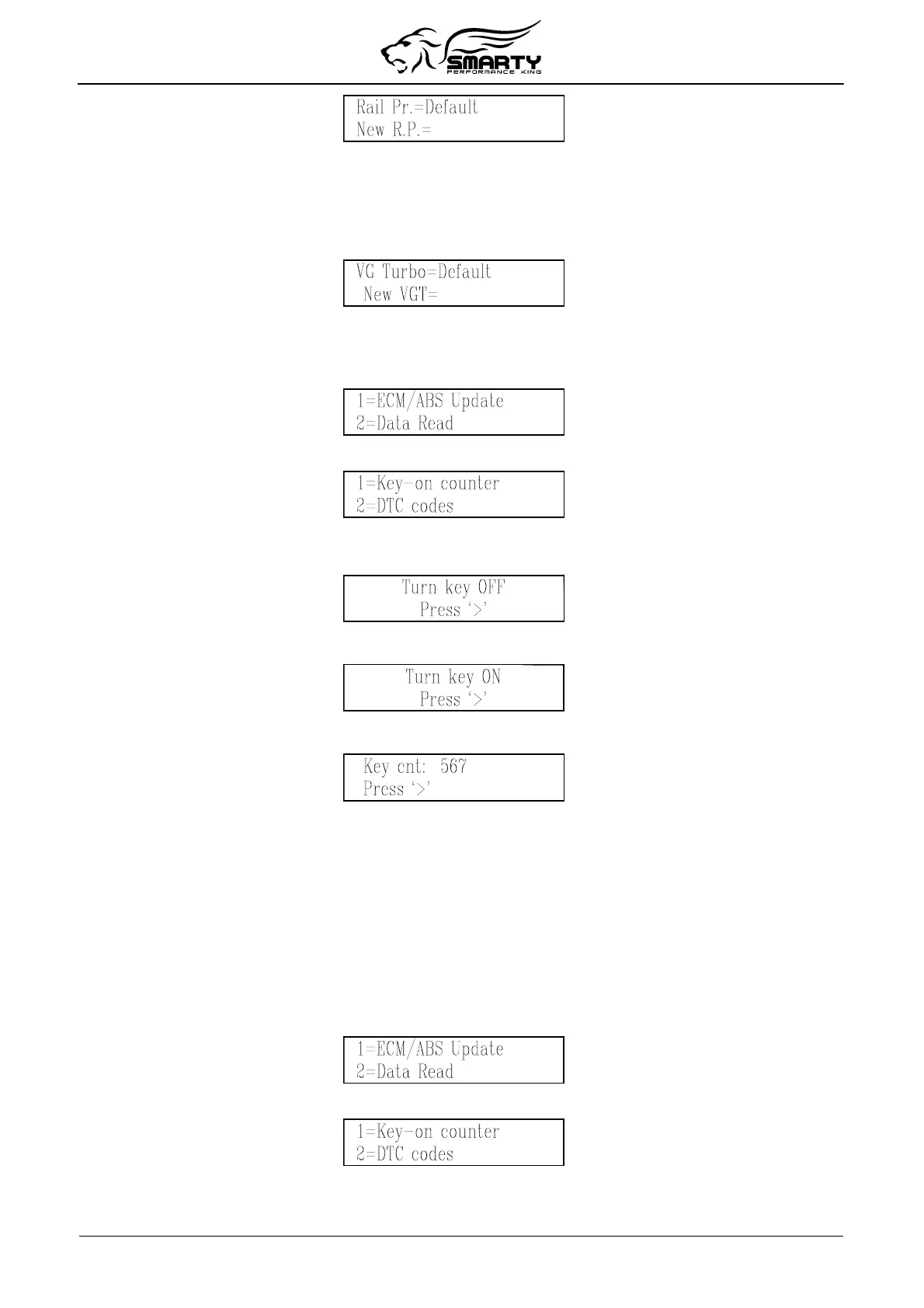
The VG Turbo selection can be programmed 1 (stock), 2 (mild), 3 (moderate) or 4 (wild). To use the
default VG Turbo for the current CaTCHER level, press 0.
7. Reading Key-on counter
From the main menu, press the ‘2’ key to select the data read function.
From the data read menu, press the ‘1’ key to select this function.
Smarty will try to establish a communication with the ECM.
If the Key was not in the on position Smarty will display this message:
Pressing the ‘>’ key, Smarty asks you to turn on the ignition key to retry the connection:
When the connection has been established, Smarty shows the key-on counter:
Please remember that every time the key is switched off, as at the end of the programming, the key-on
counter increases.
8. Reading DTC’s
Reading Diagnostic Trouble Codes
The DTC (Diagnostic Trouble Code) reader function present in Smarty Micro Tuner is for
convenience purpose only.
MADS makes no warranty to the accuracy of the interpretations. The description of all the DTC is
shown on Smarty’s display. Many logged codes are transitory, they are automatically reset.
From the main menu, press the ‘2’ key to select the data read function.
From the data read menu, press the ‘2’ key to select this function.
Smarty will try to establish communication with the ECM.
If the Key was not turned into the on position Smarty will display this message:
Page 12 of 16


 To Next Page