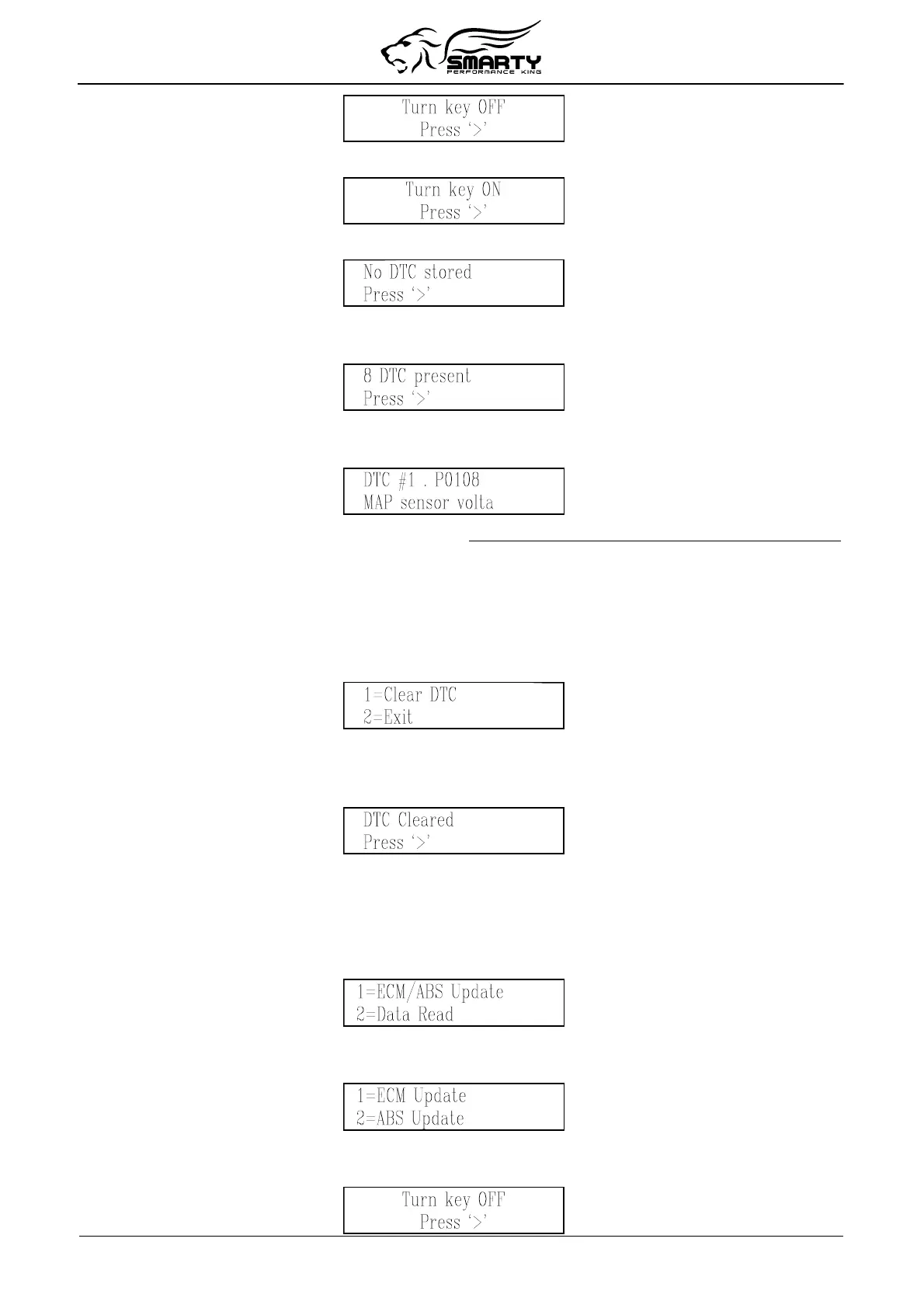
Pressing the ‘>’ key, Smarty asks you to turn on the ignition key to retry the connection:
When the connection has been established, if no DTC codes are present, the following screen appears:
If one or more DTC’s are stored, Smarty shows the number of DTC’s present with the following
screen:
With the keys ‘<’ and ‘>’ all the present DTC codes can be displayed, one code at a time with the
following screen:
The first line of display shows the DTC “P” code. The second line shows the DTC code description.
If the DTC code description is longer that the physical dimension of the display, the description will
scroll across the screen.
Clearing DTC codes
At the end of the DTC code list, Smarty can either clear all the stored DTC codes from the ECM
memory or exit:
Press the ‘1’ key, to clear all the DTC codes stored in the ECM.
Press the ‘2‘ key, the DTC codes will not be erased and Smarty will return to the main screen.
When the erasing operation has been completed, the following screen appears:
9. ABS Update
(tire height update)
Once Smarty is VIN# Locked (i.e. a CaTCHER software has been loaded in the ECM) the
speedometer of the vehicle can be adjusted according to the tire height.
From the main menu, shown below, press the ‘1’ key.
To change the tire height, choose the ABS update function:
Press the ‘2’ key, in the second menu as shown below:
Smarty will try to establish the communication with the ABS.
If the ignition key was not turned to the “RUN” position Smarty will display this message:
Page 13 of 16


 To Next Page