W
EB
M
ANAGEMENT
34
LAN
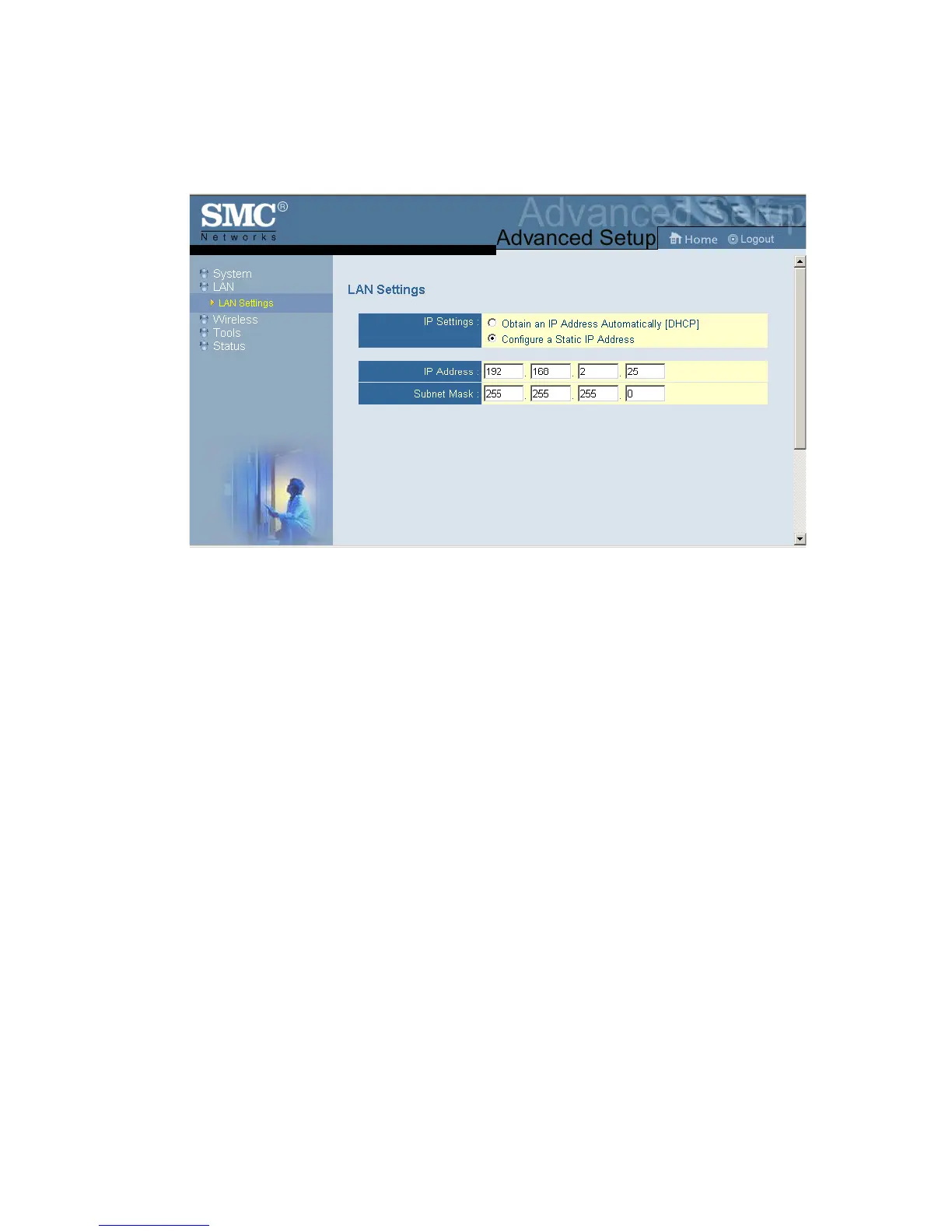
With “Obtain an IP Address Automatically [DHCP]” enabled, the
IP address, subnet mask and default gateway can be dynamically
assigned to the SMC2870W by the network DHCP server.
Note: If there is no DHCP server on your network, then the
SMC2870W will automatically start up with its default IP
address, 192.168.2.25.
The SMC2870W does not provide DHCP service. It simply
passes client DHCP requests through to the DHCP server to
obtain an IP Address.
If your Internet Service Provider has assigned a fixed IP address,
select “Configure a Static IP Address.” Enter the assigned
address and subnet mask for the SMC2870W. Then enter the
gateway address of your ISP.
You may need a fixed address if you want to provide Internet
services, such as a web server or FTP server.


 To Next Page
 Loading...