EasyManua.ls Logo

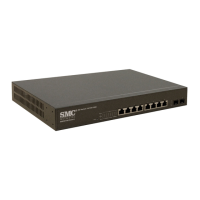
SMC Networks SMCGS10C-Smart - User Manual

SMC Networks SMCGS10C-Smart
282 pages
Print Icon
To Next Page IconTo Next Page
Loading...
MANAGEMENT GUIDE
Web Smart
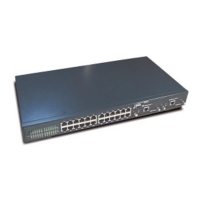
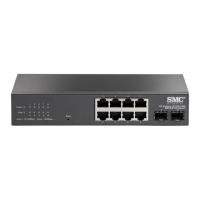
10-Port GE Switch
SMCGS10C-Smart

Table of Contents

Other manuals for SMC Networks SMCGS10C-Smart

Questions and Answers

  • J
    jason83Jul 30, 2025
    What to do if I cannot connect to SMC Networks Switch using a web browser?
    • H
      hhudsonJul 30, 2025
      If you cannot connect to the SMC Networks Switch using a web browser, make sure the switch is powered up. Check the network cabling between your computer and the switch. Also, verify that you have a valid network connection to the switch and that the port you are using hasn't been disabled. Ensure that the VLAN interface through which your computer is connected has a valid IP address, subnet mask, and default gateway. Your computer should have an IP address in the same subnet as the switch's IP interface. If connecting via a tagged VLAN group IP address, your computer and any intermediate switches must be configured with the appropriate tag.
  • K
    Kenneth SotoAug 4, 2025
    What to do if the Link LED is off on my SMC Networks Network Router?
    • N
      Noah HenryAug 4, 2025
      If the Link LED is off on your SMC Networks Network Router, first ensure that both the router and the connected device are powered on. Then, check that the cable is securely plugged into both the router and the device. If the router is in a rack, inspect the connections to the punch-down block and patch panel. Confirm that you're using the correct type of cable and that it isn't too long. Finally, inspect the adapter and cable connections on the connected device for any damage, replacing them if necessary.
  • M
    Michelle MccallAug 9, 2025
    How to fix Power LED off on SMC Networks Network Router?
    • S
      Sarah ScottAug 9, 2025
      If the Power LED is off on your SMC Networks Network Router, check the connections between the router, the power cord, and the wall outlet. If the issue persists, contact your dealer for assistance.
  • G
    Guy GoodmanAug 13, 2025
    Why does my SMC Networks SMCGS10C-Smart power off after running for a while?
    • J
      jeffrey80Aug 13, 2025
      If your SMC Networks Network Router powers off after running for a while, it could be due to loose power connections, power losses, or surges at the power outlet. Also, the internal power supply may be defective.
  • A
    Andrea DrakeAug 18, 2025
    What to do if Diag LED is flashing amber on SMC Networks Network Router?
    • A
      Alex StoneAug 18, 2025
      If the Diag LED is flashing amber on your SMC Networks Network Router, power cycle the router to try and clear the condition. If the condition does not clear, contact your dealer for assistance.
  • M
    mcmillanjoshuaAug 25, 2025
    Why power indicator does not turn on SMC Networks SMCGS10C-Smart?
    • S
      Stephanie GonzalezAug 25, 2025
      If the power indicator does not turn on when the power cord is plugged into your SMC Networks Network Router, it may be due to an issue with the power outlet, power cord, or the internal power supply.

Summary

Warranty and Product Registration

About This Guide

Section I Getting Started

Introduction

Overview of switch features and management capabilities.

Initial Switch Configuration

Steps for connecting and performing basic configuration of the switch.

Section II Web Configuration

Using the Web Interface

Accessing and navigating the switch's web-based management interface.

Configuring the Switch

Basic configuration tasks for system information, IP, NTP, and logging.

Monitoring the Switch

Monitoring system information, CPU utilization, logs, and port status.

Performing Basic Diagnostics

Testing network connectivity using Ping and cable diagnostics.

Performing System Maintenance

Maintenance tasks: restarting, restoring defaults, and upgrading firmware.

Section III Appendices

Software Specifications

Lists the switch's supported software features, class of service, and management protocols.

Troubleshooting

Common problems and solutions for accessing the management interface and system logs.

License Information

Details the GNU General Public License terms for the product's software.

SMC Networks SMCGS10C-Smart Specifications

General IconGeneral
BrandSMC Networks
ModelSMCGS10C-Smart
CategoryNetwork Router
LanguageEnglish

Related product manuals