EasyManua.ls Logo

SMC Networks 6726AL2 - User Manual

SMC Networks 6726AL2
516 pages
Print Icon
To Next Page IconTo Next Page
Loading...
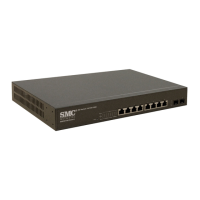
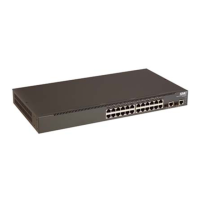
TigerSwitch 10/100
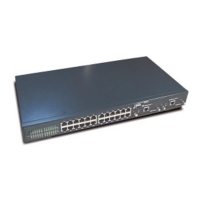
24/48-Port 10/100Mbps
Fast Ethernet Managed Switch
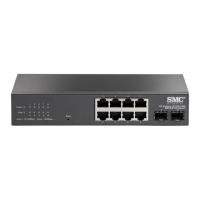
24/48 auto-MDI/MDI-X 10BASE-T/100BASE-TX ports
2 Gigabit RJ-45 ports shared with 2 SFP transceiver slots
2 Gigabit RJ-45 ports
8.8/17.6 Gbps of aggregate bandwidth
Non-blocking switching architecture
Spanning Tree Protocol and Rapid STP
Up to four LACP or static 4-port trunks
Layer 2/3/4 CoS support through four priority queues
Full support for VLANs with GVRP
IGMP multicast filtering and snooping
Support for jumbo frames up to 9 KB
Manageable via console, Web, SNMP, RMON
Management Guide
SMC6726AL2
SMC6752AL2

Table of Contents

Questions and Answers

  • M
    Ms. Anna KelleyAug 10, 2025
    Why can't I connect to my SMC Networks Network Router using Secure Shell?
    • K
      Kelly HarrisAug 10, 2025
      If you're unable to connect to your SMC Networks Network Router using SSH, it could be due to several reasons. You might have exceeded the maximum number of concurrent Telnet/SSH sessions, so try connecting again later. Ensure that the control parameters for the SSH server are correctly configured on the switch and that the SSH client software is properly configured on your management station. Verify that you've generated a public key on the switch and exported it to the SSH client. Also, make sure you've set up an account on the switch for each SSH user, including username, authentication level, and password. Lastly, if using public key authentication, ensure you've imported the client's public key to the switch.
  • D
    Daniel LeonardAug 19, 2025
    What to do if I cannot access the on-board configuration program of my SMC Networks 6726AL2 via a serial port connection?
    • R
      Robert PalmerSep 12, 2025
      If you cannot access the on-board configuration program of your SMC Networks Network Router via a serial port connection, ensure that your terminal emulator program is set to VT100 compatible, with 8 data bits, 1 stop bit, no parity, and 9600 bps. Also, verify that the null-modem serial cable conforms to the pin-out connections provided in the Installation Guide.
  • S
    Steven LeeOct 30, 2025
    Why can't I connect to my SMC Networks Network Router using Telnet, web browser, or SNMP software?
    • D
      David BrownOct 30, 2025
      There could be several reasons why you can't connect to your SMC Networks Network Router. First, ensure the switch is powered up and that the network cabling between your management station and the switch is correctly connected. Verify that you have a valid network connection to the switch and that the port you're using hasn't been disabled. Also, confirm that the VLAN interface through which the management station is connected has a valid IP address, subnet mask, and default gateway. Make sure the management station's IP address is in the same subnet as the switch's IP interface. If connecting via a tagged VLAN group, ensure your management station and the ports connecting intermediate switches are configured with the appropriate tag. Finally, if using Telnet, you might have exceeded the ...

Summary

Introduction

Key Features

Lists essential functionalities and capabilities of the switch, including authentication, access control, and port configuration.

System Defaults

Outlines the default configuration parameters for the switch's system settings, such as console port, authentication, and web management.

Initial Configuration

Connecting to the Switch

Details methods for establishing network or console connection to the switch for management access.

Basic Configuration

Covers initial setup steps like console connection, password configuration, and IP address settings.

Configuring the Switch

Using the Web Interface

Explains how to manage the switch through its embedded HTTP web agent using a standard web browser.

Main Menu

Provides an overview of the web interface's main menu options for system management, port configuration, and monitoring.

Command Line Interface

Using the Command Line Interface

Introduces the CLI for managing the switch via console or Telnet connections, detailing command entry and processing.

Entering Commands

Details how to input CLI commands, including keywords, arguments, abbreviations, command completion, and help.

Software Specifications

Software Features

Lists the switch's supported software features like authentication, VLANs, Class of Service, and multicast filtering.

Troubleshooting

Problems Accessing the Management Interface

Provides guidance on resolving common issues related to connecting to the switch's management interface via Telnet, web, or SNMP.

SMC Networks 6726AL2 Specifications

General IconGeneral
BrandSMC Networks
Model6726AL2
CategoryNetwork Router
LanguageEnglish

Related product manuals