Use
70
• At 8 o'clock the internal segments
between 8 and 9 will start to flash.
Display reduced brightness
To reduce energy consumption in stand-by,
briefly press the key to reduce the
display brightness. To restore the normal
brightness, press the key again.
Timer
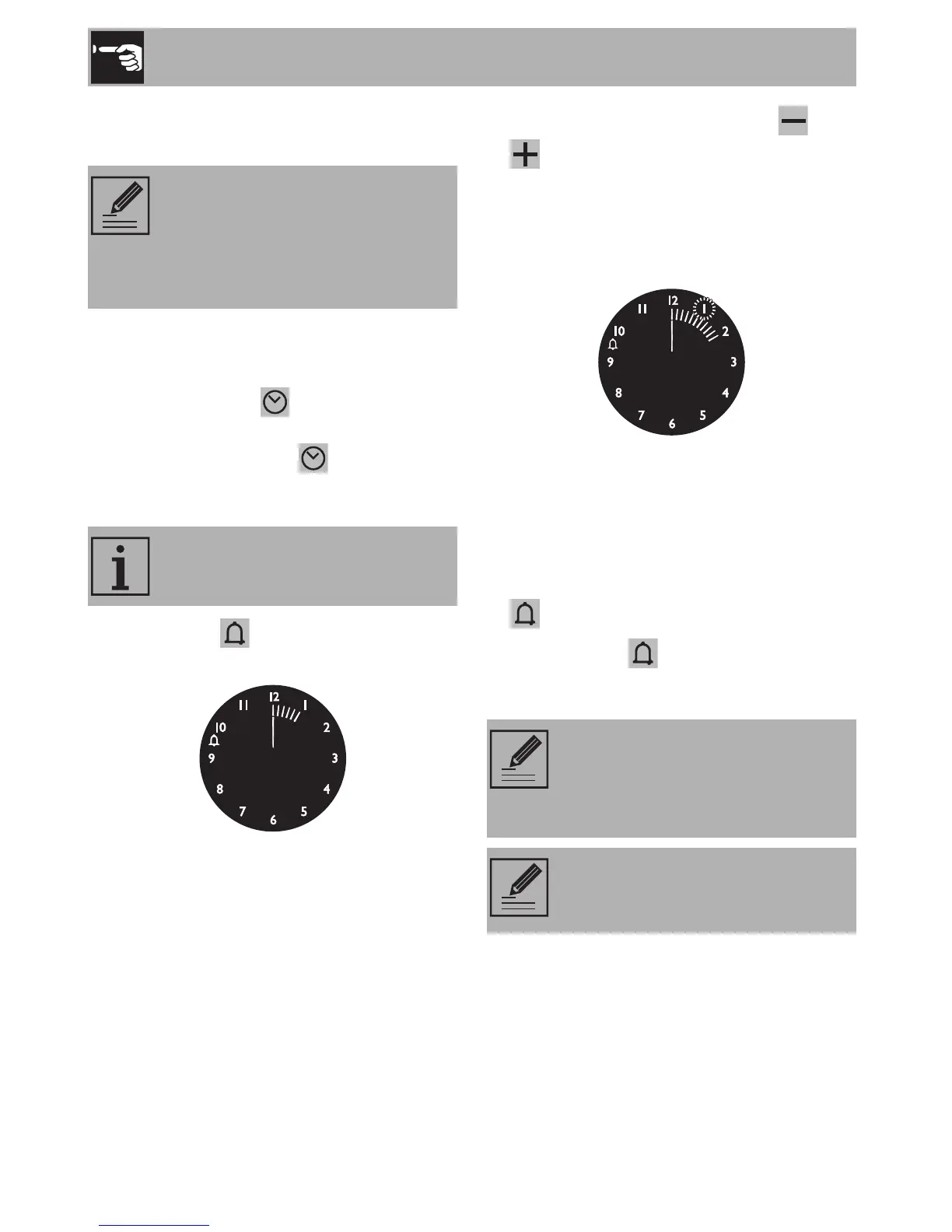
1. Press the key and the display will light
up as shown in the figure below.
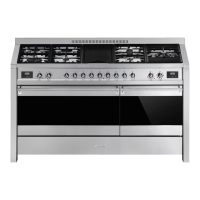
2. Within 5 seconds press the key or
to set the minute minder timer. Each
time a key is pressed, an outer segment
representing 1 minute of cooking is lit or
switched off (the example below shows
a countdown of 1 hour and 10 minutes).
3. Five seconds after you last pressed the
key the countdown begins, at the end of
which the buzzer activates.
4. During the countdown, the current time
can be displayed by pressing the key
.
5. Press the key again to return to the
minute minder display.
For the oven to start cooking after
the programming procedures just
described, the knobs must be
correctly set on the required
temperature and function.
This function only activates the
buzzer, without stopping cooking.
At the end of the countdown turn
the temperature and function
knobs to O to manually stop the
cooking operation.
It is not possible to set a cooking
time of more than 4 hours.



 To Next Page